
Copy link to clipboard
Copied
I am using bootstrap embed-responsive video to include 2 slideshows on a web page. I created the slideshows in iPhoto and exported them as mv4 files. They import into Dreamweaver just fine but I do not see any way to stop the auto play feature. Where can the parameters be adjusted in Dreamweaver cc bootstrap?
Here is the code for the video slideshow
<div class="row text-center">
<div class="col-md-6">
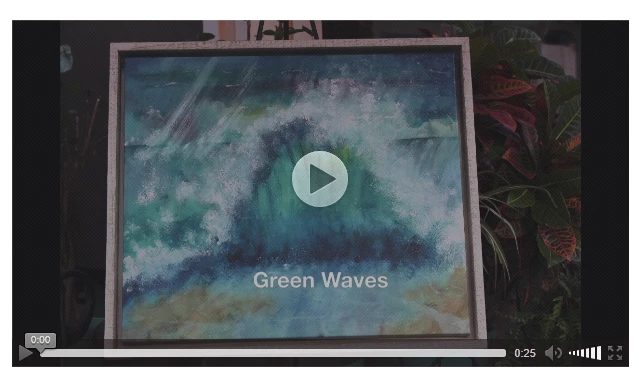
<div class="thumbnail"> <a href="FramedArt/GreenWavesSlideshow.m4v"><img src="Waves.Shells/GreenWave.jpg" alt="Waves" class="img-responsive" title="Green Waves"><div class="embed-responsive embed-responsive-16by9" > <iframe class="embed-responsive-item" src="http://www.selvastudios.com/FramedArt/GreenWavesSlideshow.m4v"></iframe> </div></a>
What do I need to add for autoplay false???
In HTML5 video, AUTOPLAY is off by default. Controls gives users the player controls. See screenshot from Firefox.

Nancy O.
Copy link to clipboard
Copied
Why are you using an iframe? You only need an iframe for media hosted on YouTube or Vimeo, etc...
Just use the HTML5 video tag with responsive classes as shown below:
<div class="embed-responsive embed-responsive-16by9">
<video class="embed-responsive-item" controls poster="YOUR_POSTER_IMAGE.jpg">
<source src="http://www.selvastudios.com/FramedArt/GreenWavesSlideshow.m4v" type="video/mp4">
</video>
</div>
EDIT: Added an S to the player controls.
Nancy O.
Copy link to clipboard
Copied
iframe is what was inserted when I selected insert embed-responsive.
I will try this code and see what happens.
However, I still do not see where you can control auto play or loop features…
Copy link to clipboard
Copied
In HTML5 video, AUTOPLAY is off by default. Controls gives users the player controls. See screenshot from Firefox.

Nancy O.
Copy link to clipboard
Copied
Thanks…again!
Copy link to clipboard
Copied
You should keep in mind that only those that are using a browser that supports html5 will be able to view your video. There are many users out there that still use older browsers that do not support html5. Without an appropriate fallback method those users will not be able to watch your video. You can't assume that just because you might use a modern browser that supports html5 that everyone else does too. ![]()
Copy link to clipboard
Copied
So what would you recommend?
Copy link to clipboard
Copied
So what would you recommend?
Don't worry about it. The numbers of people still using IE8 and Opera Mini are insignificant -- less than 1%. And those people already know they have an inferior browser.
Nancy O.
Copy link to clipboard
Copied
You can upload your video to YouTube and embed on your page to ensure users with older browsers are still able to watch your video. There's also video players like jwplayer that support fallback methods for people that want to watch a video and do not have a browser that supports html5. People with inferior browsers are still able to watch videos from reliable, competent sources so they don't really know that their browser is inferior until they come across someone that built a site where the developer didn't worry about someone not being able to view the content. Even if the statistic mentioned is correct 1% of users is still a LOT of users! Telling someone to update their browser is an unacceptable alternative. A better alternative than that would be to provide a link where the user can download the video and watch it locally on their computer with their own media player. Keep in mind that some people can not update their browsers even if they wanted to due to hardware, software, or procedural limitations. The medical community is a very large audience that comes to mind.
Copy link to clipboard
Copied
<There are many users out there that still use older browsers that do not support html5.>
Not so much anymore. HTML5 video has very good support in all browsers except IE8 and Opera Mini. http://caniuse.com/#feat=video
If you're really concerned about legacy browsers, add a disclaimer to your <video> tag.
<video>
<h3>You have a very old browser that doesn't support HTML5 Video. Please upgrade to a modern browser. </h3>
</video>
Nancy O.
Get ready! An upgraded Adobe Community experience is coming in January.
Learn more