


- Home
- Dreamweaver
- Discussions
- freelance tutoring for dreamweaver wanted
- freelance tutoring for dreamweaver wanted
freelance tutoring for dreamweaver wanted

Copy link to clipboard
Copied
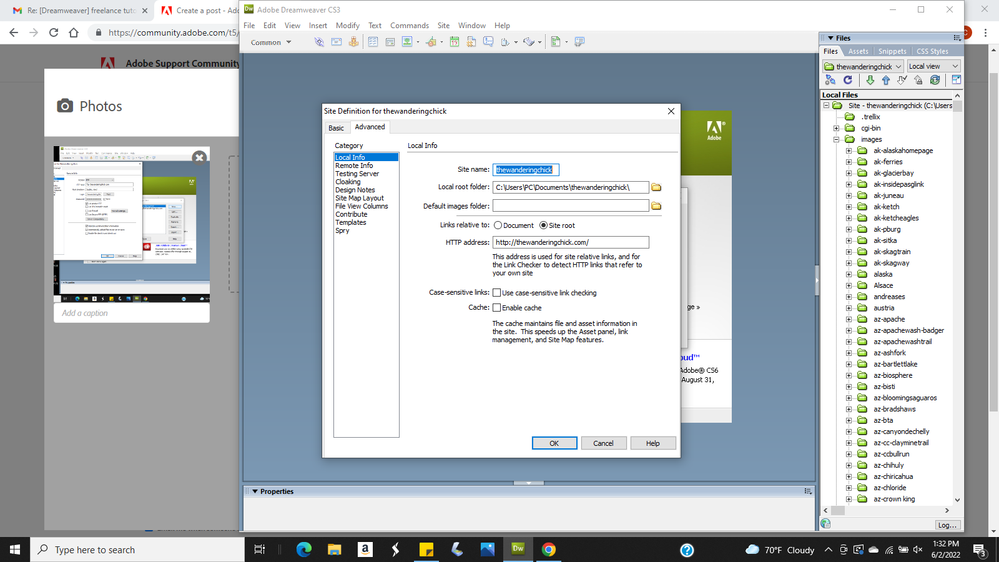
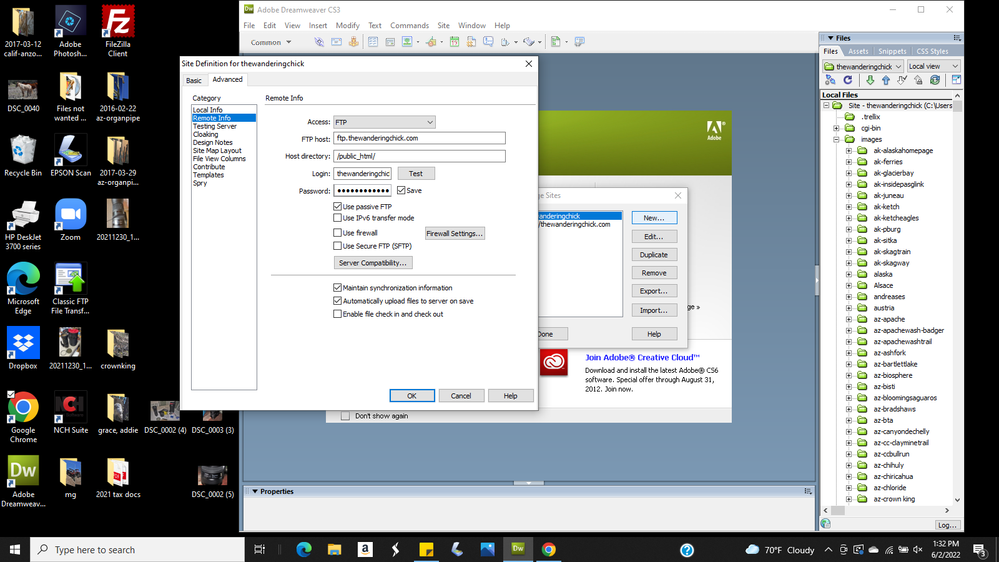
I'm having issues with my dreamweaver program and need someone to walk me through a fix. I'm not able to sign on to my service provider, and not sure at which end the problem lies. My service provider seems to think it's at my end, so they won't offer technical support for DW. My site management has been changed so much, I don't know what is correct. I feel that someone who knows the program better than I can probably figure out the problem(s) Thanks so much. .


 13
Replies
13
13
Replies
13


Copy link to clipboard
Copied
can you just verify the site configuration from scratch. You will need the informations corresponding to the FTP access (URL, Port, Login, Password, type)
Copy link to clipboard
Copied


Copy link to clipboard
Copied
If you're trying to attach files to emails, it won't work here. We don't receive them. Come back to the web forum. Use the picture icon to embed an image in your reply.
Meanwhile, have you attempted to connect to your server with free FileZilla FTP client?
https://filezilla-project.org/download.php
Was that successful?
Copy link to clipboard
Copied
Copy link to clipboard
Copied
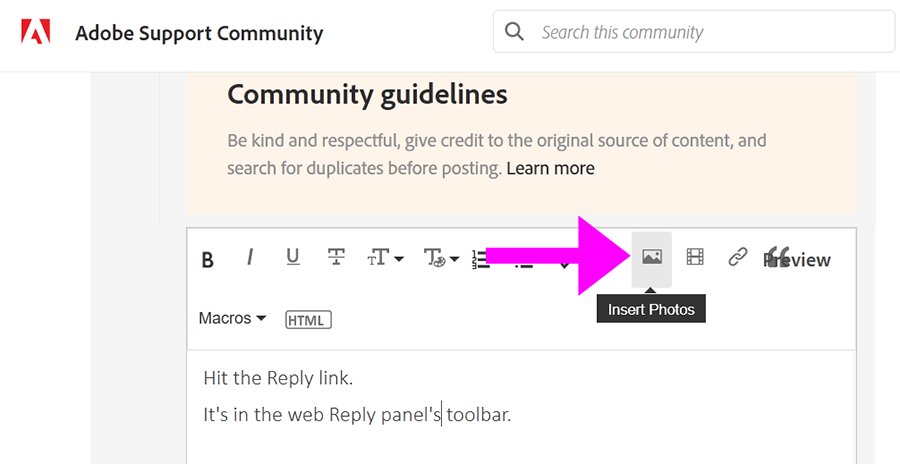
Hit the Reply link.
It's in the web Reply panel's toolbar. See screenshot.
Copy link to clipboard
Copied
Copy link to clipboard
Copied
Copy link to clipboard
Copied
[Moderator branched & moved duplicate post with original topic.]
Copy link to clipboard
Copied
You're using obsolete CS3 software from 15 years ago. You have little chance of succeeding with antique software that's not compatible with modern web servers. The web has changed too much. Sorry.
Use free FileZilla S/FTP client. And while you're at it, get modern web authoring software. CS3 is not fit for use anymore. Get rid of it.
=====================================
CODE TUTORIALS:
- https://www.w3schools.com/html/
- https://www.w3schools.com/css/
- https://www.w3schools.com/js/
================
CODE EDITORS:
-- Adobe Dreamweaver CC - https://www.adobe.com/products/dreamweaver.html
-- Atom (free) - https://atom.io/
-- Codespaces (free, browser-based) - https://github.com/features/codespaces
-- Nova (Mac only, formerly called Coda) - https://nova.app/
-- Pinegrow - https://pinegrow.com/
-- Sublime Text - http://www.sublimetext.com/
-- Visual Studio Code (free) - https://code.visualstudio.com/
Hope that helps.
Copy link to clipboard
Copied
years back, and yet I've continued to use it successfully. Perhaps I do
need to update, but I truly believe that's not the issue right now.
Thanks for your help.
Copy link to clipboard
Copied
All I can suggest is FileZilla and see if that works.
You won't find anybody who here who can help you with CS3 though because it's End of Life and no longer exists.
Hire a web developer. Maybe they can move your current content to WordPress or some other online site building platform that you can use to maintain your site.
Good luck!
Copy link to clipboard
Copied
Copy link to clipboard
Copied
Which operating system do you have?
Restart your computer in Safe Mode.
Open DW. Go to Site > New Site.
Enter or browse to the site folder on your local primary hard drive. C:\YourSite.
Click on Servers tab and enter your log-in credentials and server's Root Directory. If unsure what credentials to use, ask your hosting provider.
Save settings and hit the TEST button to confirm you are connected to your server.

Get ready! An upgraded Adobe Community experience is coming in January.
Learn more
 AdChoices
