
Participating Frequently
October 23, 2017
Answered

full path of open file Dreamweaver CC 2018 (Windows ver)
  • October 23, 2017
  • 1 reply
  • 1848 views

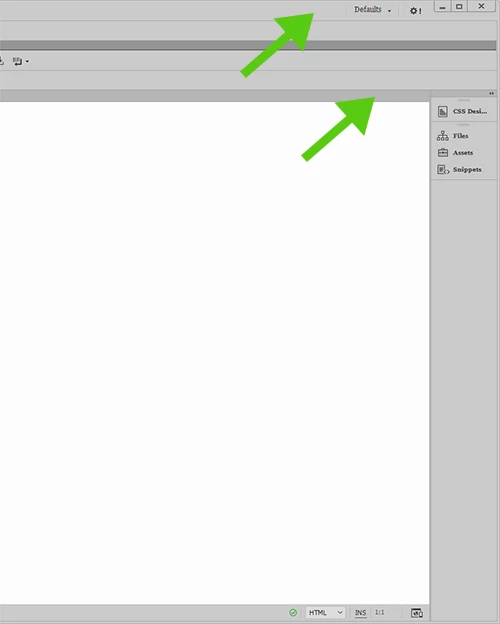
Shouldn't the path to the open file appear in one of the locations pointed to by the green arrows as it did in older versions or did they remove that feature in

DW CC 2018?  Is there a setting to show the path of the open file?  I see that the path is shown when the tab is hovered over.
This topic has been closed for replies.
Correct answer Jon Fritz

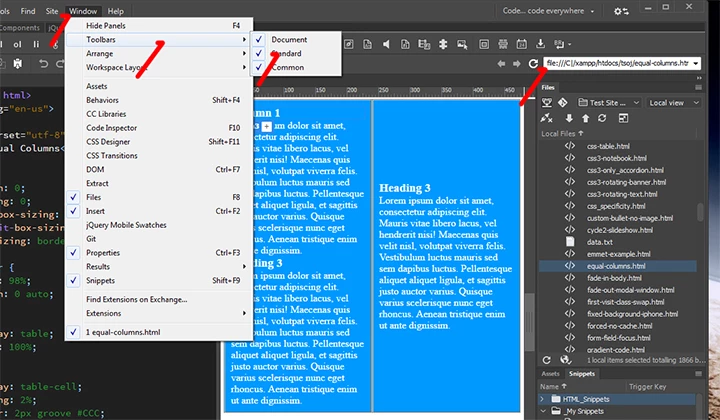
The location bar is still part of the program.

It looks to me like you're using a workspace that doesn't have the Standard Toolbar activated.

Go to Window > Toolbars > put a check by Standard...

1 reply

Jon Fritz
Community Expert
Jon FritzCommunity ExpertCorrect answer
Community Expert
October 23, 2017

The location bar is still part of the program.

It looks to me like you're using a workspace that doesn't have the Standard Toolbar activated.

Go to Window > Toolbars > put a check by Standard...

Participating Frequently
October 23, 2017

I meant the path details of the open file as shown above not the location bar.

Participant
April 15, 2019

Ah, that path.

As far as I know, there's no way to get it back.

You may want to start a discussion in the Feature Request/Bug Report forum so other users can vote on it. Something simple like that should be easy enough for the dev team there to add back to the program if there's enough call for it...

Adobe Dreamweaver CC: Feature Ideas


I don't know about these new "UX/UI Youngsters" but they are terrible at it. In the past few years, I have seen adobe key products (Photoshop, Illustrator, Dreamweaver) move backwards as far as Usability and User experience is concerned.

Removing functionalities which are at the core of our jobs is a blatant statement showing these people do not know anything about what we do. How can they create software to help us work when they don't know what we do exactly?