Answered
Hi! I just updated Dreamweaver app and side code looks weird.
It is hard to explain so I just add the print screen. I don't understand why coding looks like this (one vertical line). and how do I make it look normal?
Thank you!
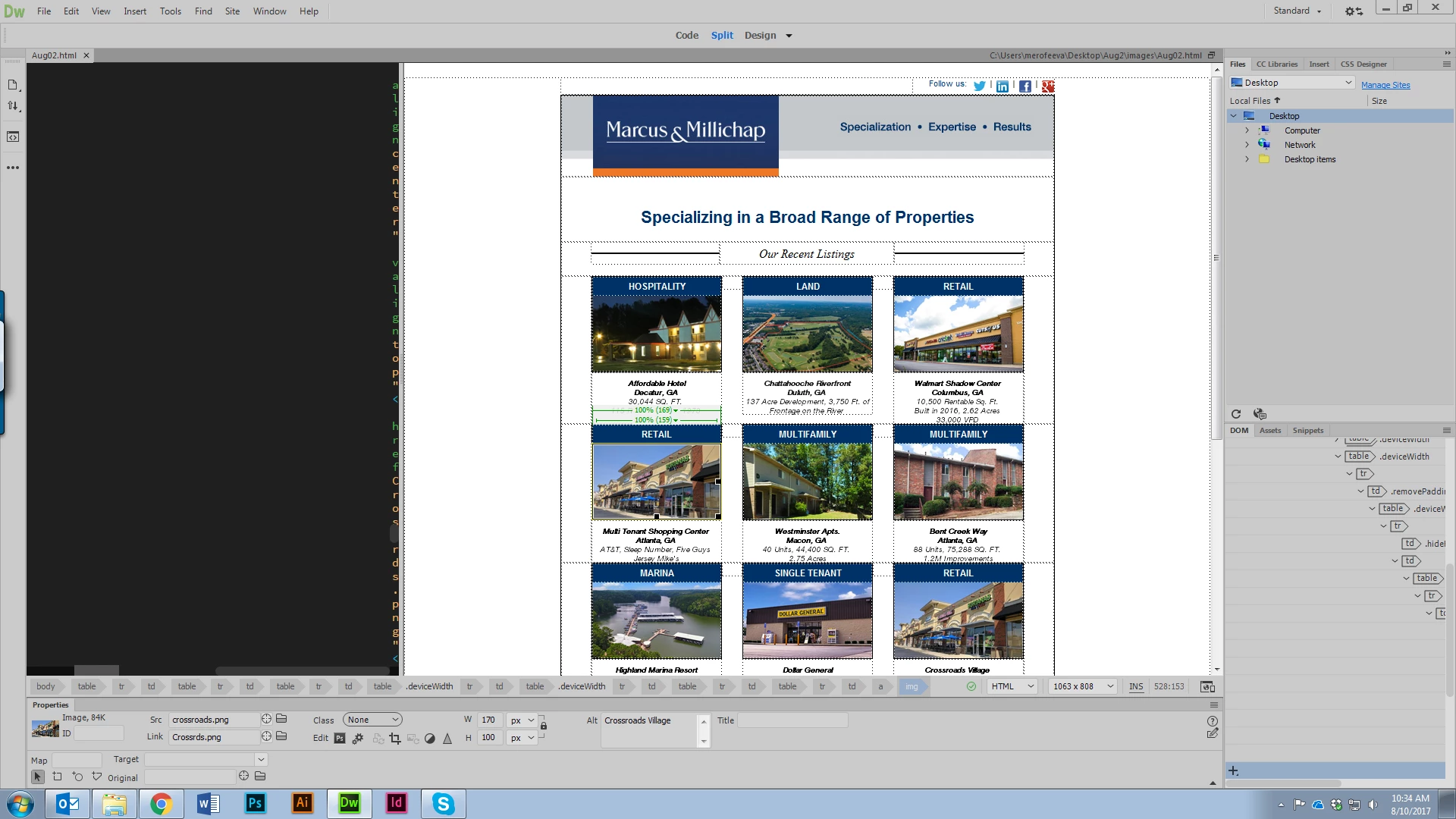

It is hard to explain so I just add the print screen. I don't understand why coding looks like this (one vertical line). and how do I make it look normal?
Thank you!
It's because you have an over-abundance of tabs in your code, along with the word-wrap setting turned on.
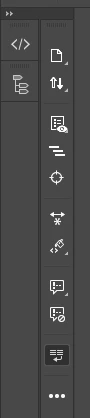
You can either remove extra tabs from each line in your code by selecting all of your code and choosing Edit > Code > Apply Source Formatting (might not be possible if you actually have a high enough number of nested items) or turn off the Word Wrap option in your Common Toolbar (the vertical one) by default it's the one just before the dots at the bottom...
Already have an account? Login
Enter your E-mail address. We'll send you an e-mail with instructions to reset your password.
 AdChoices