
How do I solve the problem "Dreamweaver cant locate git bash on your computer"
Hi,
First of all let me say that I am using OS X and as per the reply to my question here How do I make Dreamweaver scan for git I have installed the universal git version.
I am now using the universal git version rather than the apple git version. Git is now installed at /usr/local/bin/git and I have updated the preferences for Git in DW to reflect this new location as shown here:
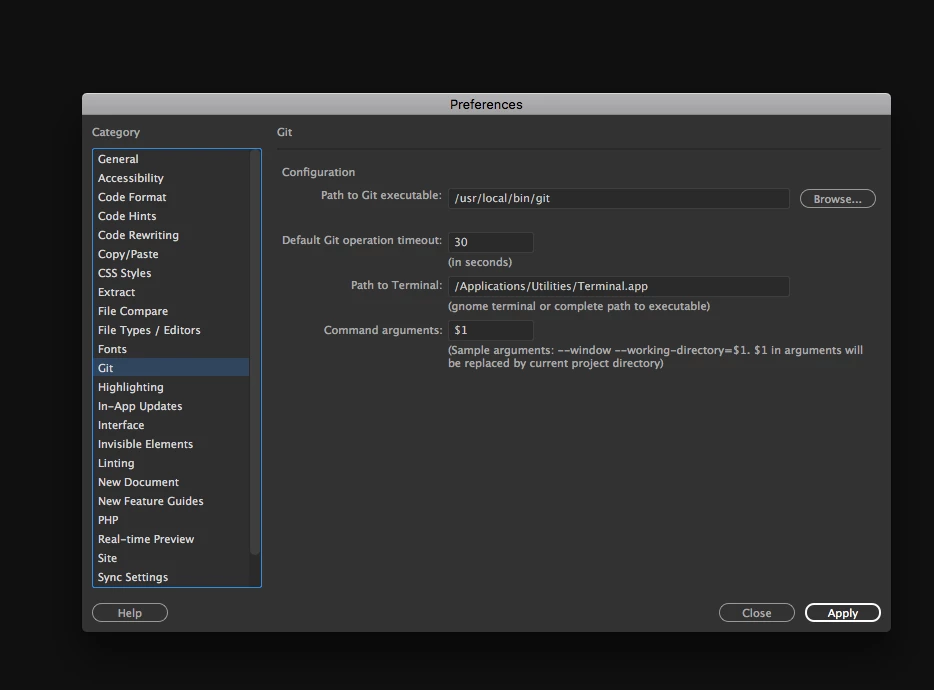
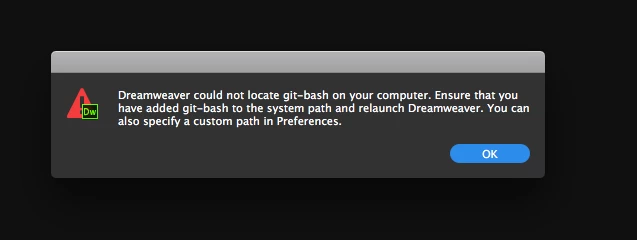
However, I now have a different problem. I can use the git tools and commit, push, pull and so on just fine as long as I use them from within the git panel of Dreamweaver but when I try to open the Terminal to do something like secure commit using my GPG key, Dreamweaver doesn't open the Terminal and instead gives me the error "Dreamweaver could not locate git bash on your computer" as shown here:
Just so you know that Git is working properly via the Terminal (as long as I manually launch the Terminal and navigate to my Git Repo - here is a screenshot of that:
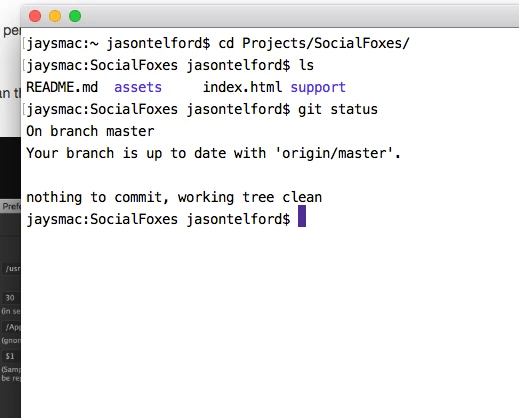
All Git commands work properly if I manually launch the Terminal and navigate to my Git Repo, so this isn't a problem with Git not working, its a problem with Dreamweaver not opening the Terminal when I click on the Terminal button from the Git panel in Dreamweaver.
Also, when I hover over the Terminal button on the DW Git panel, I see the following: "Bash/Terminal console is disabled because no valid executable was found."
That makes no sense to me since I have the exact correct path to my Terminal set in DW Git preferences.
If I don't have the correct info in "Path to Terminal" what info should I have in there?
Can anyone help me solve this problem?
Cheers
Jay
 AdChoices