
Inspiring
February 18, 2017
Answered

I can't open one of my new .php pages

  • February 18, 2017
  • 1 reply
  • 885 views

[Working on a Mac running OSX Sierra on DW CC17]

I'm baffled at why one web page on my site doesn't appear.

When I use localhost to browse the page, I get this unstyled page.
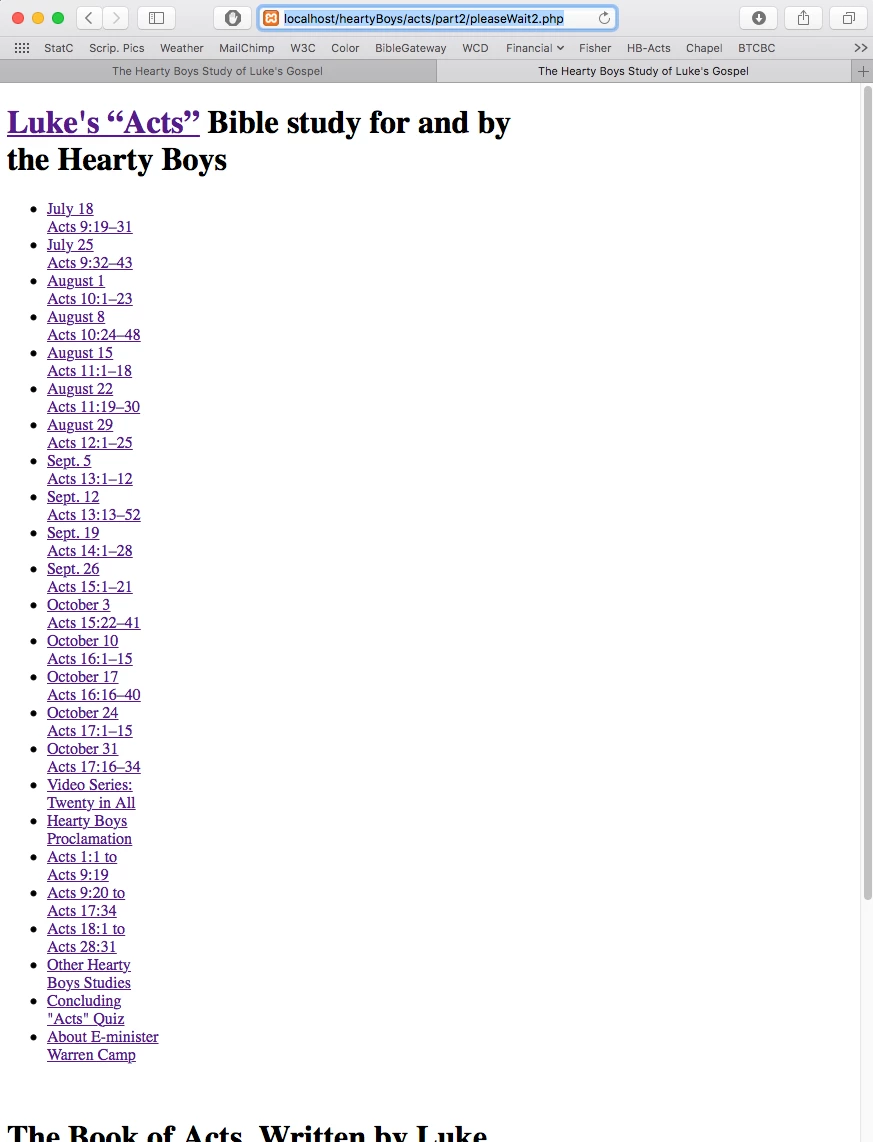
. . .

When I try to open the page online in two browsers, I get this error message, which has an unexpected URL entry.
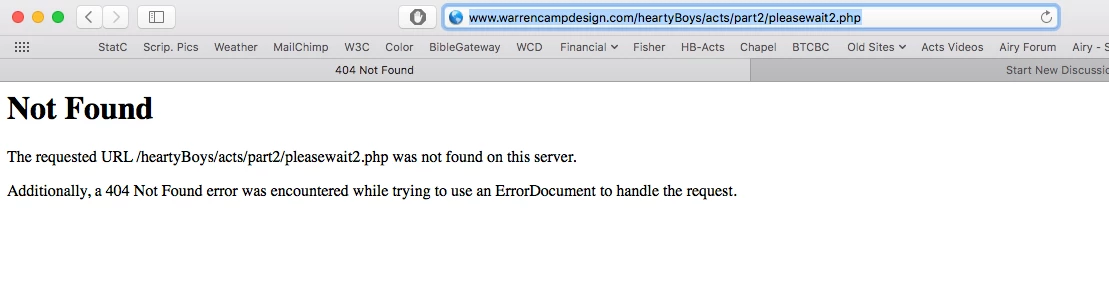
What's unexpected in the URL that came up is the fact that the "W" in "pleasewait" is NOT capitalized, despite the fact that I typed my file with a capital "W" as shown here. . .
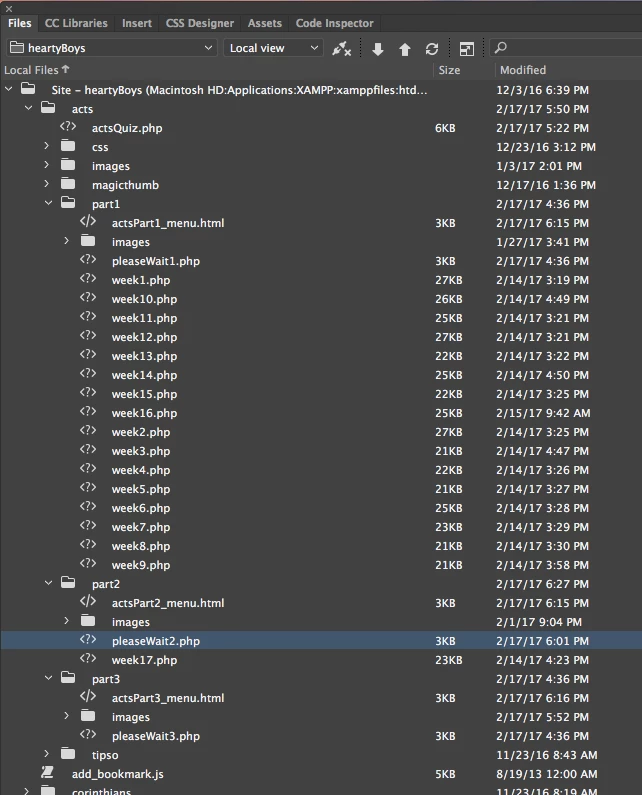
. . . and despite the fact that the localserver (XAMPP) shows the file with a capital "W", as shown here. . .
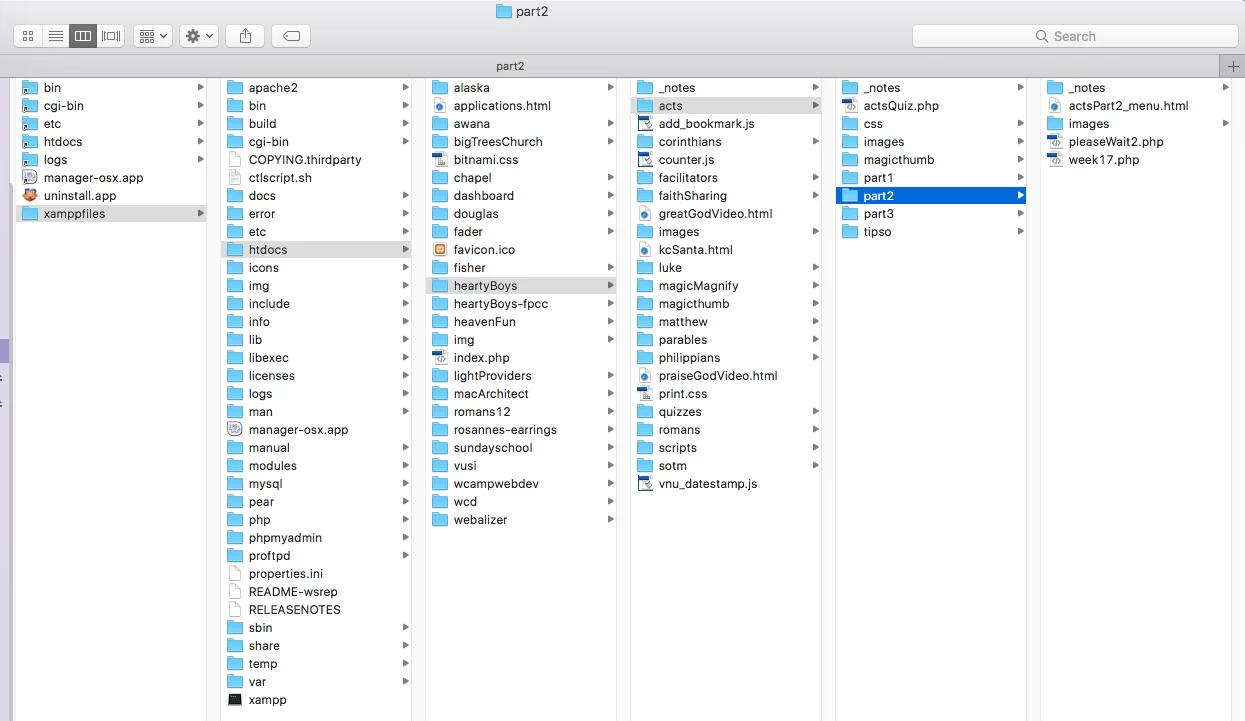
Nevertheless, when I try to open the page online from an accompanying page, the pathway clearly shows that a lowercased "w" is called for in "pleasewait2.php, as shown here. . .

I cannot figure out why a lowercase "w" appears in the URL, when viewing online and on localhost. All my files use an uppercase "W" in that file's title.

Am I missing something that might have caused this to happen? I cannot figure this out!

I've cleared the cache files several times. I even quit and reopened DW twice.

Here's the Home page. . .

http://www.warrencampdesign.com/heartyBoys/acts/part1/week1.php

. . . The problematic link is in the nav menu's bottom row; click the center of its three dark buttons titled "Acts 9:20 to Acts 17:34."

Thanks for your help.

Warren

    This topic has been closed for replies.
    Correct answer osgood_

    Forgive me, Ben, for calling you Bob. I'm sorry.    (  ; - (

    Regarding the e-address obfuscations, here's the latest.

    I've obfuscated the e-address on all seventeen of my Bible commentary pages. All work well.

    I also modified two of the three "pleaseWait" pages and see that they're successful entered.

    However, that lone problematic "pleaseWait2.php page continues to be troublesome. It won't open as a page in localhost; online it still opens as a list.

    http://www.warrencampdesign.com/heartyBoys/acts/part2/pleaseWait2.php

    Can you detect what on that page prevents it from cooperating as all the others do?

    Warren


    wcamp  wrote

    However, that lone problematic "pleaseWait2.php page continues to be troublesome. It won't open as a page in localhost; online it still opens as a list.

    http://www.warrencampdesign.com/heartyBoys/acts/part2/pleaseWait2.php

    Check the links to your css stylesheets. You're getting a 404 error - Not Found.

    <link rel="stylesheet" href="css/actsStyles.css" type="text/css" media="screen" />

    <link rel="stylesheet" href="css/actsPrint.css" type="text/css" media="print" />

    Note the ../ below - including this tells the link to look outside of the 'part2' folder for the 'css' folder NOT look inside it for the 'css' folder.

    <link rel="stylesheet" href="../css/actsStyles.css" type="text/css" media="screen" />

    <link rel="stylesheet" href="../css/actsPrint.css" type="text/css" media="print" />

    1 reply

    BenPleysier
    Community Expert
    Community Expert
    February 18, 2017

    Change the lower case 'w' to upper case 'W' in

    <li class="darkBkgrd"><a href="../part2/pleasewait2.php" class="diffcolortab">Acts 9:20 to<br>

    As a side note have a look at The Email Address Obfuscator Page or Google the subject for more

    Wappler is the DMXzone-made Dreamweaver replacement and includes the best of their powerful extensions, as well as much more!
    wcampAuthor
    Inspiring
    February 18, 2017

    Hello, again, Ben:

    May I ask where I'm to find that link with a lowercase "w"? Each of my menu includes show an uppercase "W", as in . . .

    for "actsPart1_menu.html" . . .

    for "actsPart2_menu.html . . .

    and for "actsPart3_menu.html" . . .

    All three links on each of the three menu files has an uppercase "W". Where have you found a lowercase entry? I certainly don't see it in the Local Files panel, the Server Files panel, or the XAMPP files list. Intuitively, I don't know where to find what you apparently found. Please advise where you found it and what its URL is. Thanks.

    And thanks for thinking of me, Bob, regarding the email obfuscator your mentioned. I haven't yet gotten to add it but will, possibly tonight.    (  ; - )

    Warren

    wcampAuthor
    Inspiring
    February 18, 2017

    Bob: Regarding the e-address obfuscator reminder you gave me, I attempted to insert a JavaScript that I've been using for years on many other sites. When I added it and checked the page on localhost, I got a parsing error message, as follows.

    Is there a problem putting a script on a .php page?

    If not, could this be an indication that, when realizing my intial concern about not fine the file having a lowercase "w" entry to correct, perhaps somethings quite amiss on my new localhost setup?

    I hope you won't mind weighing in on one or both of these problematic concerns.

    Thanks, Bob.

    Warren


    Forgive me, Ben, for calling you Bob. I'm sorry.    (  ; - (

    Regarding the e-address obfuscations, here's the latest.

    I've obfuscated the e-address on all seventeen of my Bible commentary pages. All work well.

    I also modified two of the three "pleaseWait" pages and see that they're successful entered.

    However, that lone problematic "pleaseWait2.php page continues to be troublesome. It won't open as a page in localhost; online it still opens as a list.

    http://www.warrencampdesign.com/heartyBoys/acts/part2/pleaseWait2.php

    Can you detect what on that page prevents it from cooperating as all the others do?

    Warren