
Callster401
Participant
February 11, 2017
Answered

My font folder won't appear when I try to add custom fonts to Dreamweaver

  • February 11, 2017
  • 2 replies
  • 1168 views

I was wondering if I could have some help with finding the folder to allow me to have custom fonts for my webpage. I've got the right directory/folder area. But when I open it up in the add fonts pop up box. It will not appear for some reason. But every other folder in that area appears. Is there something I'm missing or not doing correctly? Thanks in advance for any kind of help.
This topic has been closed for replies.
Correct answer Nancy OShea

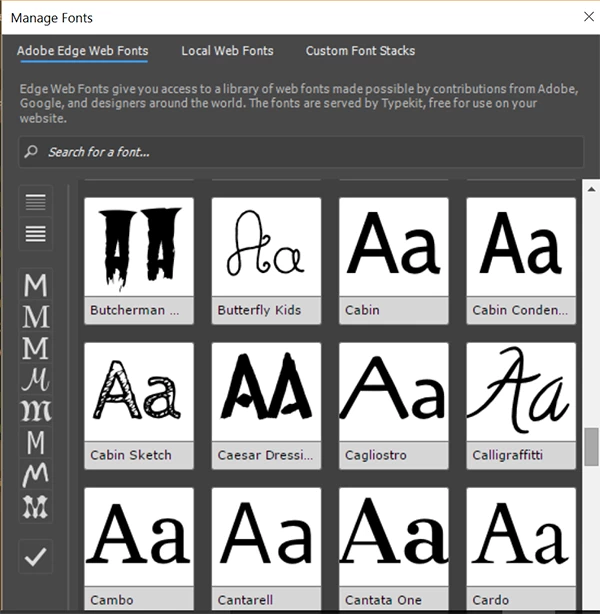
In  the latest version of DW CC, go to Tools > Manage Fonts.   You should see 3 tabs

  • Adobe Edge Web Fonts
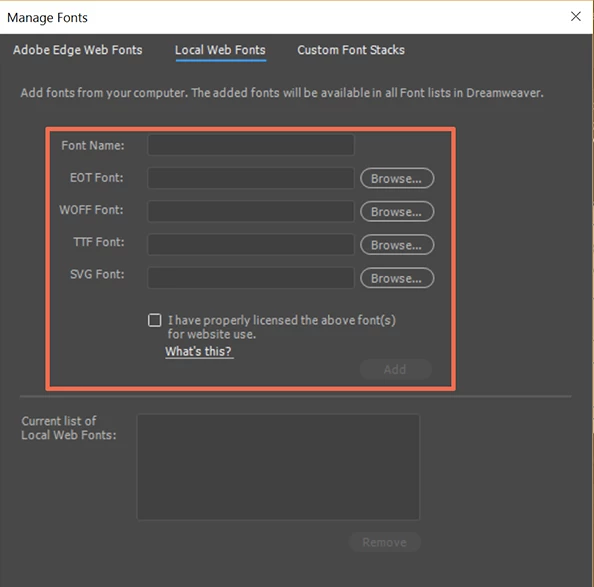
  • Local Web Fonts (eot, ttf, woff, svg files)
  • Custom Font Stacks (font families found on most Win/Mac machines). 

We can use Web Fonts or Font stacks -- families of fonts commonly found on most Win/Mac systems. 

Web Fonts are often hosted on other servers and can make your pages load slower so use them sparingly.

See link below for complete Font Stack list.  

CSS Font Stack: Web Safe and Web Font Family with HTML and CSS code.

If you have a Local Web Font kit created from a custom font, you need all 4 file types to cover all devices.  You must host the fonts on your server.  And you must make certain that the font license extends to the web.  If not, don't use it.  It's not worth the risks.

Nancy

2 replies

Nancy OShea
Community Expert
Nancy OSheaCommunity ExpertCorrect answer
Community Expert
February 11, 2017

In  the latest version of DW CC, go to Tools > Manage Fonts.   You should see 3 tabs

  • Adobe Edge Web Fonts
  • Local Web Fonts (eot, ttf, woff, svg files)
  • Custom Font Stacks (font families found on most Win/Mac machines). 

We can use Web Fonts or Font stacks -- families of fonts commonly found on most Win/Mac systems. 

Web Fonts are often hosted on other servers and can make your pages load slower so use them sparingly.

See link below for complete Font Stack list.  

CSS Font Stack: Web Safe and Web Font Family with HTML and CSS code.

If you have a Local Web Font kit created from a custom font, you need all 4 file types to cover all devices.  You must host the fonts on your server.  And you must make certain that the font license extends to the web.  If not, don't use it.  It's not worth the risks.

Nancy

Nancy O'Shea— Product User & Community Expert
pziecina
Legend
February 11, 2017

Fonts installed on your computer, can be used on the web just by using the name of the font, providing the end user also has that font installed on their computer.

e.g.

font-family: "myriad pro";

A web page cannot use fonts the same way you do in a pdf or word document.

In order to ensure the end user can see the web page using a none web safe font, then you have to use a downloadable font service such as typekit -

http://www.dreamweavertutorial.co.uk/dreamweaver/video/typekit-custom-fonts.htm