
pop panel script - mucks up the jQuery tab bar
I wonder if anyone can help
I am using jQuery tabs bar from dreamweaver plugins I want to add a popup window
I saw a link that 'Nacy Oo Shea' uploaded which is prefect in the style I want but when I add the code it destroys the tab bar, not sure how to correct this to get the tab bar to work.
Also is there away to get the popup window to open when you click on the button and not auto load up
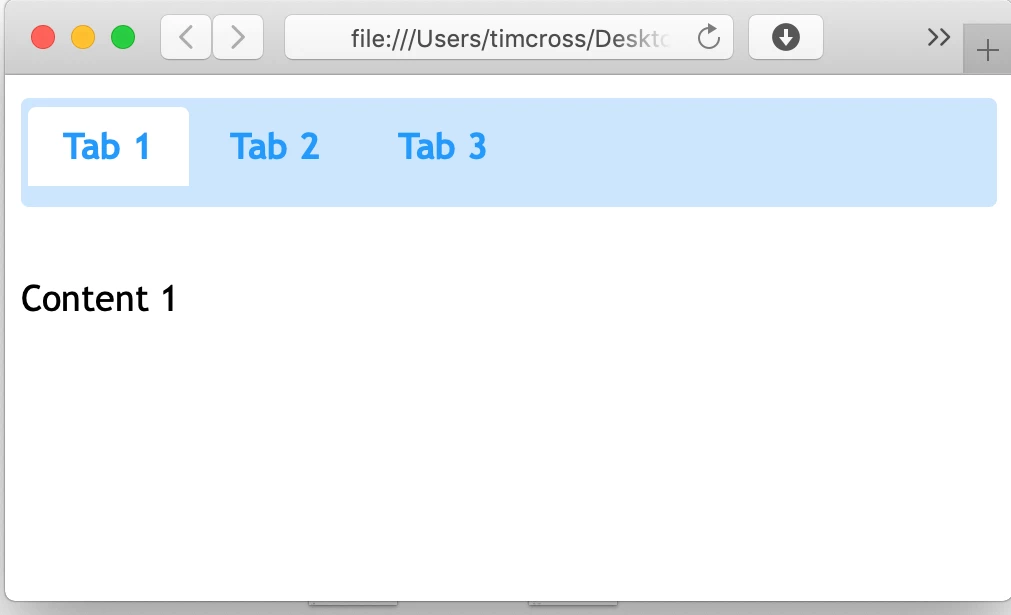
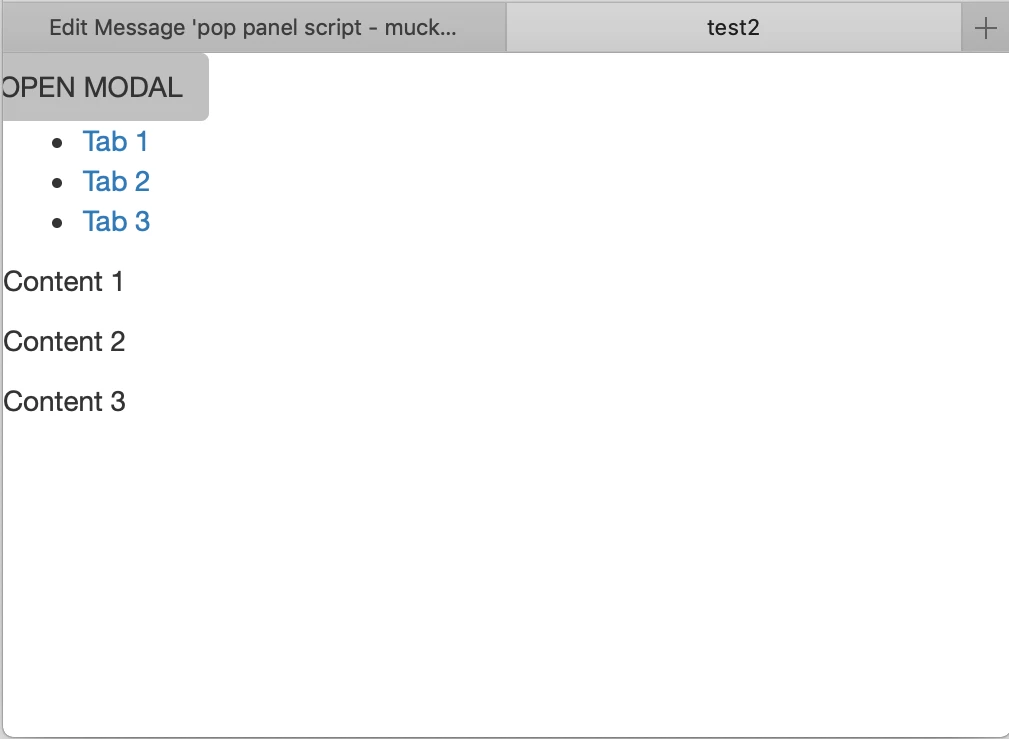
Thanks
Tim
------
------
<!doctype html>
<html>
<head>
<meta charset="UTF-8">
<title>test2</title>
<link href="jQueryAssets/jquery.ui.core.min.css" rel="stylesheet" type="text/css">
<link href="jQueryAssets/jquery.ui.theme.min.css" rel="stylesheet" type="text/css">
<link href="jQueryAssets/jquery.ui.tabs.min.css" rel="stylesheet" type="text/css">
<script src="jQueryAssets/jquery-1.11.1.min.js"></script>
<script src="jQueryAssets/jquery.ui-1.10.4.tabs.min.js"></script>
<!--popup start>
<!--[if lt IE 9]>
<script src="http://html5shiv.googlecode.com/svn/trunk/html5.js"></script>
<![endif]-->
<!--Bootstrap-->
<link rel="stylesheet" href="http://maxcdn.bootstrapcdn.com/bootstrap/3.3.5/css/bootstrap.min.css">
<!--popup end>
</head>
<!--popup panel start -->
<div class="row">
<!-- Button trigger modal -->
<button type="button" class="btn" data-toggle="modal" data-target="#myModal">OPEN MODAL</button>
<!-- Modal window-->
<div class="modal fade left" id="myModal">
<div class="modal-dialog">
<div class="modal-content">
<div class="modal-header">
Modal Header
<button type="button" class="close" data-dismiss="modal" aria-label="Close"><span aria-hidden="true">×</span></button>
</div>
<div class="modal-body small" style="text-align:left">
<h3 class="center">Modal Body</h3>
<p>Some text</p>
<p>Some text</p>
<p>Some text</p>
</div>
<div class="modal-footer">
Modal Footer
<button type="button" class="btn btn-default" data-dismiss="modal">Close</button>
</div>
</div>
</div>
</div>
</div>
</div>
<!--popup panel end -->
<body>
<div id="Tabs1">
<ul>
<li><a href="#tabs-1">Tab 1</a></li>
<li><a href="#tabs-2">Tab 2</a></li>
<li><a href="#tabs-3">Tab 3</a></li>
</ul>
<div id="tabs-1">
<p>Content 1</p>
</div>
<div id="tabs-2">
<p>Content 2</p>
</div>
<div id="tabs-3">
<p>Content 3</p>
</div>
</div>
<script type="text/javascript">
$(function() {
$( "#Tabs1" ).tabs();
});
<!--popup script Latest jQuery Core Library start-->
<script src="http://code.jquery.com/jquery-latest.min.js">
</script>
<!--Bootstrap-->
<script src="http://maxcdn.bootstrapcdn.com/bootstrap/3.3.5/js/bootstrap.min.js"></script>
<!--popup script Latest jQuery Core Library end-->
</script>
</body>
</html>
--------
--------
 AdChoices