Participant
July 2, 2015
Answered

Rollover Image Option Disappeared?

  • July 2, 2015
  • 2 replies
  • 12213 views

I am trying to insert a rollover image. When I click on insert, I see the option for "Image Ctrl+Alt+I" but there is no arrow with a pullout menu where I can select "Rollover Image." I have watched the tutorials and they all indicate there should be a arrow that leads to image options such as rollover image. Am I missing something?

I have done rollover images plenty of times in the past with CS6 and CS5 but since I installed CC, the option has magically disappeared.

Dreamweaver CC (2015)

Windows 7

Just installed Dreamweaver today.

Not sure if it is 64 bit or not but my machine can do either.
This topic has been closed for replies.
Correct answer BenPleysier

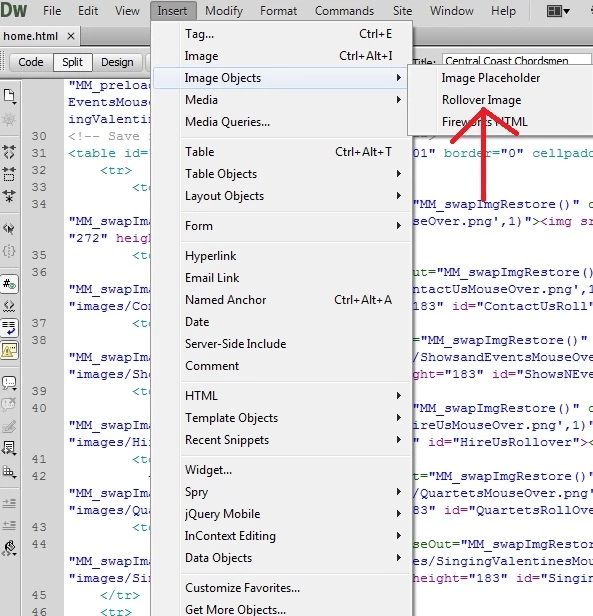
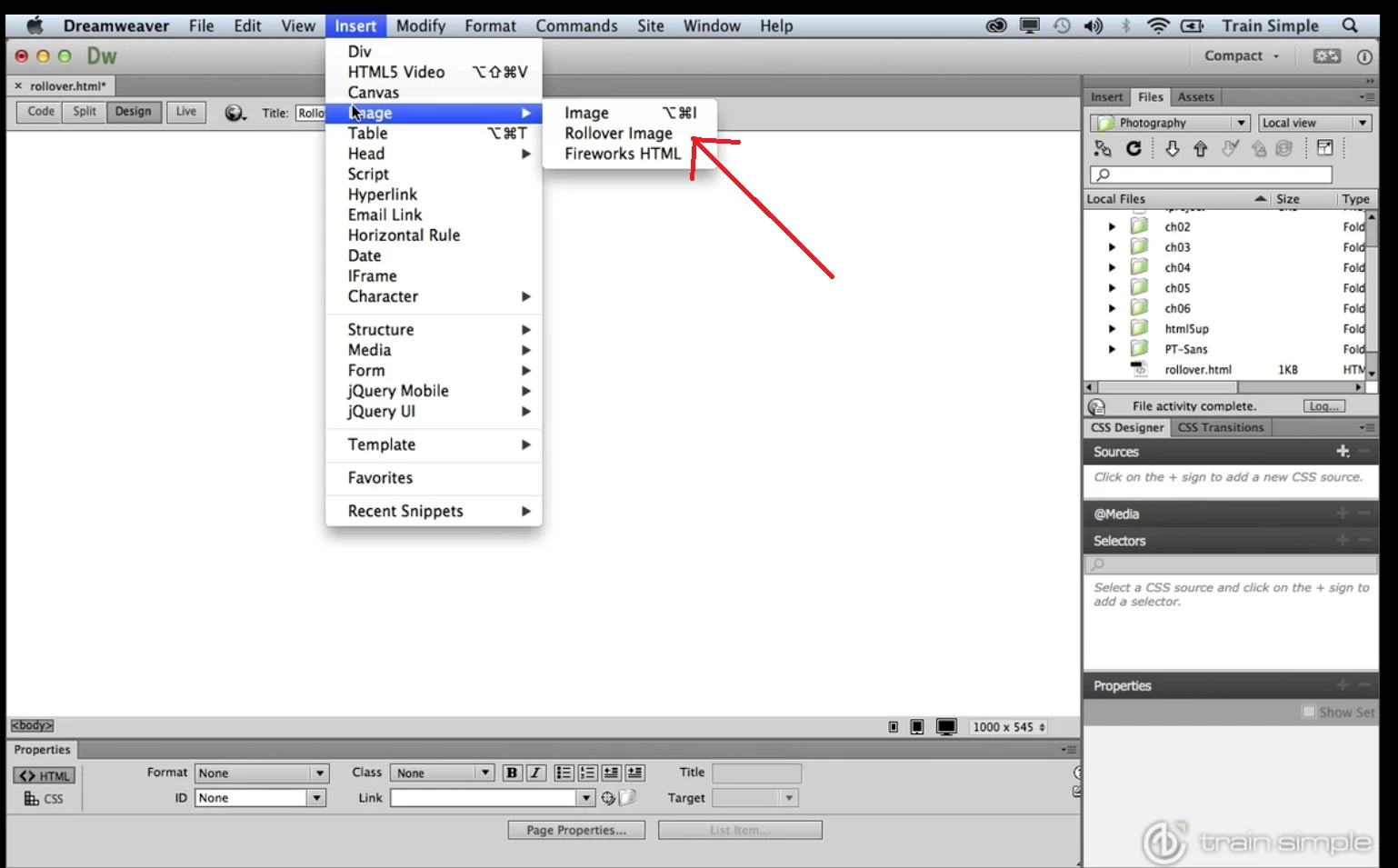
About 1:30 into the turtorial, the speaker demonstrates how to find the rollover option. Here is a screenshot I took directly from the tutorial.

Ok so far so good.

Now, when I go to CS6. I also have this pullout menu. See.

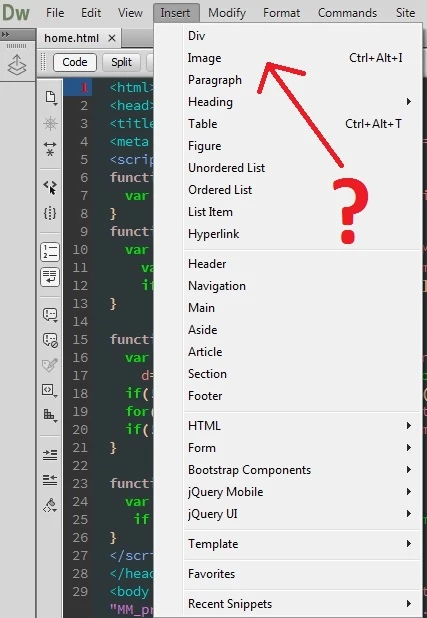
Here is where things go awry. When I attempt the same thing in CSS, this is what I see.

As you can see, no dropout option or anything indicating image options.


2 replies

yij61234540
Participant
July 2, 2015

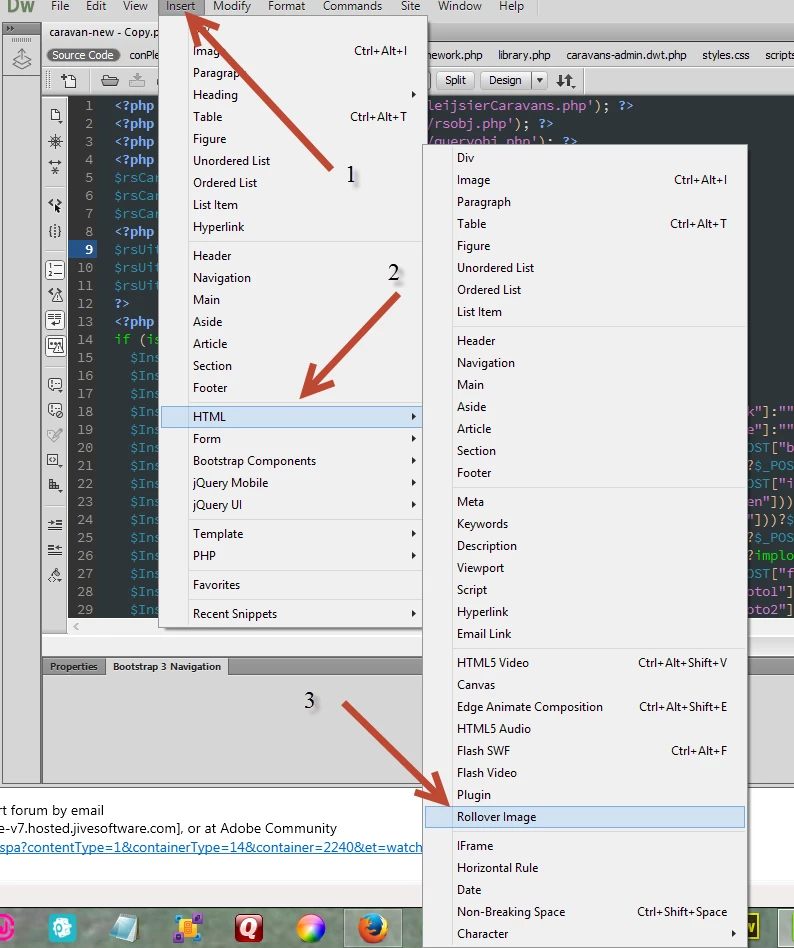
It should be under HTML > Rollover Image.

hans-g.
Legend
July 2, 2015

Hello,

Adobe has prepared this tutorial Add rollovers with CSS | Adobe Dreamweaver CC tutorials. I quote: "Create rollovers using CSS to improve the performance of your website. (Watch, 11 min)"

Hans-Günter

Xbwalker1Author
Participant
July 2, 2015

Hans, please read my question. I already watched the tutorial. The rollover option simly doesn't exist in my Dreamweaver. There are no special options attached to images in fact.

hans-g.
Legend
July 3, 2015

Perhaps you did not listen to what the tutorial said. I'll repeat it

In prior versions of Dreamweaver, the rollover effect was made using JavaScript, in CC+ we make use of CSS which is far more efficient.

In case you do not agree with the above statement, Dreamweaver CS6 works quite well alongside other versions of Dreamweaver.

Thank you Hans-Günter for the link.


Hi Ben, glad to hear from you and all the best from the Allgäu, today it's 34 degrees centigrade in the shade! Hans-Günter