- Home
- Dreamweaver
- Discussions
- Site is not loading properly in Google Chrome
- Site is not loading properly in Google Chrome

Copy link to clipboard
Copied
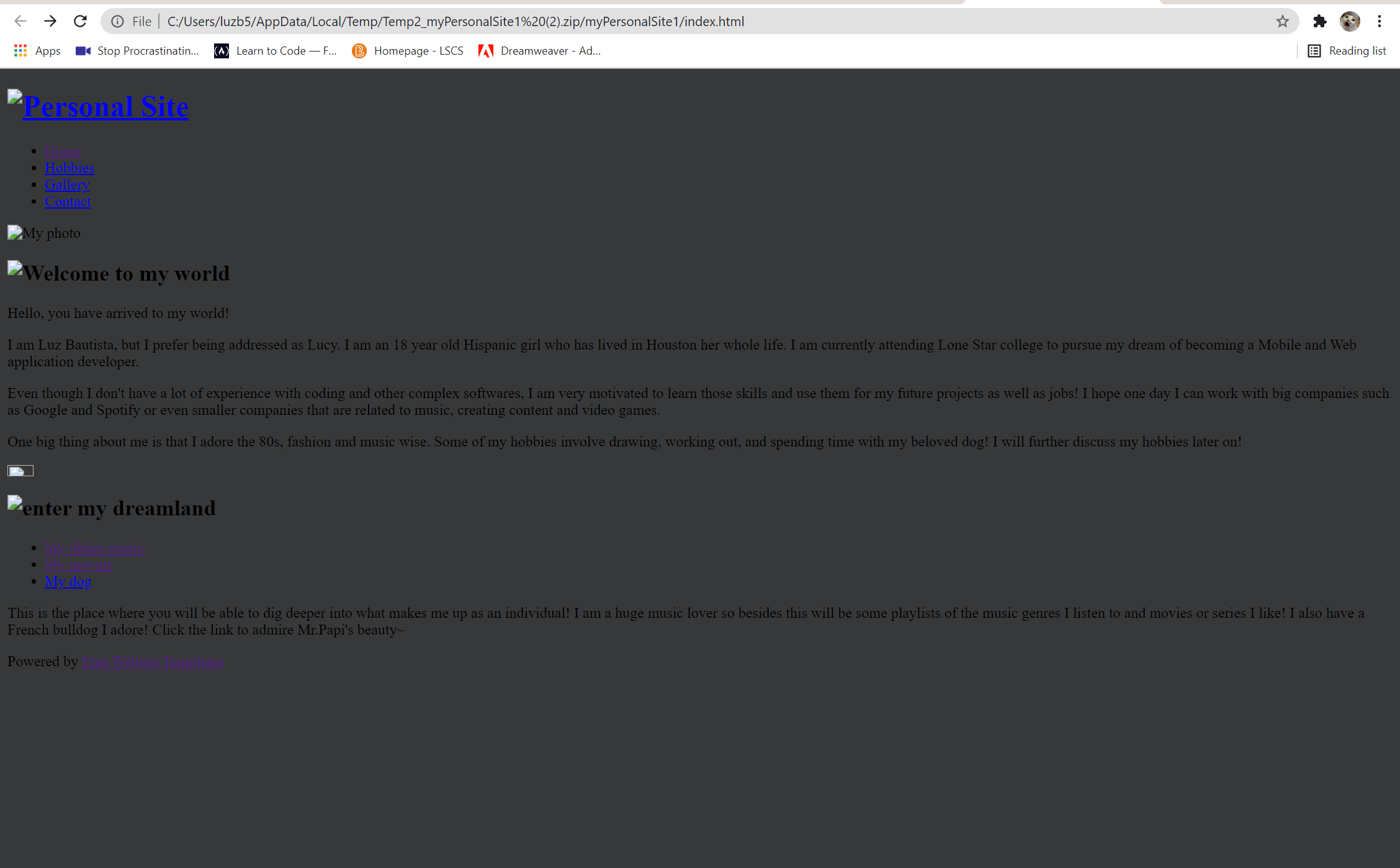
Please help me solve this. I was using a website template my teacher gave me for an assignment. I had to zip up the file to submit my work and now my website won't load properly. If the file is unzipped it works fine. Why is this happening???


 1 Correct answer


.zip archives are not websites.
In order for external links to function, you must first un-archive the files. Once the files are extracted from the .zip archive, they will work without issue.
That's just the way .zipped files function while still in an archive.

 3
Replies
3
3
Replies
3


Copy link to clipboard
Copied
The screenshots show your images are missing in the bad version. Without seeing the code, you will want to ensure the links are relative and don't point to a local macintosh hd/c drive path. Also make sure that when you zip up the page you include the images in the same structure (ie: if they are in a folder called /images, make sure your zip has a folder called /images).
Copy link to clipboard
Copied
.zip archives are not websites.
In order for external links to function, you must first un-archive the files. Once the files are extracted from the .zip archive, they will work without issue.
That's just the way .zipped files function while still in an archive.

Copy link to clipboard
Copied
Upload your local site files to a commercial web hosting service (i.e. HostGator, Domain.com or BluHost). See below for more web hosting providers.
https://www.pcmag.com/picks/the-best-web-hosting-services
When your site is uploaded to a real server, come back & post the URL here for us to see.

Get ready! An upgraded Adobe Community experience is coming in January.
Learn more
 AdChoices