This topic has been closed for replies.
Correct answer Nayan_Kankariya

Hi Nautrino,

Can you please quit all running Adobe applications, sign out from Creative Cloud Desktop App and sign-in again with your Adobe ID. This would be first check for sync settings to work, if not, we can investigate it further and resolve this issue for you.

Thanks,

Nayan

Dreamweaver Team

1 reply

Nayan_Kankariya
Community Manager
Nayan_KankariyaCommunity ManagerCorrect answer
Community Manager
October 26, 2017

Hi Nautrino,

Can you please quit all running Adobe applications, sign out from Creative Cloud Desktop App and sign-in again with your Adobe ID. This would be first check for sync settings to work, if not, we can investigate it further and resolve this issue for you.

Thanks,

Nayan

Dreamweaver Team

dv8kiwi
Inspiring
November 2, 2017

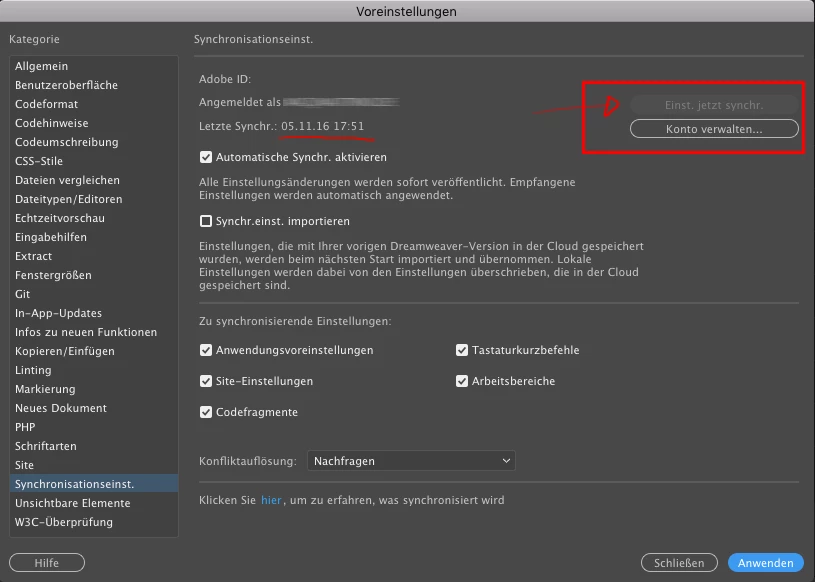
I have done this and it still doesn't work. When I hit sync settings, either from preferences or from the top right hand corner DW freezes. I have left it for over half an hour and nothing happens, need to force quit.

Nayan_Kankariya
Community Manager
Community Manager
November 2, 2017

Hi dv8kiwi,

Sorry to hear you are facing this issue while using sync settings. The resolution would be quite simple and hence can you please follow the below steps and let us know if the issue is resolved.

We would also need below information to reproduce the issue at our end:

1. Operating system and version

2. Dw build version

Steps for resolving this issue:

1. Sign out from Adobe Creative Cloud Desktop App

2. Quit all running Adobe applications (Would be great if you can kill all processes related to Adobe)

3. Restart the machine and sign-in into Adobe Creative Cloud Desktop App and wait for 5-10 minutes before launching Dw and trying to sync.

Let us know if this doesn't work, will investigate this further.

Thanks,

Nayan

Dreamweaver Team