

horstmannd
Inspiring
February 18, 2020
Answered

Template Issue: areas outside of editable regions are not grayed out and are editable

  • February 18, 2020
  • 2 replies
  • 2474 views

Recently this issue has emerged. I have a template with some editable regions. The non-editable regions are the header, footer, etc. But whether it's existing pages based on this template or new pages created from this template, the non-editable regions are editable and not grayed out like they used to be. 


The pages are still connected to the template because when I update the template, the pages also update to reflect the change.


I didn't have this problem before. 


What I've tried:

* Updated to most recent Dreamweaver

* Restarted Dreamweaver and the computer

* Created a new page and made sure the box is checked that links it to the template when it's updated


Nothing is fixing it. Ideas? Is it a bug? 
This topic has been closed for replies.
Correct answer horstmannd

I can't reproduce it on my side. 


Is template saved in the local site's Template's folder with a dot dwt file extension?

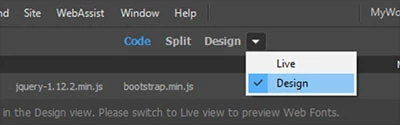
Are you in Design view?


I discovered what's wrong. But I don't have a solution yet. When I store the site files on onedrive, I have the issue. When I move the site to my local C: drive, the issue goes away.


There appears to be some permissions issue where onedrive isn't allowing Dreamweaver some access. I contacted an IT in our company to see if he can help.


Thanks, Jon and Nancy, for the help!

2 replies

Nancy OShea
Community Expert
Community Expert
February 18, 2020

Open your template.dwt.

  1. Go to Tools > Templates > Check Template Syntax.
  2. Also go to Window > Results > Validation and check your document for code errors.


Nancy O'Shea— Product User & Community Expert
horstmannd
Inspiring
February 18, 2020

I did both steps. A valid page based on valid template syntax still has the issue described above. Other ideas? 

Nancy OShea
Community Expert
Community Expert
February 18, 2020

I tried that multiple times with a restart and I get the same result. I even created another barebones template and a page based off of it. Still not fixed. 


What's interesting is when I first create a page based off of the template, everything is grayed out. But as soon as I save it to the file system, non-editable areas are no longer grayed out and become editable. 


I can't reproduce it on my side. 


Is template saved in the local site's Template's folder with a dot dwt file extension?

Are you in Design view?


Nancy O'Shea— Product User & Community Expert
Jon Fritz
Community Expert
Community Expert
February 18, 2020

Could you share the entire code of one of the Child pages made from the Template?

horstmannd
Inspiring
February 18, 2020

Jon, I just posted an example of the issue under the response from Nancy. Thanks.