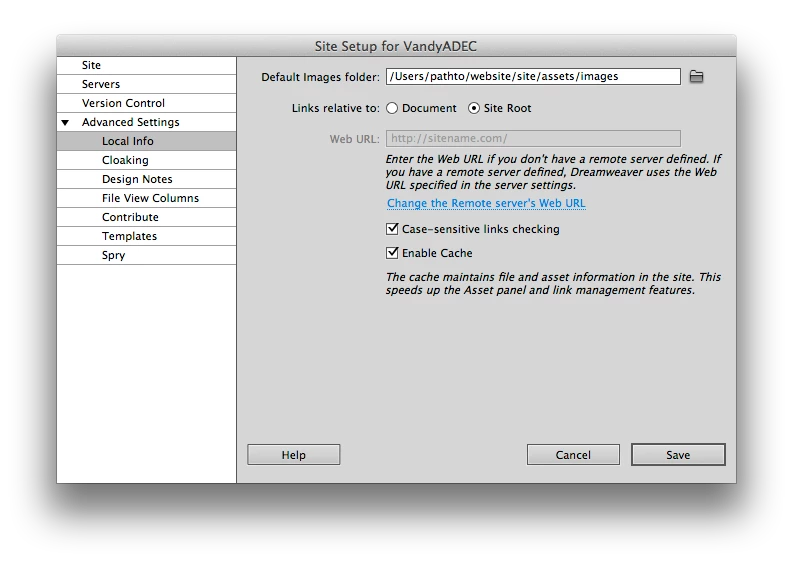
That's the error that DW is stating. It's letting you know that paths are not matching up from what DW can determine. The simple solution is just to change to Document Relative links (Site Manager -> Advanced Settings -> Local Info).
Here is the information of how DW explains the link setup: http://help.adobe.com/en_US/dreamweaver/cs/using/WScbb6b82af5544594822510a94ae8d65-7c42a.html
Here is the short of what happens:
You create page1.html. That links to page2.html inside the "support" folder which is inside the "company" folder. In a site-root relative world, DW would write the link to page2.html as "/company/support/page2.html" as opposed to the document relative link would which be "company/support/page2.html". The difference is the leading "/" which tells the browser to go to the root. So if you want to go to page3.html inside the "company" folder from page2.html the links would be site-root "/company/page3.html" and the document relative would be "../page3.html" telling the browser to go up a level rather than restating the entire path. Because your paths are different what DW is warning you is that it might be possible that links will fail because the site-root relative link is "/vanderbilt-adec/company/support" which is different from your local environment. DW will not automatically rewrite the links just to test the page. So if you wanted to proceed, the "vanderbilt-adec" folder would need to be defined in Apache as an Virtual Host so that it could be directly access via a URL in your browser and not in a subfolder of another root, in this case "localhost". David has an excellent tutorial on setting up Virtual Hosts: http://foundationphp.com/tutorials/vhosts_mamp.php .
hi SnakEyez02.
dude, thank you SO much for being so helpful & hangin' in there with me on this. i'm really trying to wrap my brain around this, but i'm still not quite "getting it".
i understand the difference between a "site root" & "document" link. so it does seem this issue is because of how i have my directories setup, huh.
so, if it really comes down to those 2 choices to fix this, which would you recommend?
new question: should i just point my testing server directory to the same as my site directory? a friend had me tick off the testing server box along with the remote server box for a while to get things built. it seemed to work (tho was annoying at how long i had to wait for DW between each save/open). i guess i'm not exactly sure what DW is doing when i check a page in the browser and have a testing server on. how would that be different than just uploading via remote server & going to the url to test?
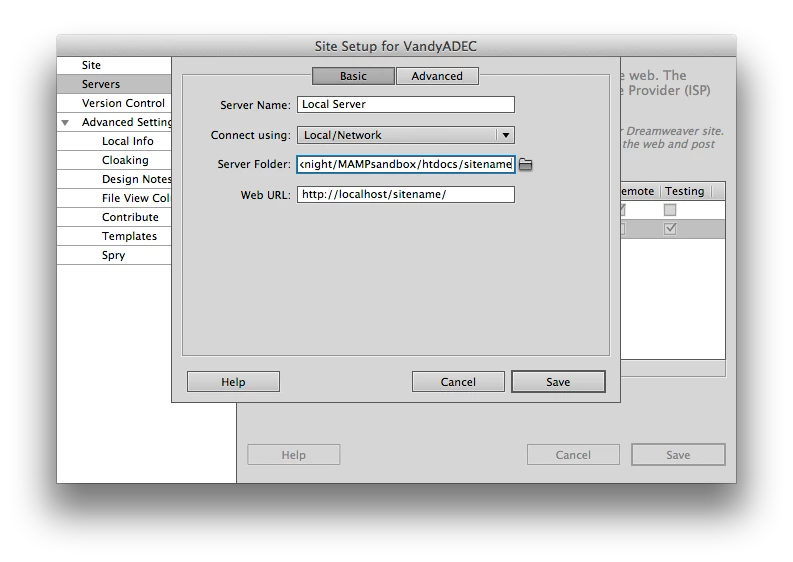
or, would it make a difference to tell the testing server to go to the MAMP folder like the tutorial says to do?
just for kicks, to see what would happen, i went ahead and changed the Local Info links relative to settings from Site Root to Document. after doing that, i turned on the testing server (without changing anything there), and i now get a NEW message (screenshot below). ugh.
more thoughts/instruction would be greatly appreciated.
THANKS.
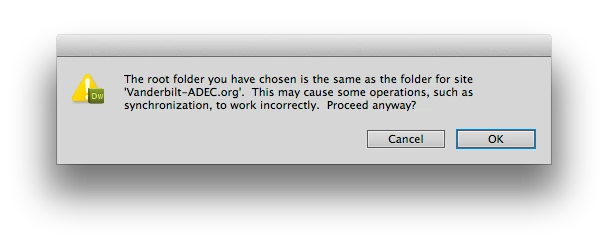
to try and be proactive, i went ahead and changed my MAMP setting to use the suggested /Applications/MAMP/htdocs folder, and then changed the DW testing server settings accordingly. no change. if i have the local info links set to "site root" i get the first error message, if i have it set to "document" i get this new error message.
i'm SO confused. either these messages aren't worded very well, or i'm just stupid :-(

*** NEW INFORMATION ***
okay, so i decided to go (again) step-by-step thru the tutorial for setting up MAMP and setting DW's settings to use it. but this time, instead of using the Lynda.com tuut, i use the one @ http://www.adobe.com/devnet/dreamweaver/articles/setup_php.html
THEY said it IS better to have just one location for your site & your testing server directories! so, i created a brand new site setting in DW and followed their instructions, and IT SEEMS TO BE WORKING WITHOUT ANY OF THESE ERRORS NOW!!!
OMG - i can't believe this.
i "was" wondering how the MAMP thing worked with regards to copying files to test etc. i didn't like the idea of it having duplicate versions stored elsewhere on my system.
my ONLY concern now is to just fully understand how this works and to know if there is anything bad that could happen by having them use the same directory.
do you have any thoughts on that?
thanks again for all your help. i would not have done this if it weren't for your most recent post.
you rock!
Message was edited by: SyberKnight


 AdChoices