


Dreamweaver CC 2017 - using <> in ASP Code screws up Code Colouring
Hi,
I've just upgraded to Dreamweaver CC 2017. I went through checking a few of my web applications, written in ASP, and made a bit of a strange observation with regard to the code colouring.
I have a small piece of code at the top of each of my pages that checks if the session variable from the login page has been set, to determine if you've logged in or not, for example:
<%
if session("Logged") <> True then
response.redirect("LoginPage.asp")
End If
%>
What I have discovered is that by using the 'not equal to' operator (the '<>'), all the code colouring gets screwed up for the rest of the page:
Here are some screenshots of what I mean:
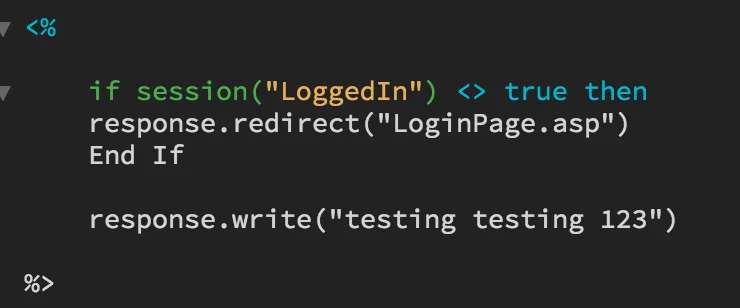
The write code should be multi-coloured.
If I simply change the <> for an = (which in this context would mean that the code wouldn't work as required... but just to illustrate the problem)...
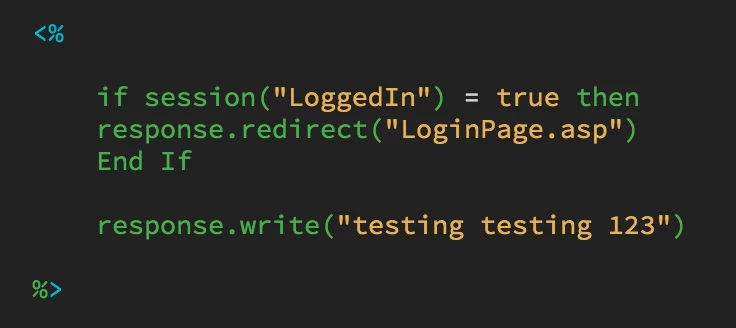
Everything looks as expected.
Is there any solution for this, as this does make debugging code rather difficult when it's all the same colour!
Thanks...
Colin

 AdChoices