Hosun
Inspiring
December 18, 2019
Answered

preview a php file

  • December 18, 2019
  • 1 reply
  • 2377 views

Hi,


In a php file, I set up a testing server and previewed it with Chrome.


I expected to see the php file, which I am working on with Dw.

But the php, which is already on the server, is opened.


Am I mistaken about the functioning of the testing server?


Housn Kang
 

This topic has been closed for replies.
Correct answer Nancy OShea

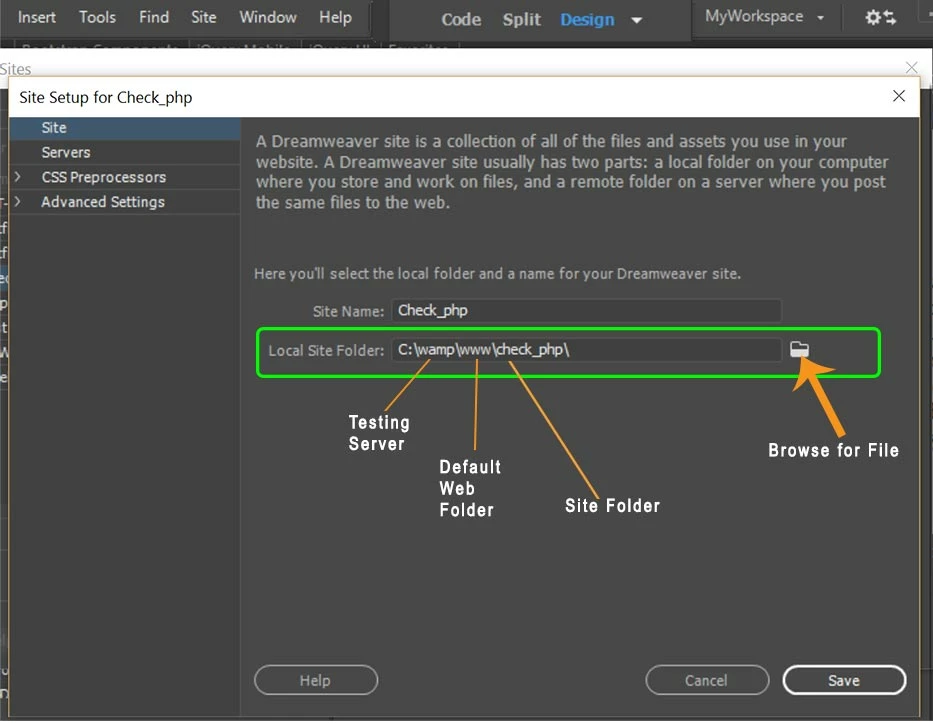
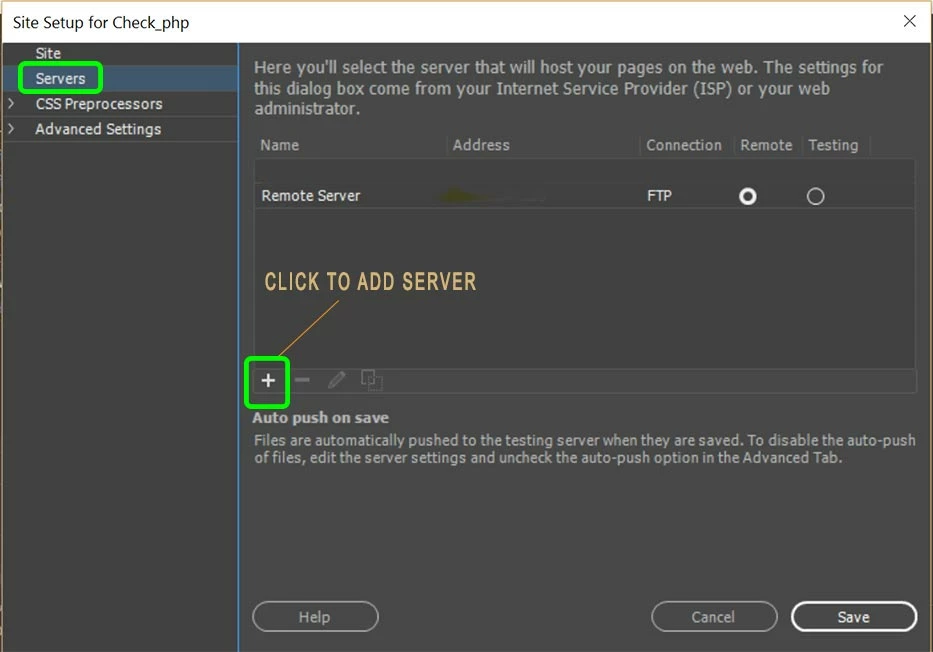
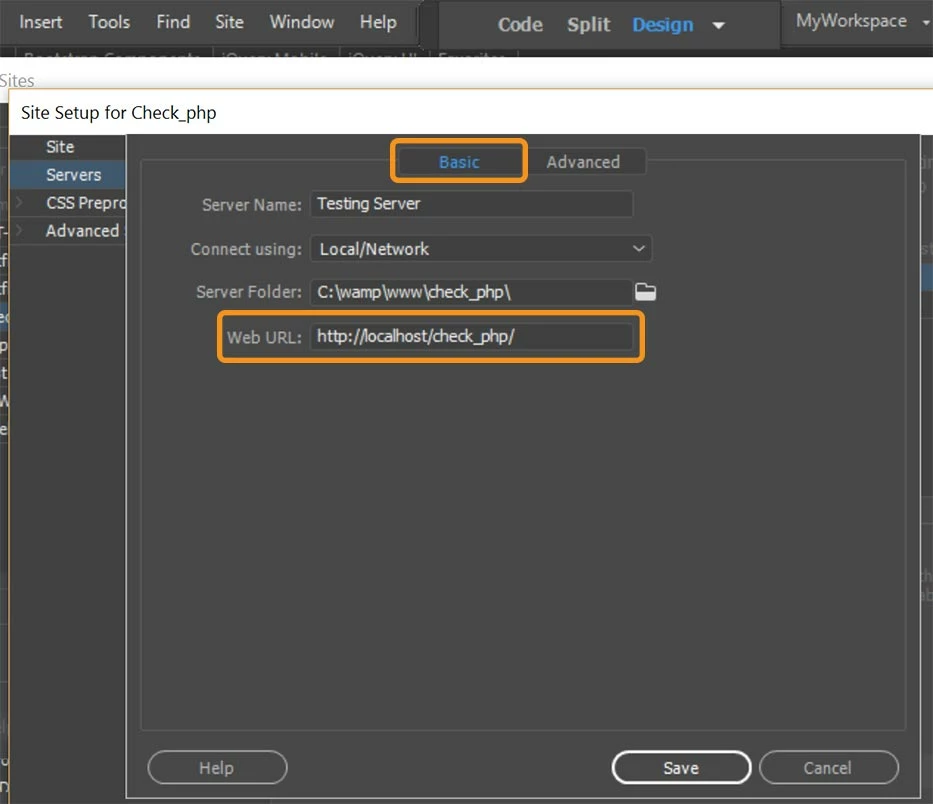
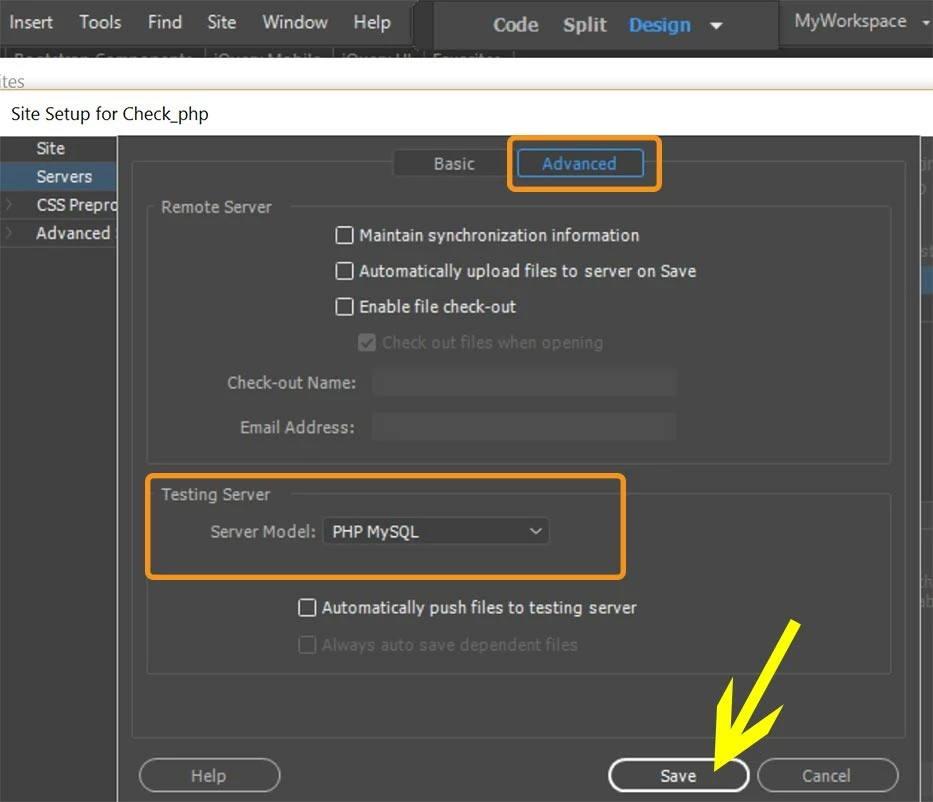
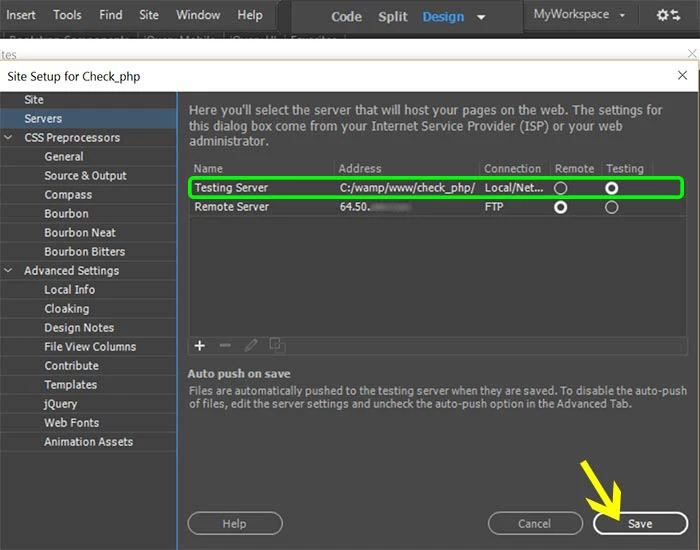
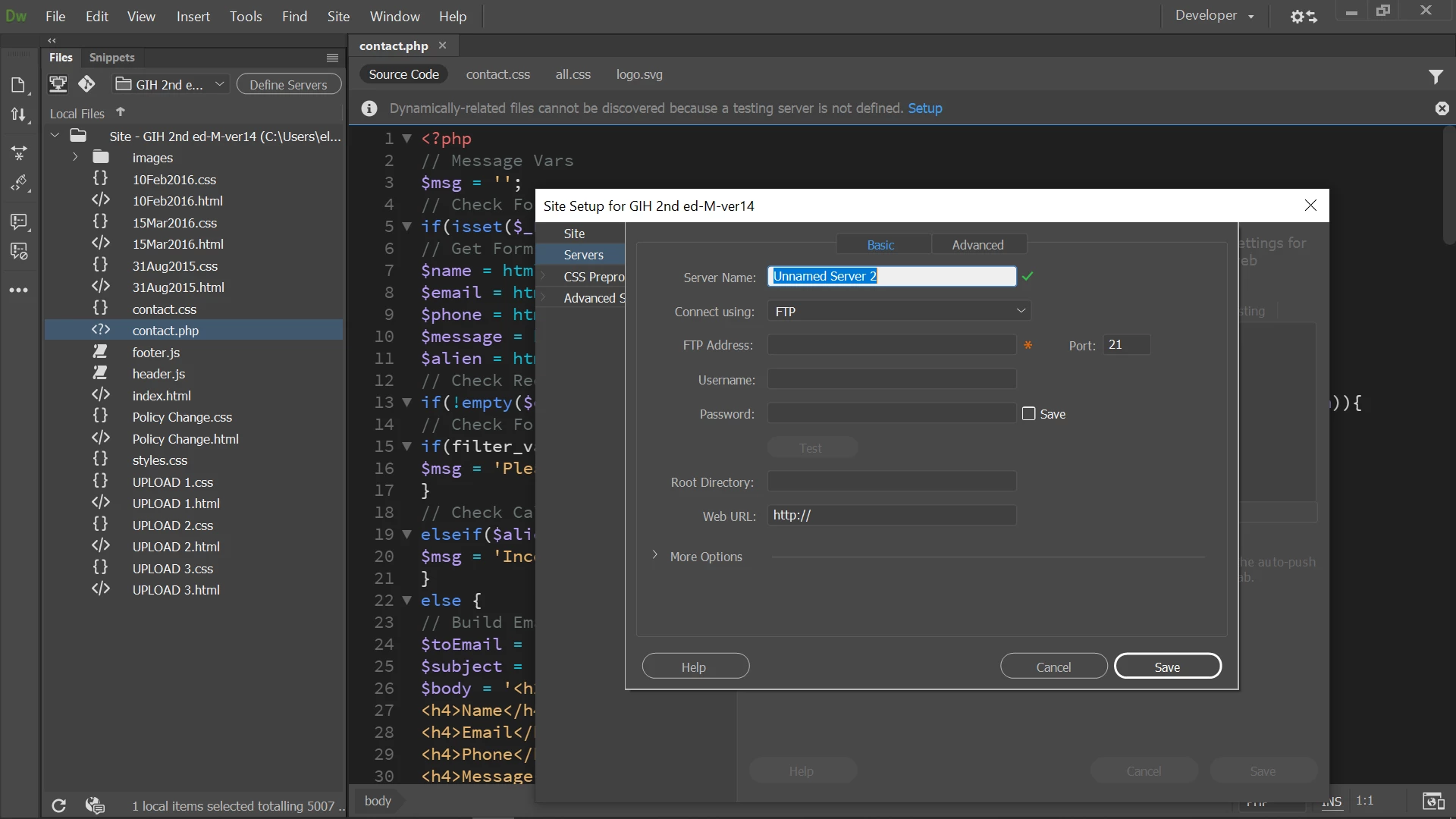
A local testing server like Wamp, Xampp or Mamp needs to be installed on your local hard drive.  Also the connection is via local/network, not FTP.  See screenshots.


In this example, my local testing server is Wamp and my site folder resides in the www web directory.  If you use Xampp or Mamp, your default web directory is htdocs.


Local site folder


Servers


Testing server Basic tab


Testing server model Advanced Tab.


Final screen.


1 reply

Nancy OShea
Community Expert
Nancy OSheaCommunity ExpertCorrect answer
Community Expert
December 18, 2019

A local testing server like Wamp, Xampp or Mamp needs to be installed on your local hard drive.  Also the connection is via local/network, not FTP.  See screenshots.


In this example, my local testing server is Wamp and my site folder resides in the www web directory.  If you use Xampp or Mamp, your default web directory is htdocs.


Local site folder


Servers


Testing server Basic tab


Testing server model Advanced Tab.


Final screen.


Nancy O'Shea— Product User & Community Expert
Hosun
HosunAuthor
Inspiring
December 19, 2019

Hi,


Thank you for your reply.


To add a text (Notice!.....) above "Contact Me", I added a few lines in contact.php and contact.css.


But there is a difference between "preview on laptop" and "iPhone".

css does not look like applied on iPhone.


I think both should be identical.


Is it associated with my try on the testing server?


Hosun Kang


https://gihand.com


contact.php

*****************


contact.css

https://drive.google.com/open?id=14WnkFoqNKbT-1IDPRbi1uKfba-LcPEiQ


Legend
December 19, 2019

Im not sure why you have the message 'Yahoo Mail is not recommended' above the form? There should be no issues for users who have a yahoo mail account sending to your email server. The only issue potentially could be if you used a yahoo mail account as the recipient of the form information ie the mail address where the form information is going to be sent.


Your independent remote mail server should be able to handle any email address. Its only when the information collected from the form is routed through the yahoo mail server, or gmail mail server or aol mail server that it might become an issue.


As an aside note, try using the Hex color #696969; rather than the color name DimGrey


.notice {
	margin-bottom: 8px;
}

.notice p {
	text-align: center;
	font-family: 'Abhaya Libre', serif;
	font-weight: 90;
	font-size: 16px;
color: #696969; }