
Adobe Flash Player Security Prompt
I'm aware of the fix for this but I need some help in understanding a few things:
- Why do some users get to the prompt & others don't?
- Why is the process of applying the fix different for some users?
- How can we proactively ensure the masses won't get this prompt when we get ready to release the product/service?
History
We're preparing to roll out a new product/service so a small team of IT folks have been creating video's using eLearning Suite. Before we roll out the final product to our users they wanted to confirm the videos were playing fine.
The folks with the eLearning Suite reported receiving the Adobe Flash Player Security prompt (see below) when they attempted to play one of the videos they created.
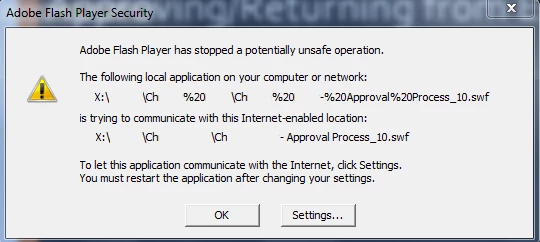
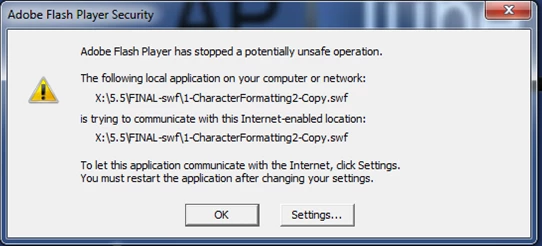
My first thought was maybe the spaces had somethign to do with it, so I made a copy of another file (that was also having the same problem) & removed all the spaces, yet the problem persisted. (See below)
I emailed them some instructions on how to fix...
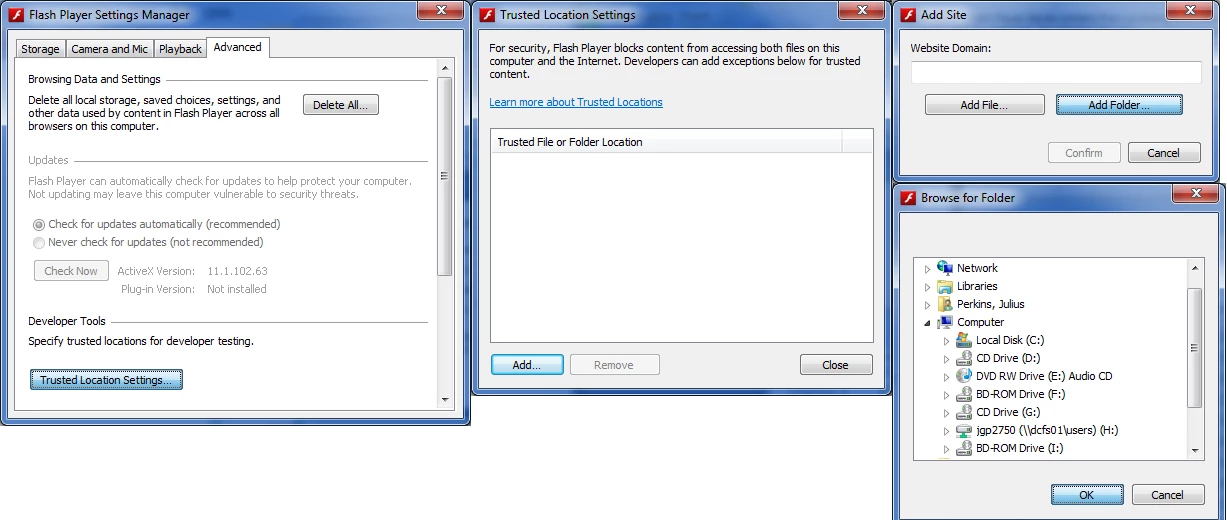
But on another machine, the person said their process was is entirely different:
- "Click Settings…
- Go to the Advanced Tab
- Click Check Now
- After clicking on Check Now it should bring you to this site: http://www.adobe.com/software/flash/about/ follow the remain steps below.
- Right click the Version Information text - it should bring up a context menu
- Select "Global Settings"
- Click the "Advance" tab in the resulting Flash Player Settings Manager window
- Scroll down to Developer Tools and click "Trusted Location Settings...:
- Click "Add Folder..."
- Select your APTUBE drive
- Confirm
- Close the windows and retry playing the video"
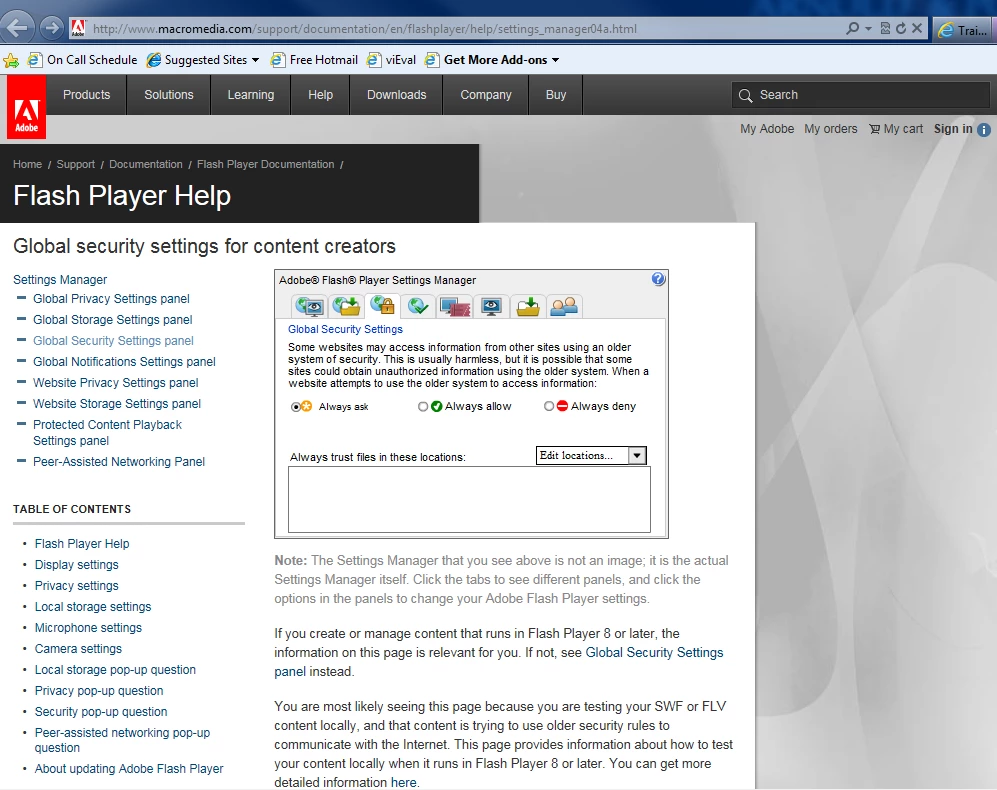
Again, myself and several others (the majority) do *not* receive the security prompt; The video loads & plays fine. Yet the group that created the video's are receiving this prompt.
We want to make sure its not a widespread configuration problem that will result in several hundred calls to our Help Desk when we advertise this!


 AdChoices