
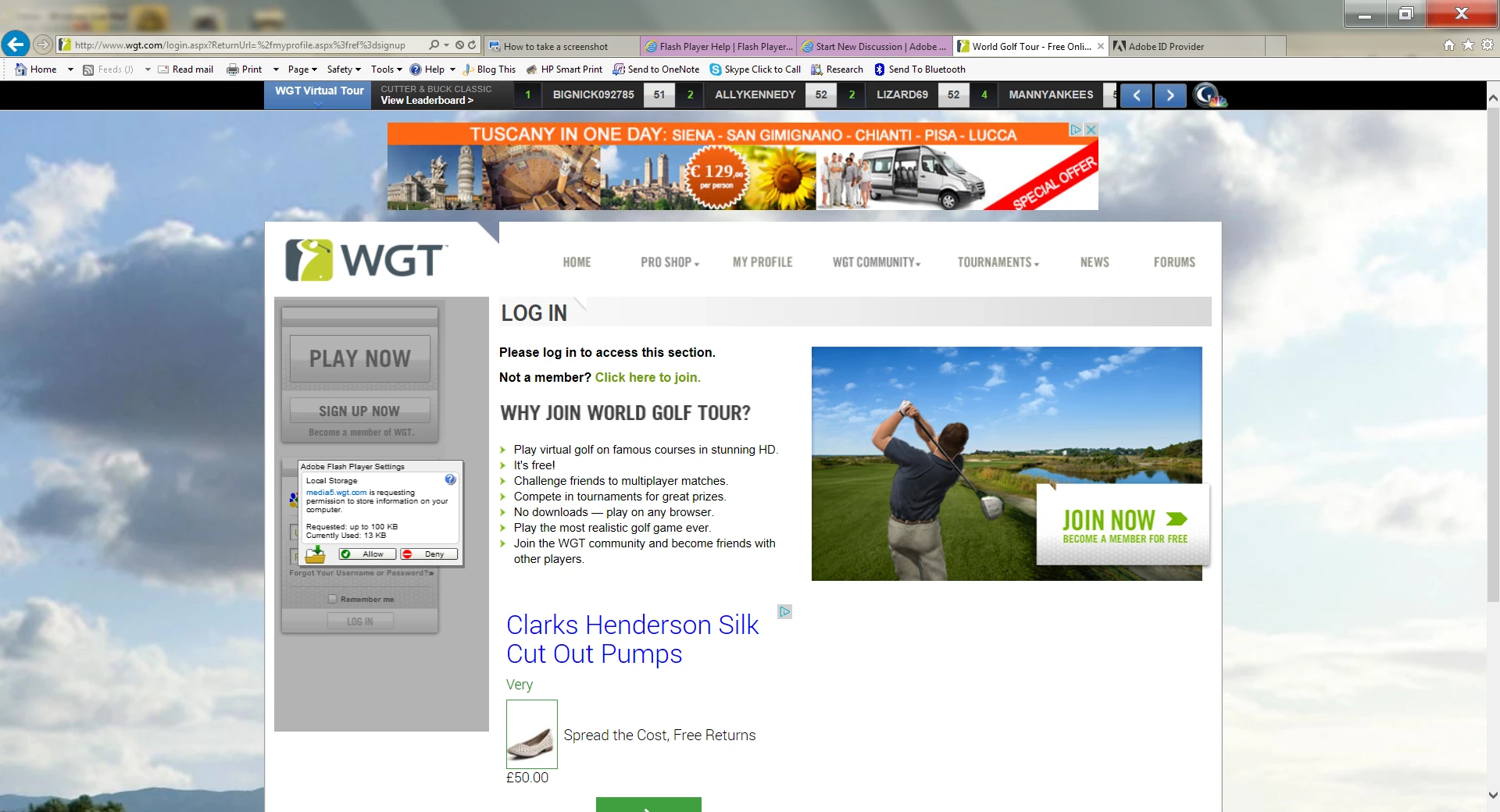
Adobe Flash Player Setting ?
I play an online golf game at WGT (World Golf Tour), which has operated fine using the latest IE browser, until an Adobe Flash Player icon appeared on my login/play screen (sse screen grab below). It appears that the operators of the game MEDIA5.wgt.com want to increase the amount of information stored from 13 KB to 100KB. Unfortunately the icon buttons to allow (or deny) does not appear to work, so I am unable to remove the icon from the screen and enter the WGT site to play.
I have been advised that entry to the site can be obtained using other browsers, and I have been successful in accessing the site via Google Chrome. However, the game play is extremely jerky using this browser and I would rather stay with the IE browser if possible. I have checked all the usual issues (Flash Player is Enabled for this particular site) etc, but I am at a loss on how to solve this particular problem. Can anyone please help ?
Jeff
 AdChoices