Participant
August 14, 2013
Question

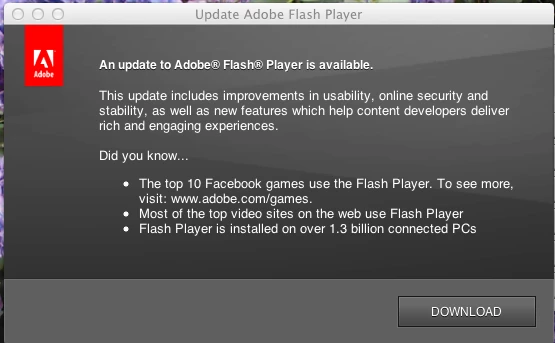
Adobe flash player update notification

  • August 14, 2013
  • 1 reply
  • 711 views

I have the latest version of Google Chrome on a Mac OSX.  I just got this pop-up on my screen. Is it legitimate, or might it contain malware?Is
This topic has been closed for replies.

1 reply

C_F_McBlob
Inspiring
August 14, 2013

It's legit, but just to be sure you have the "real thing" download the offline installer here: http://fpdownload.macromedia.com/get/flashplayer/current/licensing/mac/install_flash_player_11_osx.dmg

jfvlnAuthor
Participant
August 14, 2013

Thank you. I used your link. I'm a bit confused, because I thought that

Chrome is supposed to update the flash player automatically. In the

future, how can I tell if an update notification is legit?

C_F_McBlob
Inspiring
August 14, 2013

Personally, I don't trust update notifications from ANY software. Call me a cynic or a control freak, I'm probably both. If something "pops up" a notification, I'll go directly to their website and download whatever is available, but....

In your system preferences, there is a Flash Player Preference Pane. Under the "Advanced" tab, you can SEE your version, and check for updates through the updater.
