
Exit
  • Global community
    • Language:
      • Deutsch
      • English
      • Español
      • Français
      • Português
  • 日本語コミュニティ
  • 한국 커뮤니티
Locked
0

Adobe Flasher Player install not working properly

New Here ,
May 28, 2010 May 28, 2010

I tried to download the lastest version of AFP for IE 8 (32-bit) on a 64 bit system and the download manager says it's 100%.  I then checked the file it was supposed to be downloaded to, which is C:Windows/SysWoW64/Macromed/Flash, and the only file there is text document named "install".  Here is the screenshot of it:
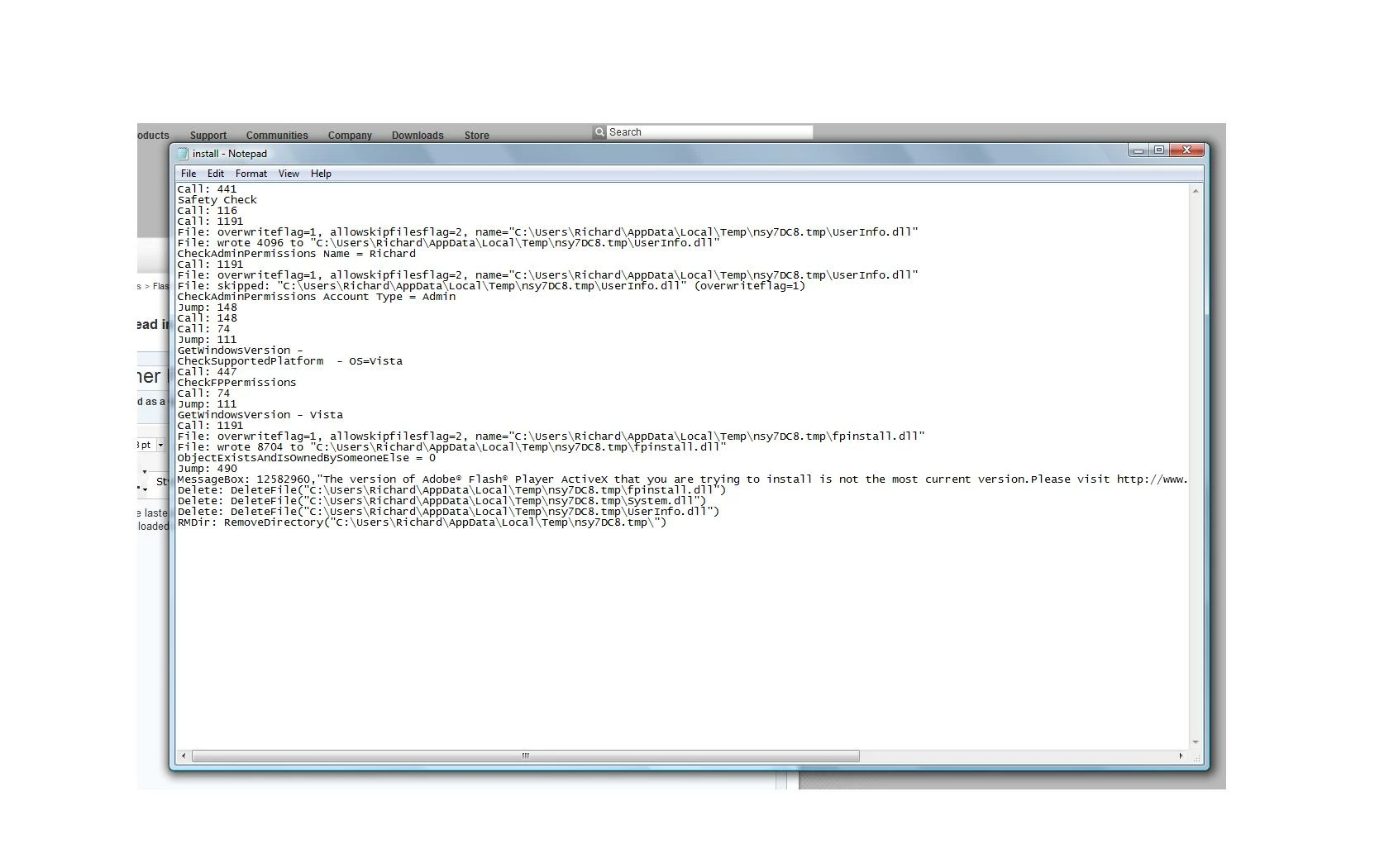
Adobe error.jpg

Please help!  Thank you.

1.7K
Translate
Report
Community guidelines
Be kind and respectful, give credit to the original source of content, and search for duplicates before posting. Learn more
community guidelines
Mentor ,
May 28, 2010 May 28, 2010
LATEST

Why on earth is it downloading to the WoW64 folder?


That is supposed to be ONLY for the Windows on Windows 64 files that allow 32 bit apps to run in 64 bit Windows.

Download the standalone installer from here

http://www.adobe.com/support/flashplayer/downloads.html  or

http://get.adobe.com/flashplayer/otherversions/

and save it to your downloads folder. Run it from there.

And change your browser preferences so it doesn't download (even temp files) to WoW64.

Translate
Report
Community guidelines
Be kind and respectful, give credit to the original source of content, and search for duplicates before posting. Learn more
community guidelines