March 18, 2018
Answered

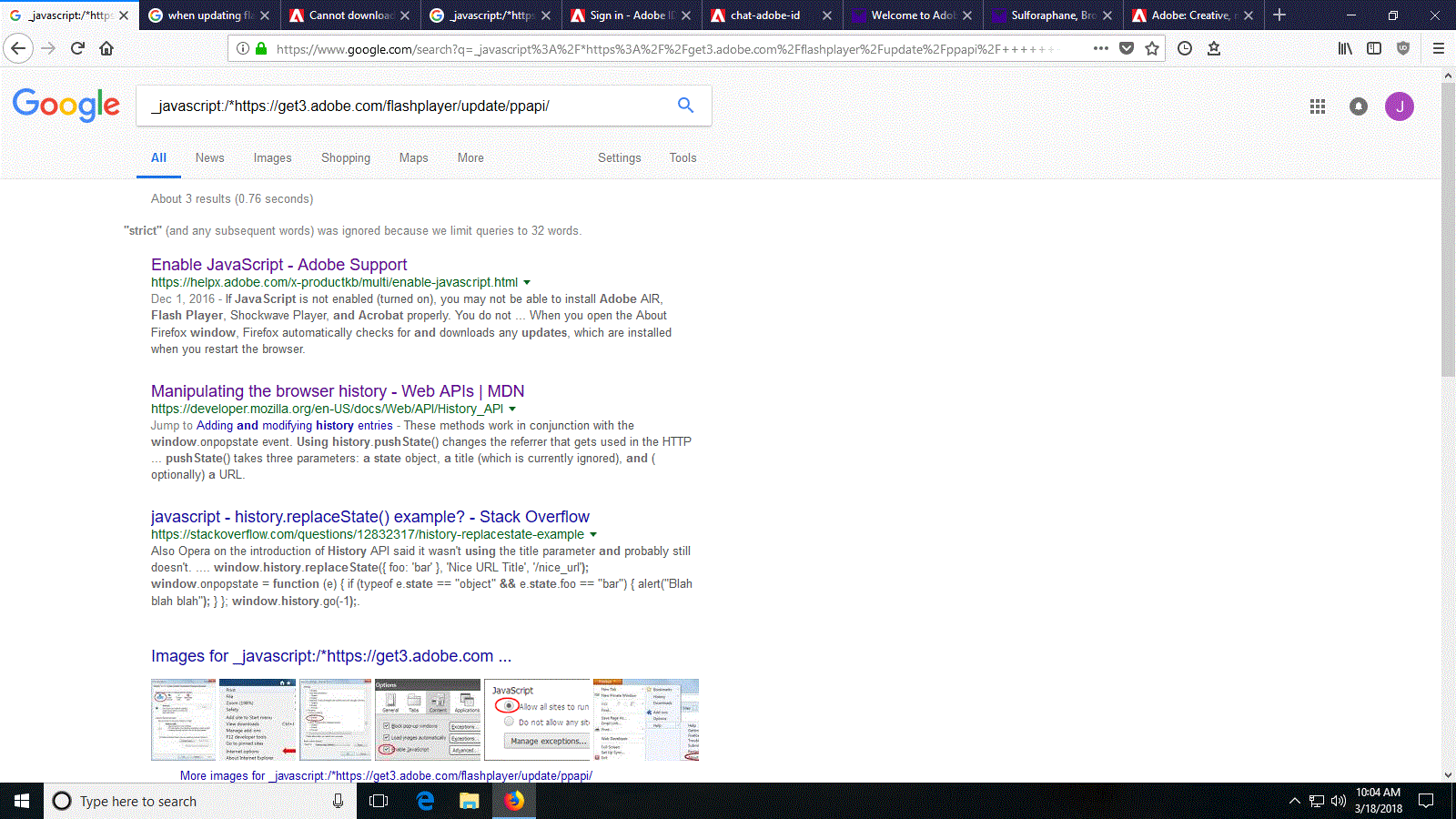
Can't get a new update redirected to other page _javascript:/*https://get3.adobe.com/flashplayer/update/ppapi/

  • March 18, 2018
  • 2 replies
  • 4554 views

can't update my flash. I get noticed to download, I click it and firefox opens

https://get3.adobe.com/flashplayer/update/ppapi/

then suddenly address bar changes to  _javascript:/*https://get3.adobe.com/flashplayer/update/ppapi/

and this opens google.com search _javascript:/*https://get3.adobe.com/flashplayer/update/ppapi/
    This topic has been closed for replies.
    Correct answer _maria_

    Hi mypc12v

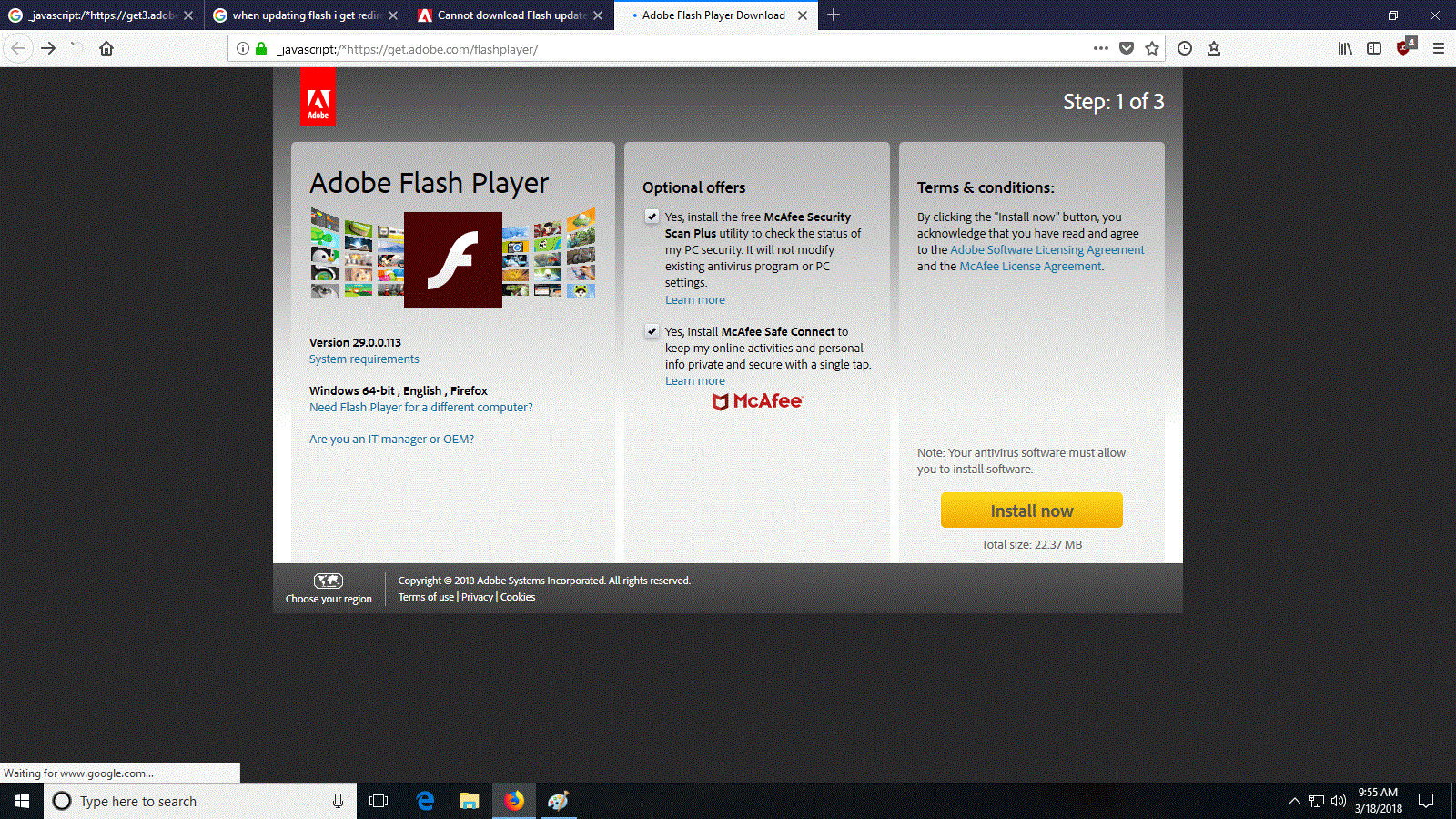
    I am not able to reproduce. I configured Firefox as the default browser on my Windows 10 Home test machine.  I triggered the Update Notification dialog and clicked 'Download'.  Firefox launched to Adobe - Adobe Flash Player Download and stayed there.

    It appears there's an issue with the redirect.  It may, or may not have been fixed, however, I will forward this post to the team responsible for the page in question.

    --

    Maria

    2 replies

    _maria_
    _maria_Correct answer
    Legend
    March 19, 2018

    Hi mypc12v

    I am not able to reproduce. I configured Firefox as the default browser on my Windows 10 Home test machine.  I triggered the Update Notification dialog and clicked 'Download'.  Firefox launched to Adobe - Adobe Flash Player Download and stayed there.

    It appears there's an issue with the redirect.  It may, or may not have been fixed, however, I will forward this post to the team responsible for the page in question.

    --

    Maria

    March 19, 2018

    thank you, Maria. Also, pass them the request to remove the bloatware.

    Participating Frequently
    March 20, 2018

    Thank you for confirming.  Sorry for the convoluted way we got to the URL.


    I'm not at all able to reproduce the behaviour.  Using a Window 10 system with the latest Firefox (59.0.1) I go to https://get.adobe.com/flashplayer and the page does not redirect.  I also tested outside of the Adobe network and the page doesn't redirect.  Just remains at the Flash Player download page.


    This has not happened on other sites that I norma frequent.   So I’m as stymied as you are.  I cleared every cache I can think of.  Restarted my computer.  Still happens. 

    March 19, 2018

    Also, is it possible to just get the software w/o all the pre-installed bloatware, like we have to watch every small box and uncheck it. Why Adobe can't just release the software and not try to trick people with unwanted add on software? Just be upfront and straight forward, if we need McAfee we'll go get it, but we came here to get the Flash update.

    By the way, I ran Bitdefender and Malwarebytes, both proven and top rated software.

    Abambo
    Community Expert
    Community Expert
    March 19, 2018

    mypc12v  wrote

    Also, is it possible to just get the software w/o all the pre-installed bloatware, like we have to watch every small box and uncheck it. Why Adobe can't just release the software and not try to trick people with unwanted add on software? Just be upfront and straight forward, if we need McAfee we'll go get it, but we came here to get the Flash update.

    It's really unfortunate that you need opting out of this. It's not that Adobe is dependant on the revenue of bloatware. May be they took over a long-term contract from Macromedia?

    ABAMBO | Hard- and Software Engineer | Photographer