


Downloading Problem

Copy link to clipboard
Copied
I have Windows 7, 64 bit; running Internet Explorer 11
I can't download Flash Player, have tried 50 times. I click on install and then it says initializing. In about 20 or 30 seconds it then says If you encounter any issues downloading click here. When I pictures came up. The first one says to click on run, however, the run screen never comes up. None of the pictured items never comes up. It just goes back to "if you encounter any issues, etc". Can someone help.


 8
Replies
8
8
Replies
8


Copy link to clipboard
Copied
Hello,
Can you please post screenshots (How to post a screenshot in the forum) of what's happening? It'll aid in troubleshooting. Thank you.
--
Maria
Copy link to clipboard
Copied
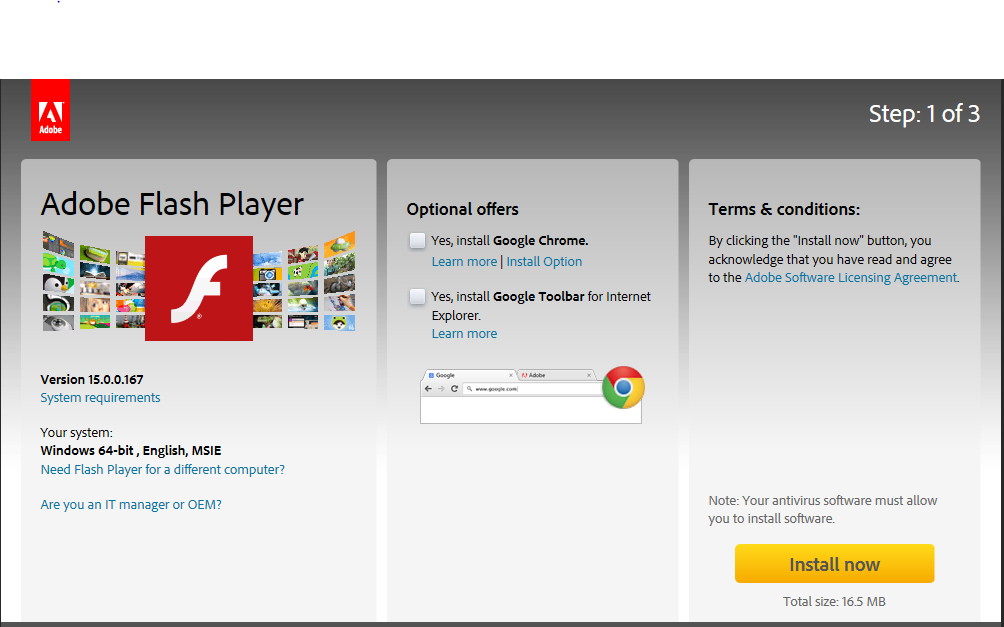
1. I click on install and then it says initializing. In about 20 or 30 seconds

2. In about 20 or 30 seconds it then says If you encounter any issues downloading click here.
Note : If you are still unable to download Adobe Flash Player, click the Back button on your browser. Then click Install/Download now and select the option to Save 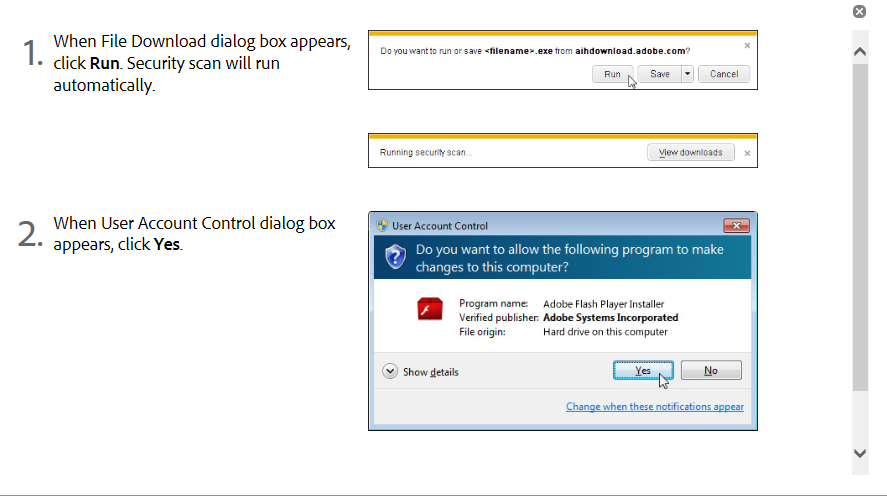
Note : If you are still unable to download Adobe Flash Player, click the Back button on your browser. Then click Install/Download now and select the option to Save and Run.
3. The first one says to click on run, however, the run screen never comes up. Or any of these screens. It just says NOTE as above and I repeat everything again with the same results. I must have done this 50 times.

Copy link to clipboard
Copied
Hi katzcaro,
Download and run the uninstaller from
http://helpx.adobe.com/flash-player/kb/uninstall-flash-player-windows.html
Restart Computer.
Download and run the installers
For Windows
Here is the link to download flash player for Plugin based browsers.
Link to download Flash Player for Internet Explorer:
For MAC,
Here is the link to download Flash Player for MAC:
You can also try downloading Google Chrome, It has a inbuilt Flash Player.
Thanks,
Nikhil Gupta
Copy link to clipboard
Copied
Thank you so much for your instructions. I followed them to a “T”. I checked control Panel, programs and Adobe Flasher Player 15.0 with active X is installed, however each time I try to use it, the website tells me to install Flash Player. (I.E. trying to reach an e-card.) Now what?
Carol
Copy link to clipboard
Copied
P.. It still doesn't work with Internet Explorer, however, I uninstalled Chrome as it didn't work on there either. But I reinstalled it and now it's working on Chrome. Can anything be done for Explorer?

Copy link to clipboard
Copied
Copy link to clipboard
Copied
Thank you so much. I walked through everything and it still doesn’t work. I have Internet Explorer 11.
Carol
Copy link to clipboard
Copied
Is it actually correctly installed? What files do you have in C:\Windows\system32\Macromed\Flash ?
Can you post the contents of the FlashInstall.log file in that same folder?

Get ready! An upgraded Adobe Community experience is coming in January.
Learn more
 AdChoices