Participant
March 7, 2019
Question

Flash Player will not update or reinstall - Win 7 / IE11

  • March 7, 2019
  • 1 reply
  • 2282 views

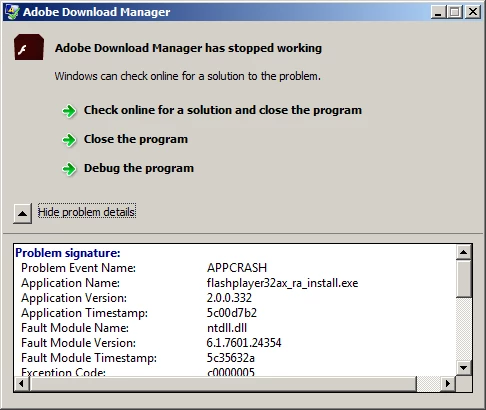
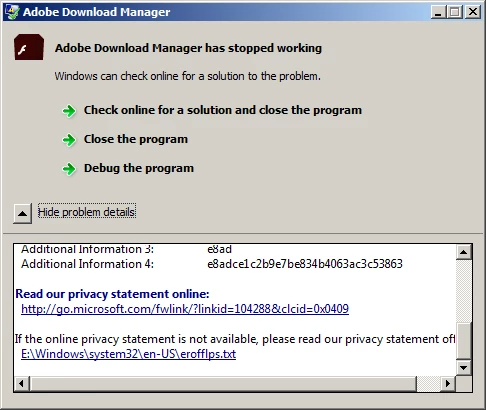
Late 2018, I got the usual pop up telling me an update was available for Flash Player. Have never had a problem doing the updates but this time got an error saying the program stopped working (All messages are below). I blew it off and kept trying every few weeks as I got fresh pop up reminders.  Finally I decided to uninstall the existing installation and try it from scratch. Same result, the program instantly stopped working.  I had not made any changes to my system when this began occurring.

I am running Win 7, completely up to date.

Internet explorer 11  Vers 11.0.9600.19266  Update version 11.0.110

Trying to install   flashplayer32ax_ra_install.exe

I run only the built in AV / Firewall stuff the comes with Win 7 and had never had to turn it off before

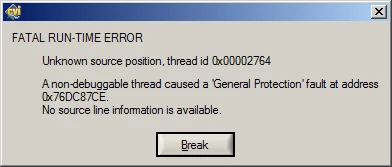
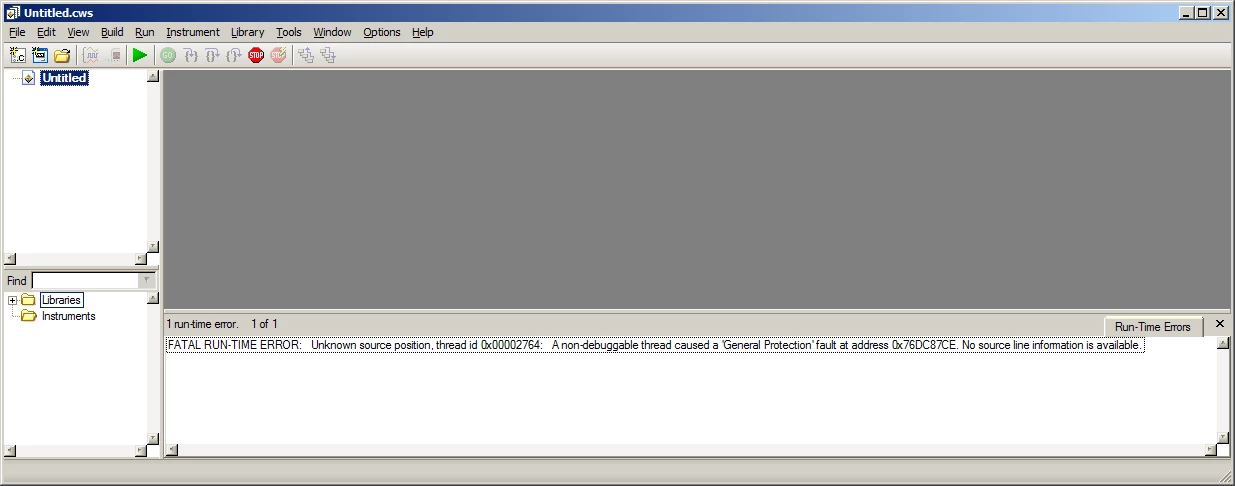
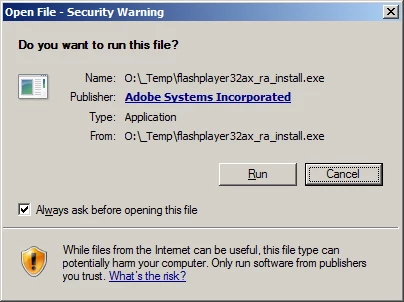
Below, in the order of appearance, are the messages that popped up.  I ran a debug (Using a LabView utility) and got the fatal Error Msg and the subsequent screen in the debugger.  I have tried installing on a fresh boot with no other programs open to the same result.
This topic has been closed for replies.

1 reply

_maria_
Community Manager
Community Manager
March 8, 2019

Thank you for the detailed information and screenshots.  To troubleshoot further, we'll require the crash log and installation log files.

  • Crash log file:
    • Copy the contents of the crash log file into Notepad and save the file as .txt
    • Also check the Event Viewer for the crash.  If the contents in the Event Viewer are different, provide that information as well.
  • Flash Player online installer crash log files:
    • C:\Users\<YourUserID>\AppData\Local\Temp\Adobe_ADMLogs
    • 2 files: Adobe_ADM.log and Adobe_GDE.log

Upload all files to cloud.acrobat.com/send, or some file sharing service of your choice that doesn't require user account to access.  Post the link to the uploaded files in your reply. I'll forward them to the online installer team for investigation.

Is this a 32-bit or 64-bit Windows 7 machine?

In the interim, please try the offline installer posted at the bottom of the Installation problems | Flash Player | Windows 7 and earlier page,  in the 'Still having problems' section.

Thank you.

--

Maria

Participant
March 9, 2019

This is a 32-bit machine

Here is the link to the two Adobe log files but I don't think they are the correct files based on the file date of 05/13/2018. I am fairly certain I had successfully updated Flash between that date and December 2018 when I began experiencing the problem with installing the updates.

Adobe Document Cloud

Note that the log files are actually located on a drive that is not the boot drive in my instance as I use an alternate drive for all my temporary and paging files. I have had it configured this was for several years, well before I began experiencing upgrade issues with Flash a few months ago. (I do this to reduce the read/write cycles to my SSD)

I completed a full search of the actual OS (boot) drive and it returned no results.

I attempted the install again and collected the information from the event viewer and have uploaded that file at this link

Adobe Document Cloud

I also uploaded the Report.wer file that was referenced in the event viewer data but I do not have a program to open that file so do not know what data it contains.

In the meantime, will look through the other troubleshooting information.

Legend
March 16, 2019

GRACIELA S. BONOFINI ha compartido una carpeta de OneDrive con usted. Para verla, haga clic en el vínculo siguiente.

[moderator: deleted links to personal content]

Pregunta........soy una ignorante...........pero debopreguntar después de taaaaaaaaaaaaaaaaaaaaantos correos........QUE HAGO ???.........QUE DEBOOOOOOOOOOOOOOOOOOOOOOOOOOO......HACEEEEEEEEEEEEER...........................NO ENTIENDO NADA.....xq siguen pidiendo en losvideos que salen en FACEBOOK Y CHAT......................que debeactualizarse Adobe Flash Player ???...................a ponerse de acuerdo por favor !!!.........................necesito que me expliquen........no entiendo nada!!!...........................................gracias


Why do you keep doing this, Graciela? You never answer the questions people ask, so nobody can ever help you. You are wasting your time this way.