Malwarebytes should be fine, I run the pro version myself. It's very odd that IE isn't working... If you're interested, I'd be willing to do a short desktop sharing session with you to see if I can figure out what's going on. You've run through most of the steps I'd take, but we might get lucky. Shoot me an email (ccampbel@adobe.com) if this sounds interesting.
Chris,
This issue was solved finally. I figured it out eventually. Some how the registry was locked by something called FlashBroker.
As you can see the logs below. The way I fixed this was by using ComboFix. I just ran the file and it cleaned out the system and fixed all registry problems. I'm now able to see flash on IE. I'm sure someone will eventually run into this issue again so it'll be helpful for you and others to know how to fix it.
Thank you for all your help.
Samad
--------------------- LOCKED REGISTRY KEYS ---------------------
.
[HKEY_LOCAL_MACHINE\SOFTWARE\Classes\CLSID\{73C9DFA0-750D-11E1-B0C4-0800200C9A66}]
@Denied: (A 2) (Everyone)
@="FlashBroker"
"LocalizedString"="@c:\\Windows\\system32\\Macromed\\Flash\\FlashUtil64_11_6_602_180_ActiveX.exe,-101"
.
[HKEY_LOCAL_MACHINE\SOFTWARE\Classes\CLSID\{73C9DFA0-750D-11E1-B0C4-0800200C9A66}\Elevation]
"Enabled"=dword:00000001
.
[HKEY_LOCAL_MACHINE\SOFTWARE\Classes\CLSID\{73C9DFA0-750D-11E1-B0C4-0800200C9A66}\LocalServer32]
@="c:\\Windows\\system32\\Macromed\\Flash\\FlashUtil64_11_6_602_180_ActiveX.exe"
.
[HKEY_LOCAL_MACHINE\SOFTWARE\Classes\CLSID\{73C9DFA0-750D-11E1-B0C4-0800200C9A66}\TypeLib]
@="{FAB3E735-69C7-453B-A446-B6823C6DF1C9}"
.
[HKEY_LOCAL_MACHINE\SOFTWARE\Classes\Interface\{6AE38AE0-750C-11E1-B0C4-0800200C9A66}]
@Denied: (A 2) (Everyone)
@="IFlashBroker5"
.
[HKEY_LOCAL_MACHINE\SOFTWARE\Classes\Interface\{6AE38AE0-750C-11E1-B0C4-0800200C9A66}\ProxyStubClsid32]
@="{00020424-0000-0000-C000-000000000046}"
.
[HKEY_LOCAL_MACHINE\SOFTWARE\Classes\Interface\{6AE38AE0-750C-11E1-B0C4-0800200C9A66}\TypeLib]
@="{FAB3E735-69C7-453B-A446-B6823C6DF1C9}"
"Version"="1.0"
.
[HKEY_LOCAL_MACHINE\SOFTWARE\Classes\Wow6432Node\CLSID\{73C9DFA0-750D-11E1-B0C4-0800200C9A66}]
@Denied: (A 2) (Everyone)
@="FlashBroker"
"LocalizedString"="@c:\\Windows\\SysWOW64\\Macromed\\Flash\\FlashUtil32_11_6_602_180_ActiveX.exe,-101"
.
[HKEY_LOCAL_MACHINE\SOFTWARE\Classes\Wow6432Node\CLSID\{73C9DFA0-750D-11E1-B0C4-0800200C9A66}\Elevation]
"Enabled"=dword:00000001
.
[HKEY_LOCAL_MACHINE\SOFTWARE\Classes\Wow6432Node\CLSID\{73C9DFA0-750D-11E1-B0C4-0800200C9A66}\LocalServer32]
@="c:\\Windows\\SysWOW64\\Macromed\\Flash\\FlashUtil32_11_6_602_180_ActiveX.exe"
.
[HKEY_LOCAL_MACHINE\SOFTWARE\Classes\Wow6432Node\CLSID\{73C9DFA0-750D-11E1-B0C4-0800200C9A66}\TypeLib]
@="{FAB3E735-69C7-453B-A446-B6823C6DF1C9}"
.
[HKEY_LOCAL_MACHINE\SOFTWARE\Classes\Wow6432Node\CLSID\{D27CDB6E-AE6D-11cf-96B8-444553540000}]
@Denied: (A 2) (Everyone)
@="Shockwave Flash Object"
.
[HKEY_LOCAL_MACHINE\SOFTWARE\Classes\Wow6432Node\CLSID\{D27CDB6E-AE6D-11cf-96B8-444553540000}\InprocServer32]
@="c:\\Windows\\SysWOW64\\Macromed\\Flash\\Flash32_11_6_602_180.ocx"
"ThreadingModel"="Apartment"
.
[HKEY_LOCAL_MACHINE\SOFTWARE\Classes\Wow6432Node\CLSID\{D27CDB6E-AE6D-11cf-96B8-444553540000}\MiscStatus]
@="0"
.
[HKEY_LOCAL_MACHINE\SOFTWARE\Classes\Wow6432Node\CLSID\{D27CDB6E-AE6D-11cf-96B8-444553540000}\ProgID]
@="ShockwaveFlash.ShockwaveFlash.11"
.
[HKEY_LOCAL_MACHINE\SOFTWARE\Classes\Wow6432Node\CLSID\{D27CDB6E-AE6D-11cf-96B8-444553540000}\ToolboxBitmap32]
@="c:\\Windows\\SysWOW64\\Macromed\\Flash\\Flash32_11_6_602_180.ocx, 1"
.
[HKEY_LOCAL_MACHINE\SOFTWARE\Classes\Wow6432Node\CLSID\{D27CDB6E-AE6D-11cf-96B8-444553540000}\TypeLib]
@="{D27CDB6B-AE6D-11cf-96B8-444553540000}"
.
[HKEY_LOCAL_MACHINE\SOFTWARE\Classes\Wow6432Node\CLSID\{D27CDB6E-AE6D-11cf-96B8-444553540000}\Version]
@="1.0"
.
[HKEY_LOCAL_MACHINE\SOFTWARE\Classes\Wow6432Node\CLSID\{D27CDB6E-AE6D-11cf-96B8-444553540000}\VersionIndependentProgID]
@="ShockwaveFlash.ShockwaveFlash"
.
[HKEY_LOCAL_MACHINE\SOFTWARE\Classes\Wow6432Node\CLSID\{D27CDB70-AE6D-11cf-96B8-444553540000}]
@Denied: (A 2) (Everyone)
@="Macromedia Flash Factory Object"
.
[HKEY_LOCAL_MACHINE\SOFTWARE\Classes\Wow6432Node\CLSID\{D27CDB70-AE6D-11cf-96B8-444553540000}\InprocServer32]
@="c:\\Windows\\SysWOW64\\Macromed\\Flash\\Flash32_11_6_602_180.ocx"
"ThreadingModel"="Apartment"
.
[HKEY_LOCAL_MACHINE\SOFTWARE\Classes\Wow6432Node\CLSID\{D27CDB70-AE6D-11cf-96B8-444553540000}\ProgID]
@="FlashFactory.FlashFactory.1"
.
[HKEY_LOCAL_MACHINE\SOFTWARE\Classes\Wow6432Node\CLSID\{D27CDB70-AE6D-11cf-96B8-444553540000}\ToolboxBitmap32]
@="c:\\Windows\\SysWOW64\\Macromed\\Flash\\Flash32_11_6_602_180.ocx, 1"
.
[HKEY_LOCAL_MACHINE\SOFTWARE\Classes\Wow6432Node\CLSID\{D27CDB70-AE6D-11cf-96B8-444553540000}\TypeLib]
@="{D27CDB6B-AE6D-11cf-96B8-444553540000}"
.
[HKEY_LOCAL_MACHINE\SOFTWARE\Classes\Wow6432Node\CLSID\{D27CDB70-AE6D-11cf-96B8-444553540000}\Version]
@="1.0"
.
[HKEY_LOCAL_MACHINE\SOFTWARE\Classes\Wow6432Node\CLSID\{D27CDB70-AE6D-11cf-96B8-444553540000}\VersionIndependentProgID]
@="FlashFactory.FlashFactory"
.
[HKEY_LOCAL_MACHINE\SOFTWARE\Classes\Wow6432Node\Interface\{6AE38AE0-750C-11E1-B0C4-0800200C9A66}]
@Denied: (A 2) (Everyone)
@="IFlashBroker5"
.
[HKEY_LOCAL_MACHINE\SOFTWARE\Classes\Wow6432Node\Interface\{6AE38AE0-750C-11E1-B0C4-0800200C9A66}\ProxyStubClsid32]
@="{00020424-0000-0000-C000-000000000046}"
.
[HKEY_LOCAL_MACHINE\SOFTWARE\Classes\Wow6432Node\Interface\{6AE38AE0-750C-11E1-B0C4-0800200C9A66}\TypeLib]
@="{FAB3E735-69C7-453B-A446-B6823C6DF1C9}"
"Version"="1.0"
.
[HKEY_LOCAL_MACHINE\SOFTWARE\Wow6432Node\Microsoft\Office\Common\Smart Tag\Actions\{B7EFF951-E52F-45CC-9EF7-57124F2177CC}]
@Denied: (A) (Everyone)
"Solution"="{15727DE6-F92D-4E46-ACB4-0E2C58B31A18}"
.
[HKEY_LOCAL_MACHINE\SOFTWARE\Wow6432Node\Microsoft\Schema Library\ActionsPane3]
@Denied: (A) (Everyone)
.
[HKEY_LOCAL_MACHINE\SOFTWARE\Wow6432Node\Microsoft\Schema Library\ActionsPane3\0]
"Key"="ActionsPane3"
"Location"="c:\\Program Files (x86)\\Common Files\\Microsoft Shared\\VSTO\\ActionsPane3.xsd"
.
[HKEY_LOCAL_MACHINE\SOFTWARE\Wow6432Node\Microsoft\Windows CE Services]
"SymbolicLinkValue"=hex(6):5c,00,72,00,65,00,67,00,69,00,73,00,74,00,72,00,79,
00,5c,00,4d,00,41,00,43,00,48,00,49,00,4e,00,45,00,5c,00,53,00,4f,00,46,00,\
.
[HKEY_LOCAL_MACHINE\SYSTEM\ControlSet001\Control\PCW\Security]
@Denied: (Full) (Everyone)

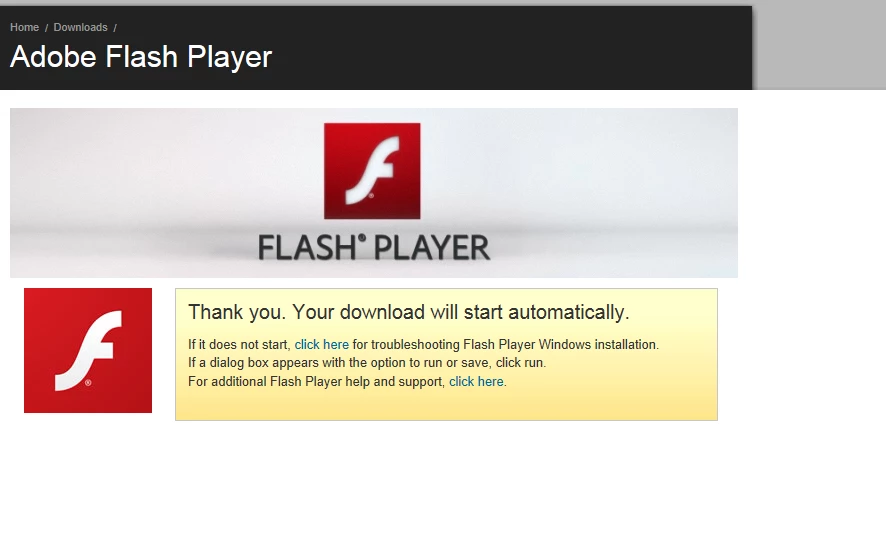 and nothing ever happens. I reset my IE settings. Under tools, Safety, ActiveX Filtering is uncheck. Under Manage Add-ons I just don't see the Active x for flash add-on I'm assuming this is because flash is not installed. I even did the whole Subinacl and reset.bat file but still I'm unable to download flash. Currently Flash works fine on Firefox which is what I'm using right now. I don't have any Flash cookie cop or any other software installed that blocks flash. Am I missing something? I really do not want to reinstall windows. Is there an other way to fix this problem? I am using 32-bit IE and not 64.
 AdChoices