
Participant
September 7, 2016
Answered

Flash stopped working - strange version 23.0.0.162 in Chrome?

  • September 7, 2016
  • 2 replies
  • 25094 views

Yesterday Flash plug-in stopped working on Chrome and Safari.

Downloaded and updated to latest version.

Restarted.

Uninstalled

Restarted

Installed

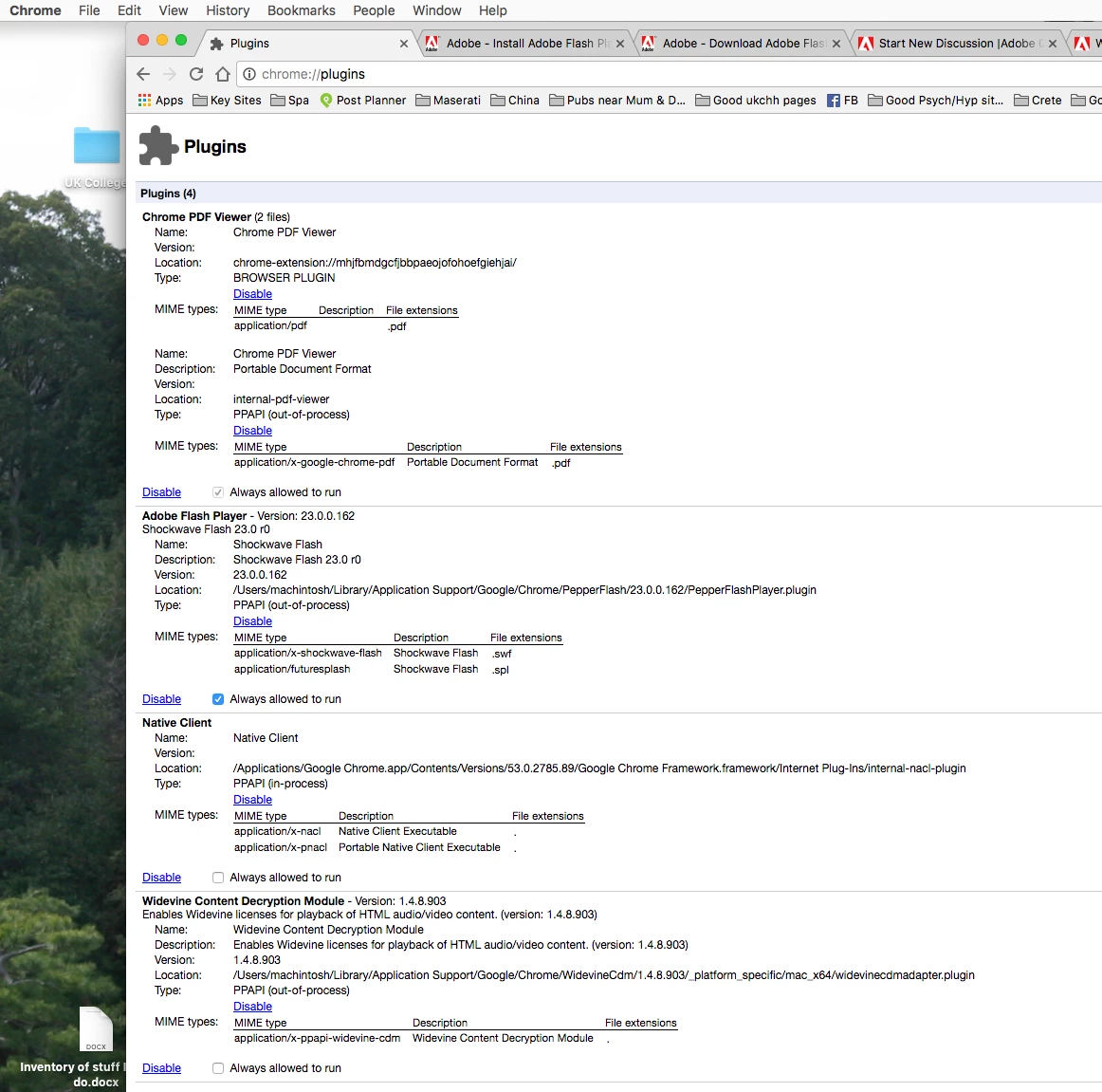
a) Chrome keeps showing

Adobe Flash Player - Version: 23.0.0.162

Shockwave Flash 23.0 r0

Name:Shockwave Flash

Description:Shockwave Flash 23.0 r0

Version:23.0.0.162

Location:/Users/machintosh/Library/Application Support/Google/Chrome/PepperFlash/23.0.0.162/PepperFlashPlayer.plugin

Type:PPAPI (out-of-process)

b) Safari didn't even have the Flash plug-in showing in preferences

Found instructions for a clean uninstall and install. Followed those.

Upon restarting and installing - Flash plugin did show in Safari and is working in Safari!

However Chrome is still not working. Despite uninstalling and then reinstalling version 22 - the listing in chrome://plugins/ is for this bizarre 23.0 r0
Any suggestions?

(Some days ago I did inadvertently accept an ad blocker which started generating marketing pop-ups for Mac Cleaner and other stuff on to the Mac which I think I've successfully removed. I'm wondering if that is the problem).

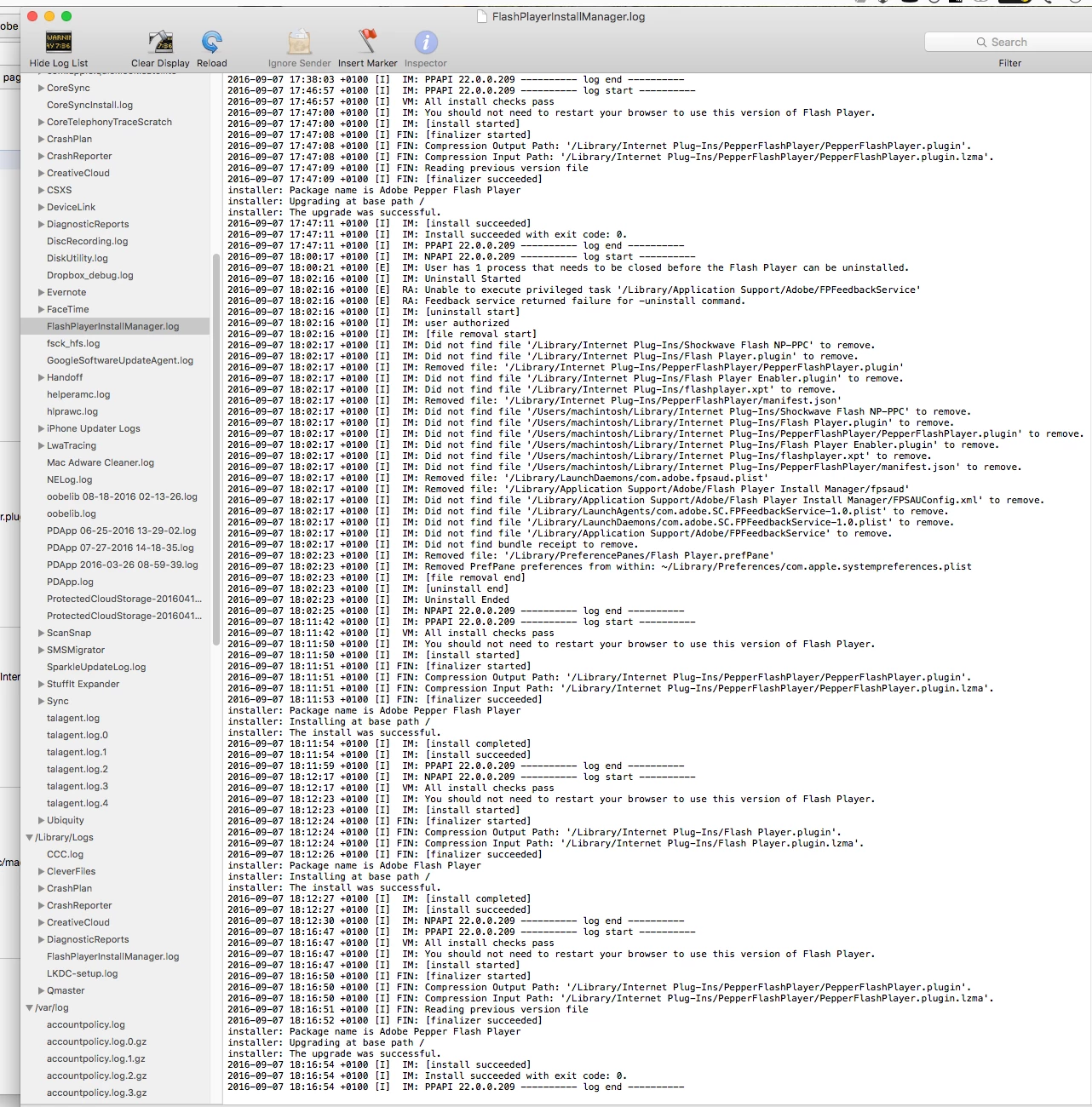
It seems like something is forcing this 23.0 version into Chrome even though I'm using the Adobe 22 installer.

Here is the install log - you can see I've been busy trying to figure this out. But the last PepperFlash install looks good and is version 22.

Where does version 23 come from??
Thanks!

Correct answer _maria_

Checking for updates in components is finally pulling .166 for me. Earlier, I was stuck with .164.


23.0.0.166 is the fixed version and should be working.

2 replies

Persiusx
Participating Frequently
September 15, 2016

I'm still stuck in .164 and having shockwave plugin crashing errors when content is delivered via flash. Trying to force the components to update but says no update available. I can uninstall and use the directions posted in this thread but I also have 100's of customers using a custom website that still delivers data in flash (in progress for HTML5).

Why won't .166 be rolled out automatically to users?

FYI windows 8.1 here.

_maria_
Community Manager
Community Manager
September 15, 2016

What version of Chrome do you have installed?

What happens when you go to chrome://components and attempt to force an update?

Persiusx
Participating Frequently
September 15, 2016

Version 53.0.2785.116 m

Regarding the chrome://components - When I try to force an update it just says:

pepper_flash - Version: 23.0.0.164

Status - Component not updated

_maria_
Community Manager
Community Manager
September 7, 2016

We are investigating this issue.

Can you please launch Finder and navigate to /Users/machintosh/Library/Application Support/Google/Chrome/PepperFlash/23.0.0.162.  What is the full name of the PepperFlashPlayer file as it appears in the directory?  If file extensions do not display, see OS X Yosemite: Show or hide filename extensions  to display them.

Safari and Chrome use two different plugin types.  Safari uses NPAPI plugin and Chrome uses PPAPI plugin.  Google embeds Flash Player in Chrome.  The PPAPI version downloaded from adobe.com is not used by Chrome.  If you didn't install the NPAPI plugin previously it's why Safari didn't display the Flash Player plugin.

Participant
September 7, 2016

Hi

Thanks for looking into this.
It is simply PepperFlashPlayer - with no file extension.

jeromiec83223024
Community Manager
Community Manager
September 8, 2016

This was the result of a hiccup in Google's auto-update system.  It should be resolved at this point.  If the issue persists, please check to see if a new update is available from Chrome > Menu > Help > About Google Chrome, or go to chrome://components/ and click Check For Update on pepper_flash.