
February 16, 2012
Question

How do I fix this error?

  • February 16, 2012
  • 1 reply
  • 1206 views

I have this pop-up as you can see in the image,
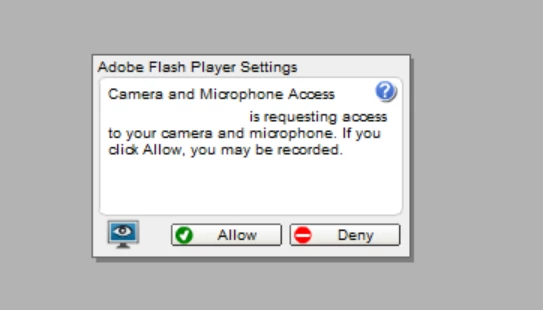
but I cannot click any buttons (Allow/Deny) with my arror/mouse. I'm using Google Chrome, Windows 7, 64-bit, and the latest version of Flash.

I think the problem may be because I have increased the font/display size on my computer to 150%, but this is necessary to have.

I have unistalled Google Chrome and reinstalled it, but it has not fixed the problem.

This topic has been closed for replies.

1 reply

chris.campbell
Legend
February 17, 2012

I believe you are correct.  I seem to recall a bug regarding the font dpi size on Windows being in our bug database.  While we work to get this fixed, you should be able to work around this using other methods.  Please see this FAQ (which refers to Mac, but is also applicable on Windows).

Working around the 10.7 Lion Flash Player settings bug

Thanks,

Chris