
Participating Frequently
May 16, 2011
Question

How to NOT install FlashPlayer MGM icon in ControlPanel after FlashPlayer10.3.181.14 installed ?

  • May 16, 2011
  • 3 replies
  • 6070 views

Hello !

I have done the silent installation, but a Flash Player management setting icon appear in Control Panel.

Please see the screen capture in the attachment.

How to NOT install FlashPlayer MGM icon in ControlPanel after FlashPlayer10.3.181.14 installed ?

Many Thanks !
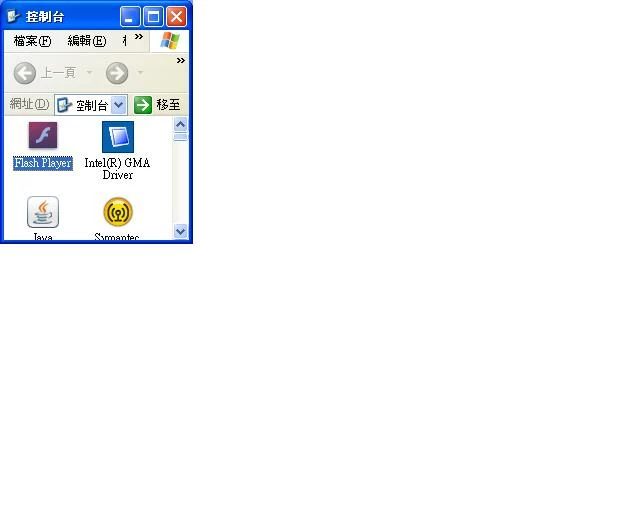
Message was edited by: AskQ

    This topic has been closed for replies.

    3 replies

    370H55V
    Inspiring
    May 30, 2011

    Unless the 3,000 users are admins can't you restrict access to the control panel completely? I have my daughter and my dad "cut off" from access to the control panel (XP and Win 7).

    AskQAuthor
    Participating Frequently
    May 30, 2011

    Thanks for your adivce !

    We can not do this since different users have different rights and we can not control that kind of user to login to a specific computers. It involve a huge effort to do this no matter in server side or client side, so it is not worth.

    The best way should be not install the Flash Player setting in Control Panel then no user can set anything.

    Thanks !

    Participant
    May 30, 2011

    Hi,

    did you try to rename/remove FlashPlayerCPLApp.cpl???

    This will let the Flashplayer Settings icon disappear in the control panel after reboot.

    During install you cannot exclude the control panel icon. At least I found no way to do so.

    Greetings M.

    Participant
    May 26, 2011

    There is nothing wrong with having the Flash icon in the control panel.  Rather it makes it easier to clear out your flash settings rather having to load the flash control panel in your browser.

    AskQAuthor
    Participating Frequently
    May 27, 2011

    Thanks for your reply.

    We are not allow users (more than 3000 users) to change any setting of Flash Player, so it might need to hide the setting icon in Control Panel.

    Thanks

    Participant
    May 27, 2011

    Hi AskQ,

    you may try to rename or delete the following file:

    x86: C:\WINDOWS\system32\FlashPlayerCPLApp.cpl

    x64: C:\WINDOWS\sysWOW64\FlashPlayerCPLApp.cpl

    Greetz

    Message edited by MourneProof

    chris.campbell
    Legend
    May 16, 2011

    The native control panel is a new feature of Flash Player 10.3.  As far as I know, it is not possible to selectively install this.  I'll post again if I find out otherwise.

    Thanks,

    Chris

    pwillener
    Legend
    May 17, 2011

    Interesting; I did not know about this.

    Unfortunately I do not find this in my Control Panel; is it for certain Windows versions only?  (This computer is still on Windows 2000.)

    Adobe Employee
    May 18, 2011

    Yes, the new Flash Player Control Panel applet only supports Windows XP and later.