


- Home
- Flash Player (read-only)
- Discussions
- Re: How to prevent flash update from opening brows...
- Re: How to prevent flash update from opening brows...
How to prevent flash update from opening browser

Copy link to clipboard
Copied
Everytime flash finishes update, it automatically opens a new tab in the default browser redirecting to its website with "well done you've updated bla bla bla". How to disable this?
I don't need it to tell me I've updated to latest version. Of course I know it's updated because I am the one initiating the update.
My default browser is chrome. If I haven't saved my last session and chrome is closed, it will open a new tab and replace my current session.
If my last session was saved, then it will open the new tab along with hundreds of tabs from my previous browsing session.
At any rate it is aggravating. It is obnoxious and presumptive that some programmers think that their programs have a right to open my browser
on their own accord without my permission. It's not unlike spam.
I really appreciate your help. Thanks.


 3
Replies
3
3
Replies
3


Copy link to clipboard
Copied
You need to get the manual or offline install files. just google the following:
"adobe flash installation problems"
the very first link!
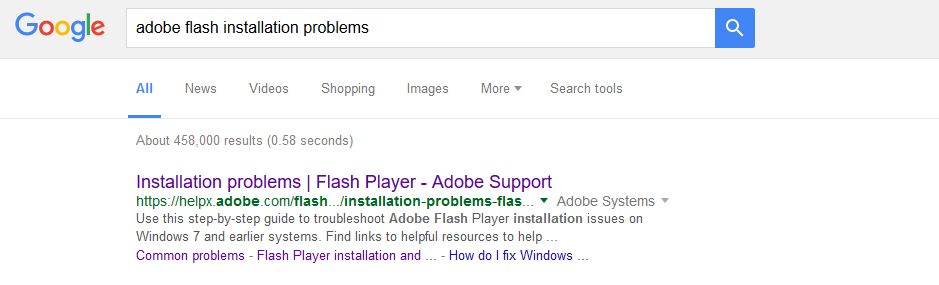
scroll to the bottom of the page and you will see:
"Still having problems"

Those three links are your offline installers. BTW chrome has its own built in flash and it is not updatable on the adobe site. only updating chrome will update your flash in Chrome
Best Regards
i would post links but adobe seems to be micromanaging posts and all links have to be approved causing delays in the posting of help sorry for the screenshots and not links.


Copy link to clipboard
Copied
Hi,
My recommendation is to opt into background updates. With the option enabled, Flash periodically checks for an update. When it finds an update is available it automatically downloads and installs it silently, in the background, within 24 hours of the new version being released.
To opt into background updates:
- Luanch Flash Player Settings Manager:
- On Windows: Open Flash Player Settings Manager from Control Panel\All Control Panel Items > Flash Player
- On OS X: Open Flash Player Settings Manager in System Preferences > Flash Player
- In Flash Player Settings Manager navigate to the Updates tab
- Select option: Allow Adobe to install updates (recommended)
--
Maria

Copy link to clipboard
Copied
Very simple !!!
Use task manager, Process Explorer or any similar process tool and when you see last window with "Finish" kill it from task manger, don't try to kill it on red X button, it will done nothing !!!
Yes that can be treated as specific spam, but that s one more (unfair) way for Adobe to promote self !!!
P.S. If any adobe moderator read this, please send me all unanswered questions to my email
- I will be glad to answer on all of them !!! There is not need to be no one "This question is Not Answered." question !!!
I am serious !!!
Respectfully yours
Prof.Dr. Aleksandar Blagojević Ph.EMD.,Dip.ING, IT PRO
(Edited by Mod to remove email address)

Get ready! An upgraded Adobe Community experience is coming in January.
Learn more
 AdChoices