Participant
October 14, 2017
Question

Problems with Flash Player - Chrome

  • October 14, 2017
  • 6 replies
  • 3480 views

Hello, I'm trying to play a game but the Adobe Flash Player doesn't work.

It appears like that:
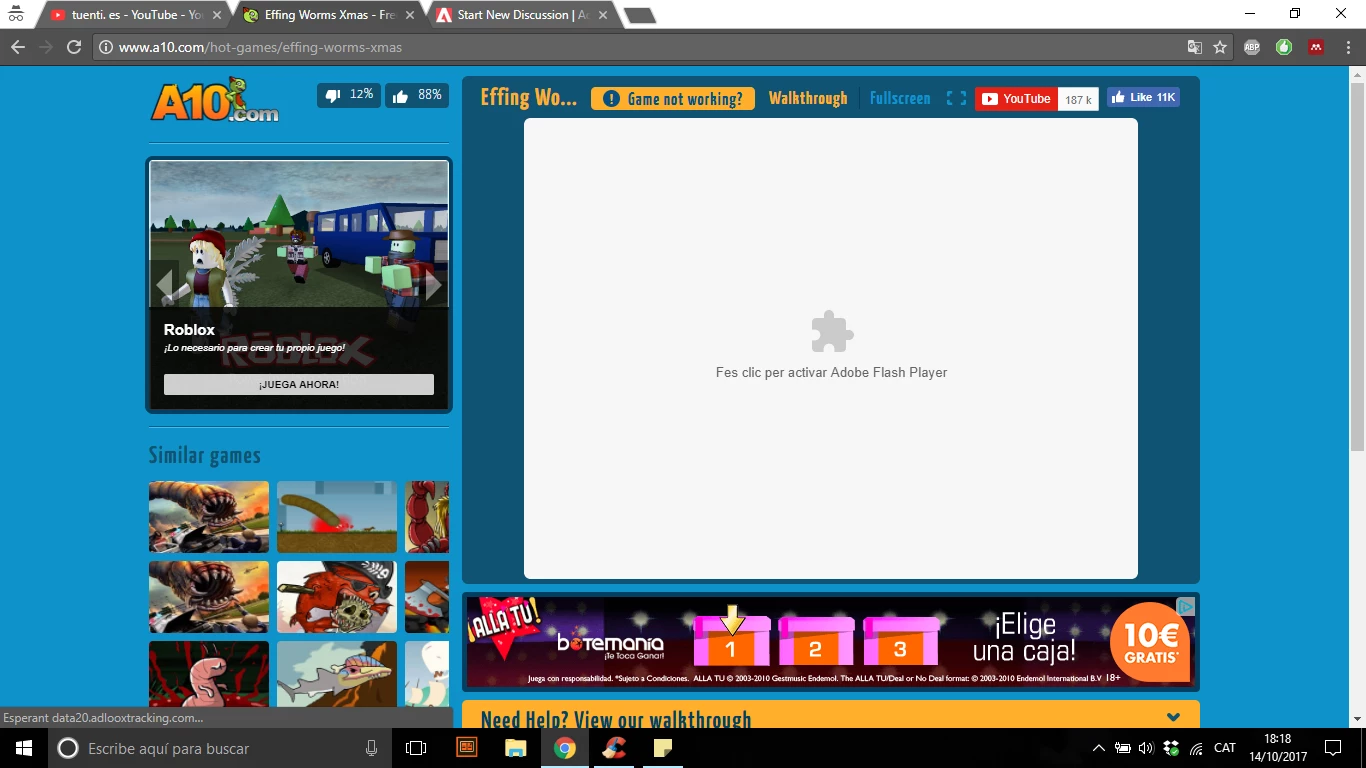
What can I do to make it work?

[moderator: added browser to title]

This topic has been closed for replies.

6 replies

Participant
November 23, 2017

You can enable it (each time you start an incogneto window) using

   chrome://settings/content

then under Flash

   Add the site you want to use, and check off Current incognito session only

jeromiec83223024
Inspiring
November 28, 2017

That's a great tip, thanks!

Participant
October 25, 2017

Thanks, I'll try to make it work

jeromiec83223024
Inspiring
October 16, 2017

Recent changes to Chrome prevent Flash Player from working in Incognito mode.  It should work in regular mode.

Use or fix Flash audio & video - Computer - Google Chrome Help

Participant
October 26, 2017

It works on regular mode on Google Chrome. Thank you so much!

_maria_
Community Manager
Community Manager
October 16, 2017
Participant
October 25, 2017

Sorry, I didn't remember it

Participating Frequently
October 16, 2017

What happens when you try "Click here to activate Flash"? Has Flash Player enabled on your browser?

divya010193
Adobe Employee
Adobe Employee
October 16, 2017

Hi,

Please specify :

Thanks!