
To view the Flash Technology content in this PDF file, please install the required version of Flash Player
Hello! *PLEASE ADOBE FIX THIS!*
I just want to share how to install the correct version of the Flash Player to read rich content (audio etc) in a PDF. I have been searching and searching forever for a solution, because Adobe leads the customer to the wrong download page. I am posting it here hoping that the people who are responsible for Acrobat Reader and Flash Player read this.
You are likely getting a pop up saying "To view the Flash Technology content in this PDF file, please install the required version of Flash Player".
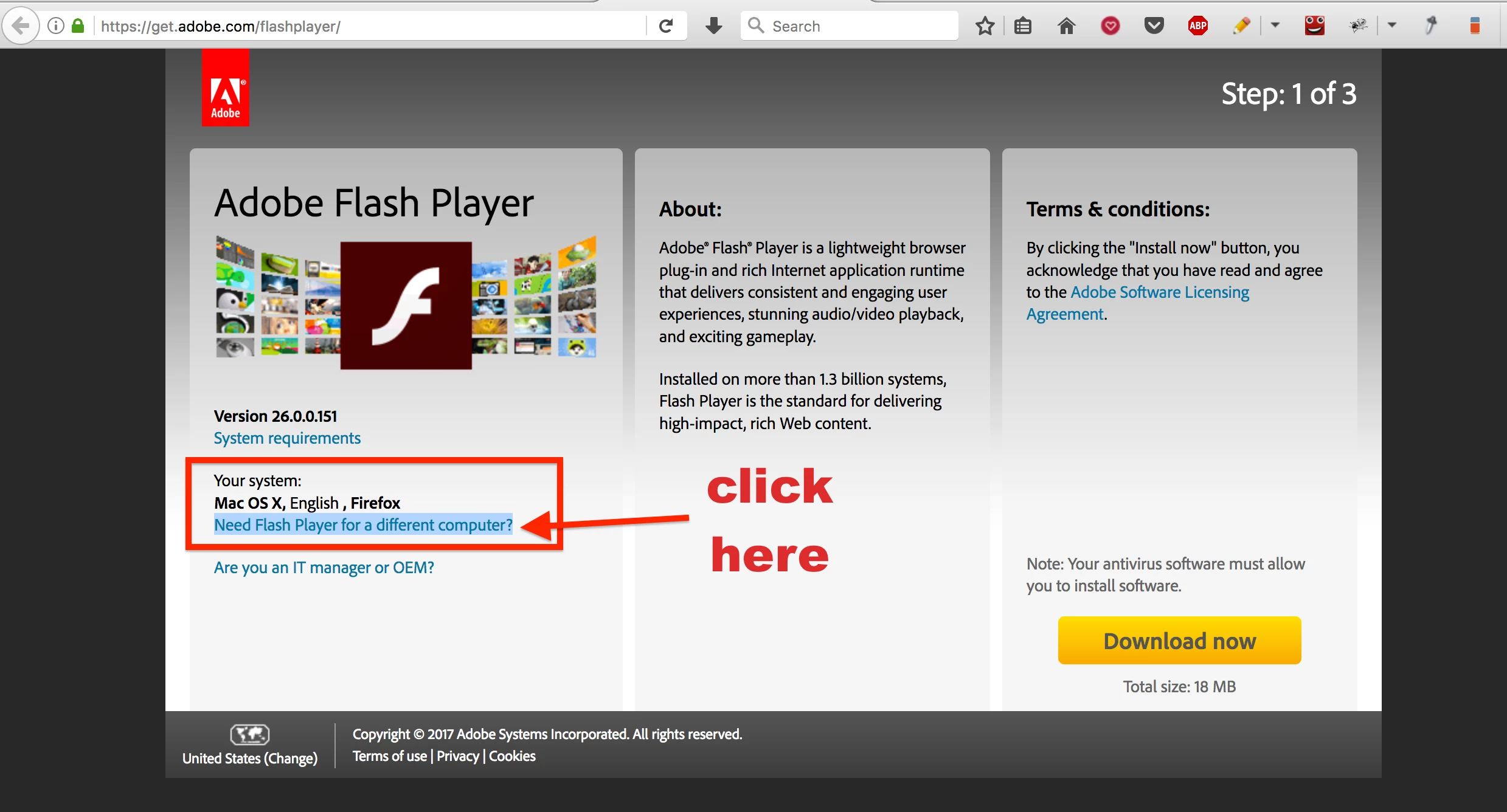
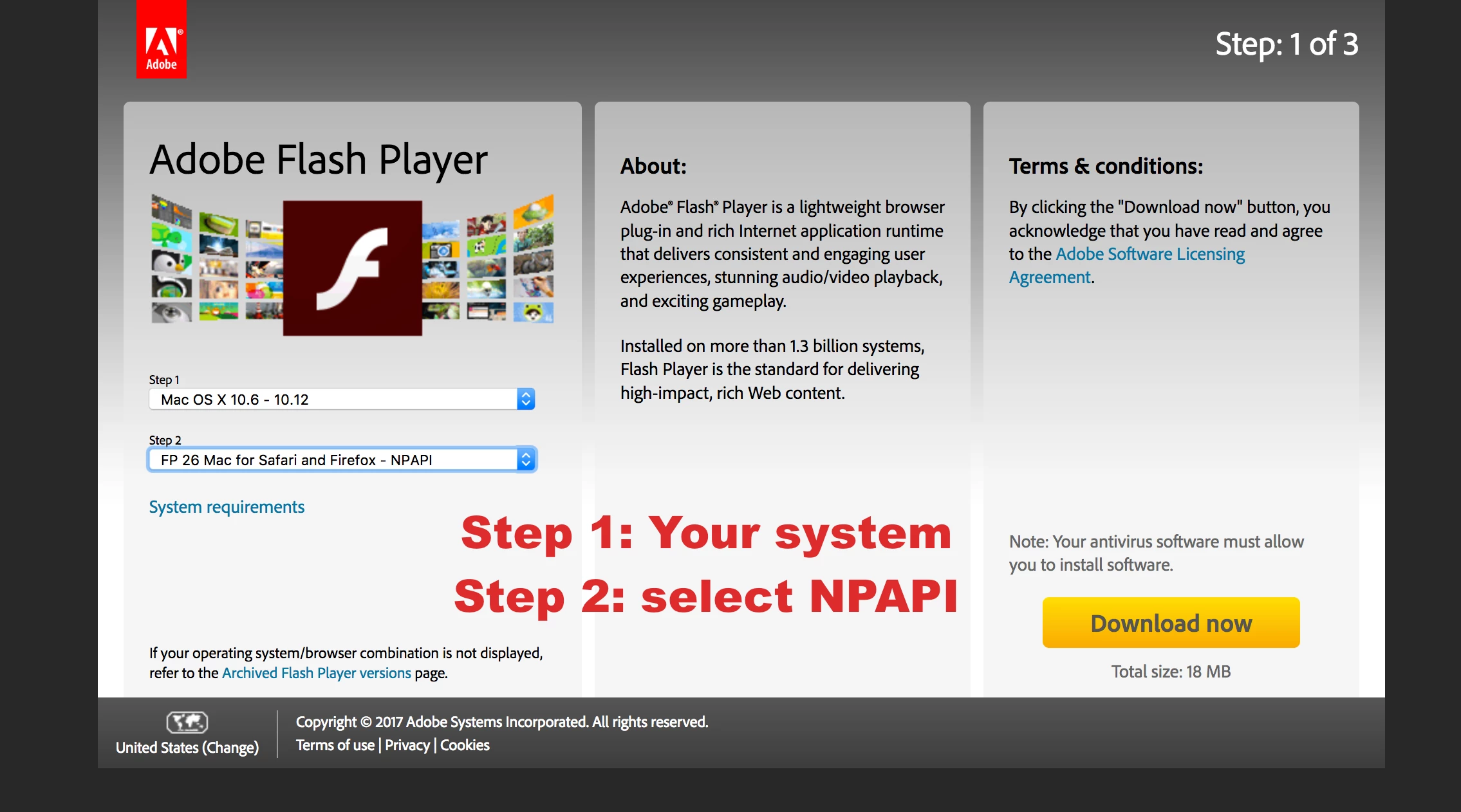
When you click on that link it leads you to Adobe. Unfortunately, Adobe does not automatically download the required plugin. Please make sure to download the NPAPI plugin. Please see attached fotos. I am posting this in August 2017, so not sure if this might change again in the future, but for now, it might help you.
I am just wondering if Adobe is aware of this problem? I could not reach them via contact, so I decided to post this here, hoping that Adobe will just make sure that it links the customer to the right page or explains what exactly the customer needs to do.
PLEASE ADOBE FIX THIS!
It is super simple: From the pop up in Acrobat Reader, just link to a page where it explains that the customer needs to download NPAPI from this website https://get.adobe.com/flashplayer/otherversions/ That is all, not that complicated, is it, Adobe?
 AdChoices