


- Home
- Flash Player (read-only)
- Discussions
- Re: Unable to proceed with the installation
- Re: Unable to proceed with the installation

Copy link to clipboard
Copied
I've tried to install Flash for my Mac's Safari browser probably 10 different times; each time it does the exact same thing.
This is what's displayed:



 1 Correct answer

Download the offline imstaller: Flash Player 12.0.0.44 (Mac OS X)
Then do a "clean install": How to perform a "clean install" of Flash Player in Mac OS X

 9
Replies
9
9
Replies
9

Copy link to clipboard
Copied
>About This Mac
WHAT OS version are you using?
Copy link to clipboard
Copied
OS X 10.9.1
Copy link to clipboard
Copied
Download the offline imstaller: Flash Player 12.0.0.44 (Mac OS X)
Then do a "clean install": How to perform a "clean install" of Flash Player in Mac OS X
Copy link to clipboard
Copied
Where do I find these? I've looked, but I don't see them anywhere.
Mac HD/Library/Internet Plugins
Mac HD/Library/Application Support/Adobe/Flash Player
Copy link to clipboard
Copied
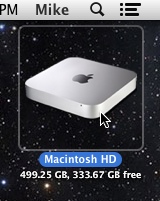
Double click your Mac HD on your desktop
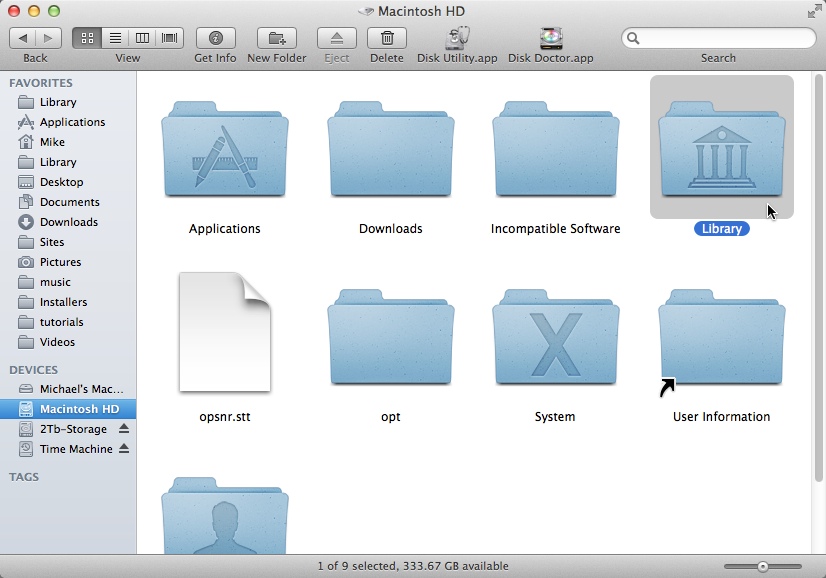
In THAT window, double click the Library folder
Next, double click the Internet Plug-ins folder

In that folder, trash the Flash Player.plugin, and flashplayer.xpt

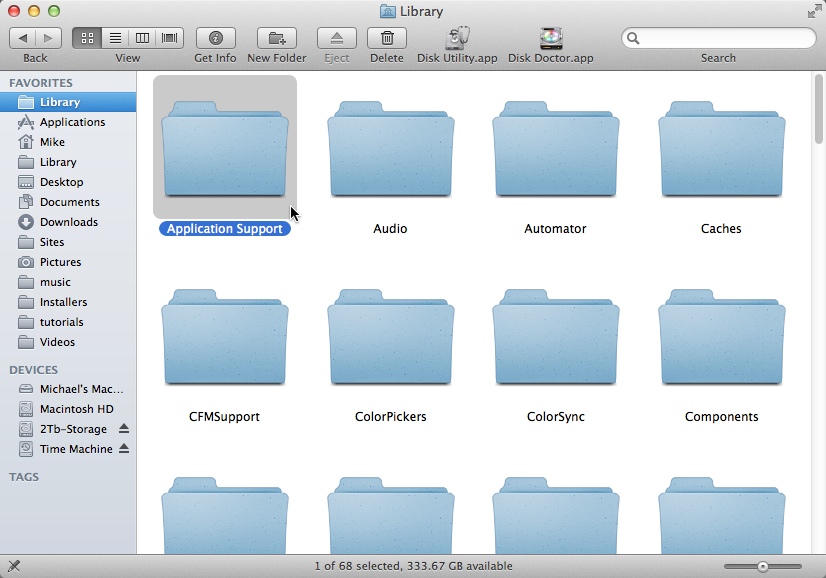
Go back to the Library folder
Double click the Application Support folder
Double click the Adobe folder

Trash the Flash Player folder

That's all there is to it.
If you don't have these files or folders, then you don't have Flash Player installed, and you can just go ahead with the installer.
Copy link to clipboard
Copied
I don't have that icon on my desktop. Where else can I get access to the HD?
Copy link to clipboard
Copied
Click the Finder icon in your dock, or click File>NewFInder Window from the FInder menu bar
Copy link to clipboard
Copied
Still nothing... I'm going to try the install.
Copy link to clipboard
Copied
Still couldn't figure out how to get into the HD, so I went ahead and tried the clean install and it worked perfectly! Thanks for the help! It's actually pretty easy; unistall, empty trash, reboot, install. Thanks for the tips!

Get ready! An upgraded Adobe Community experience is coming in January.
Learn more
 AdChoices