
Participant
October 13, 2016
Question

Why is Safari asking me to allow Adobe Flash Player for unexpected sites (e.g., MacRumors, PayPal)?

  • October 13, 2016
  • 3 replies
  • 13076 views

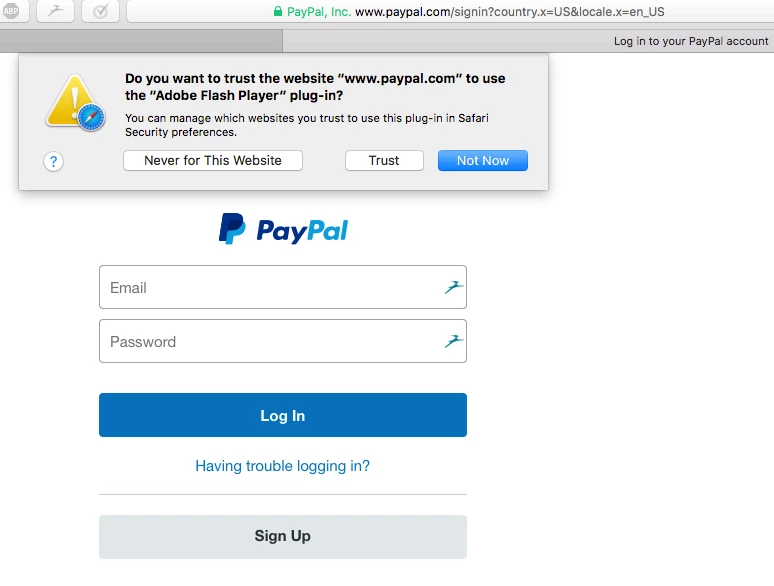
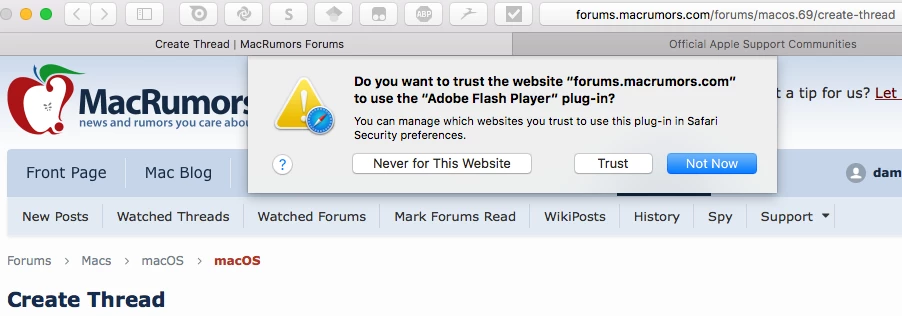
Lately, I've been receiving the prompt, "Do you want to trust the website '[URL of website]' to use the 'Adobe Flash Player' plug-in" prompt from Safari for sites that don't appear to require it (e.g., MacRumors, PayPal).

Whether I click "trust" or "not now" seems to make no difference in the functionality of the site.

Can anyone explain what's going on, here?

Is this a bug in Safari or Flash?

Or is my computer likely infected with some sort of malware or virus? (I ran Malwarebytes; it didn't find anything. I'm running Norton Antivirus now; unless I post otherwise, you can assume it didn't find anything, either.)

Or do sites like MacRumors and PayPal have legitimate uses for Adobe Flash Player?

Note that I am using the latest versions of Safari (10.0), macOS (10.12), and Adobe Flash Player (23.0.0.185, as verified and updated in the System Preferences Flash Player pane).

See below for screenshots. Unfortunately, I don't recall what other sites have been giving me this prompt, offhand, but they include sites as reputable as MacRumors and PayPal.
This topic has been closed for replies.

3 replies

jeromiec83223024
Inspiring
December 8, 2017

For what it's worth, most of the time that you see Flash on a site like Paypal, Amazon, etc., it's related to website analytics.  If you dig into the code, this kind of content tends to be small (like 1x1 or 5x5 pixels), and these techniques in general have a lot to do with the criticism aimed at Flash around memory and power consumption.

It's not uncommon on media sites -- particularly where there's a whole host of companies involved in the metrics, ad distribution and auditing ecosystem -- where there may be dozens of these kinds of trackers from multiple parties in the ecosystem on the same page.  Since advertising pays for an insane amount of the content generated online for mass consumption, all of that auditing and tracking is necessary to ensure that content producers can make a living.

While HTML5 and JavaScript give developers similar (and in many instances, far more powerful capabilities) for these purposes, Flash Player is handy, particularly when you're talking about targeting older browser (e.g. IE8), which otherwise may lack the scripting capabilities used for creating meaningful insight into how people are using your website.  It wasn't an explicit design goal of ours to facilitate this kind of stuff, but there are a lot of smart people in the marketing space, and it's a de-facto practice at this point.

So yeah, these kinds of SWFs are probably legitimate, but also in many instances not strictly necessary to make the site work.

Kris Hunt
Legend
April 21, 2017

I've experience this as well. In the past couple of months, it seems I get this prompt ten times a day from all sorts of websites that seem to not use Flash at all anyway. Maybe they do, but like you say, I don't see any adverse effects at all from disallowing it.

_maria_
Legend
October 13, 2016

Apple disables Flash Player by default in Safari 10.  If Safari is prompting you to Trust (allow) Flash Player plug-in on a specific page it would indicate the page contains some Flash content.   You're free to allow or not allow.  If the page doesn't display correctly you can go to Safari > Preferences > Security and modify the plugin settings (Enable Adobe Flash Player for Safari)

Reference:

Next Steps for Legacy Plug-ins | WebKit

Safari in macOS Sierra Deactivates Flash and Other Plug-ins By Default - Mac Rumors

Inspiring
December 4, 2017

maria__ (or adobe employee)

How to STOP Safari 11x from triggering the

"Do you want to trust the website '[URL of website]' to use the 'Adobe Flash Player' plug-in"

I get it 20-plus times a day on the web and it's VERY annoying.

I cannot "esc" or back out of it ... the only option is to Force Quit (unless I want to click on something in the popup).

I don't want to remove the Flash plugin or enable it globally -- I just don't want to generate a popup on every site that calls it up.

I'm running OS X 10.12.6 on MacBook Pro.

_maria_
Legend
December 4, 2017

This is a browser setting and has nothing to do with the Flash Player itself. Since you blocked out the website URL, I can't attempt to reproduce.

I recommend contacting Apple support for assistance, since it is their product, not Flash Player, that is displaying the pop-up warning, and not responding to the options presented, forcing you to perform a 'Force-Quit'.