


Participant
January 29, 2018
Question

adobe pepper flash player

  • January 29, 2018
  • 1 reply
  • 48179 views

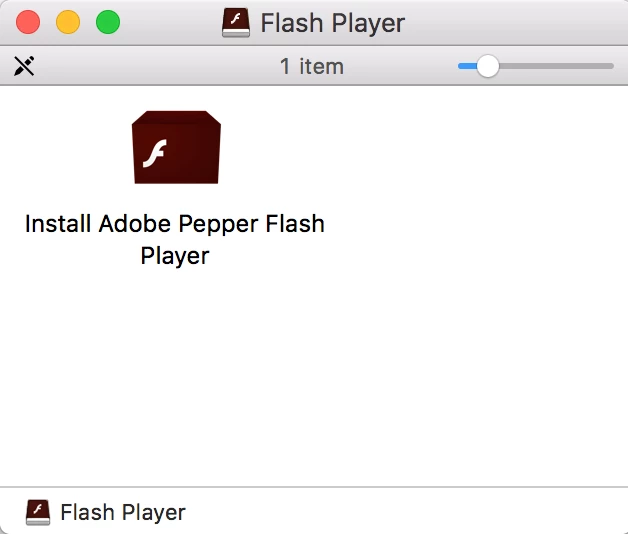
I'm using MacBook Pro running macOS Sierra 10.12.6 /browser= Safari 11.0.3 / and upon clicking on a pop up which states that your flash needs to be updated, clicked on "Update Flash player", which then downloaded the following file; "install_flash_player_osx_ppapi_DOT_dmg" (18.9 MB) and when I clicked on that file the following app was about to be installed,  "ADOBE  Pepper Flash Player"? What should I do?
This topic has been closed for replies.

1 reply

_maria_
Community Manager
Community Manager
January 29, 2018

Flash Player Pepper (aka PPAPI) plugin is for Chromium-based browsers.  Since you received an update notification for it, I'm assuming you have one installed (e.g. Chrome or Opera, although Google embeds Flash Player PPAPI (aka Pepper) plugin in the browser and there's no need to install the plugin separately).  If you're concerned for it's validity, you can verify the digital signature is Adobe's.  To do that:

  • Launch the Terminal app (/Applications/Utilities/Terminal.app)
  • In the Terminal app, type: codesign -vvd <Path to Install Adobe Flash Player.app>
    • The easiest way is to just drag the file that's in your screenshot onto the Terminal app
    • For example: codesign -vvd /Volumes/Flash\ Player/Install\ Adobe\ Pepper\ Flash\ Player.app
  • Hit Enter key
  • In the results, the Developer ID should be Adobe Systems, Inc

<edit: grammar fix>