


An Error occurred, please try again later while watching Youtube Video.
OS Info: Windows 7 Ultimate 32 bit.
Browser: Internet Explorer 11, Firefox Version 30, Google Chrome Version 35.0.1916.153 m
Flash Player Version: 14.0.0.125
Want to know if this is a Flash issue or a possible Scripting Issue?????
Issue is persisting only with IE 11 & Firefox Version 30. Had installed Flash player 14.0.0.125 for both browsers and getting this error message. Weird thing is same flash player exist in Google Chrome and it works fine. When i watch the video using Firefox browser it just comes up with the message on YouTube page "An Error occurred, please try again later". When i watch YouTube videos IE 11 i get Adobe flash player error message as a popup: "An Action Script error has occurred"
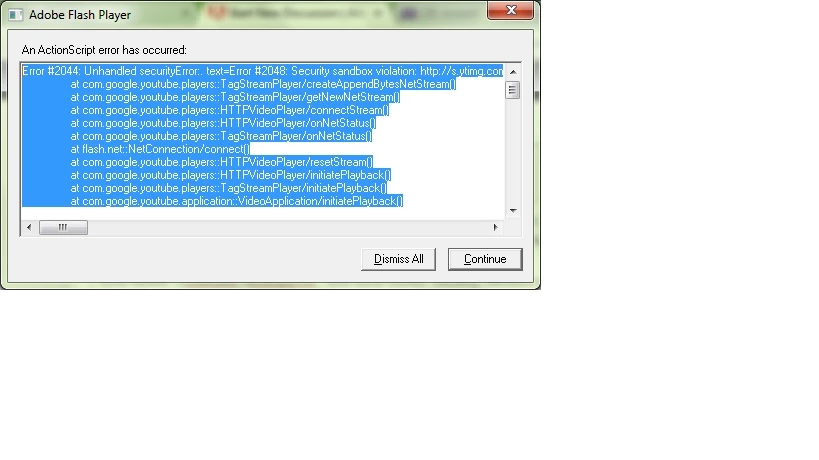
Error #2044: Unhandled securityError:. text=Error #2048: Security sandbox violation: http://s.ytimg.com/yts/swfbin/player-vfl2ziCRD/watch_as3.swf cannot load data from http://r13---sn-h557snee.googlevideo.com/videoplayback?clen=64901235&cpn=HZuMPsRTkgq2omCa&dur=4042.663&expire=1404644400&fexp=902408%2C924213%2C924217%2C924222%2C927882%2C930008%2C934024%2C934030&gcr=in&gir=yes&id=o-AF8c13eco1HYFFUSwyfzPmSS4D3WkKzCmJYddpW5mr1o&ip=117.193.182.110&ipbits=0&itag=140&key=yt5&lmt=1404080848376296&ms=au&mt=1404619893&mv=m&mws=yes&signature=BE797CB6A829884E0981093E82E18BE4DB8B15E4.714A46374403CC76BF903B83181A727DF1627121&source=youtube&sparams=clen%2Cdur%2Cgcr%2Cgir%2Cid%2Cip%2Cipbits%2Citag%2Clmt%2Csource%2Cupn%2Cexpire&sver=3&upn=q60GsSQKLtA&range=0-5483.
at com.google.youtube.players::TagStreamPlayer/createAppendBytesNetStream()
at com.google.youtube.players::TagStreamPlayer/getNewNetStream()
at com.google.youtube.players::HTTPVideoPlayer/connectStream()
at com.google.youtube.players::HTTPVideoPlayer/onNetStatus()
at com.google.youtube.players::TagStreamPlayer/onNetStatus()
at flash.net::NetConnection/connect()
at com.google.youtube.players::HTTPVideoPlayer/resetStream()
at com.google.youtube.players::HTTPVideoPlayer/initiatePlayback()
at com.google.youtube.players::TagStreamPlayer/initiatePlayback()
at com.google.youtube.application::VideoApplication/initiatePlayback().
Below is the image file for that error:
: 
If i Click Dismiss all it vanishes off doing nothing. If i click Continue i get the same Error Message again: "An Action Script Error has occurred:"
rror #2044: Unhandled securityError:. text=Error #2048: Security sandbox violation: http://s.ytimg.com/yts/swfbin/player-vfl2ziCRD/watch_as3.swf cannot load data from http://r13---sn-h557snee.googlevideo.com/videoplayback?clen=64901235&cpn=kq50CDNL_IHkLvsY&dur=4042.663&expire=1404644400&fexp=902408%2C924213%2C924217%2C924222%2C927882%2C930008%2C934024%2C934030&gcr=in&gir=yes&id=o-AEa7z1qZmyOmsQm-9QS1LkNGRygNU344TYl_BAhOiQDK&ip=117.193.182.110&ipbits=0&itag=140&key=yt5&lmt=1404080848376296&ms=au&mt=1404620193&mv=m&mws=yes&signature=DC1FC840B02AAABAE6D027BFCB66EE5E13F56FD4.A780DC87CE4D6E44EE2A92E8BC8E50D4880997BA&source=youtube&sparams=clen%2Cdur%2Cgcr%2Cgir%2Cid%2Cip%2Cipbits%2Citag%2Clmt%2Csource%2Cupn%2Cexpire&sver=3&upn=JWQe-KwYytc&range=0-5483.
at com.google.youtube.players::TagStreamPlayer/createAppendBytesNetStream()
at com.google.youtube.players::TagStreamPlayer/getNewNetStream()
at com.google.youtube.players::HTTPVideoPlayer/connectStream()
at com.google.youtube.players::HTTPVideoPlayer/onNetStatus()
at com.google.youtube.players::TagStreamPlayer/onNetStatus()
at flash.net::NetConnection/connect()
at com.google.youtube.players::HTTPVideoPlayer/resetStream()
at com.google.youtube.players::HTTPVideoPlayer/initiatePlayback()
at com.google.youtube.players::TagStreamPlayer/initiatePlayback()
at com.google.youtube.application::VideoApplication/initiatePlayback()
YouTube Page with Error Message Post clicking continue:
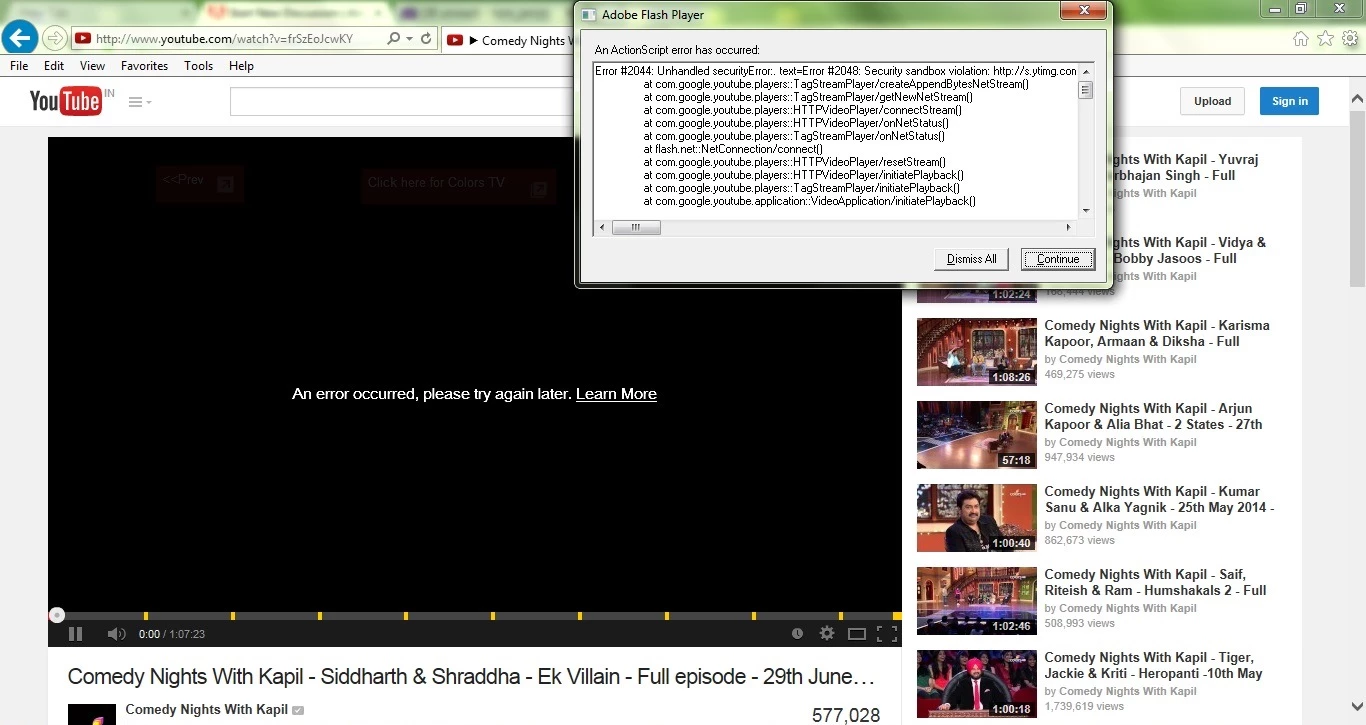

 AdChoices