joew54004076
Participant
May 3, 2017
Answered

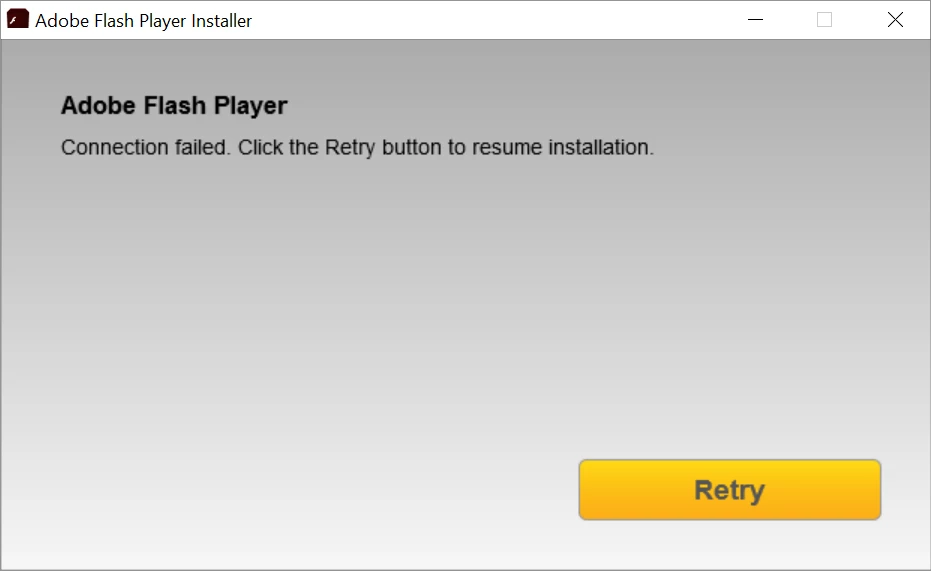
'Connection failed' error when attempting to install Flash Player

  • May 3, 2017
  • 2 replies
  • 1407 views

Every time I try to install adobe flash player this pops up even though I have an internet connection.I use firefox btw
This topic has been closed for replies.
Correct answer _maria_

Hi joew54004076

Thank you for providing the log file.  I'm not familiar with the error being reported and will need to forward the file to the online installer team for review.


Are you using any anti-virus/malware/adware/etc software?  If so, which one and which version is it?

In the interim, please try the offline installer posted at the bottom of the Installation problems | Flash Player | Windows 7 and earlier page in the 'Still having problems' section.

<edit>

I also edited the discussion topic to more accurately reflect the issue you are having.

2 replies

_maria_
Legend
May 3, 2017

Hi joew54004076

We'll need to review the online installer log files to troubleshoot the error.    Two files, Adobe_ADM.log and Adobe_GDE.log are located at the following location:

  • Vista and above: C:\Users\<YourUserID>\AppData\Local\Temp\Adobe_ADMLogs
  • XP: C:\Documents and Settings\<YourUserID>\Local Settings\Temp\Adobe_ADMLogs

Note: The AppData and Local Settings directories may be hidden see Show hidden files/folders (Windows 7 and above) or Display hidden files and folders (Windows XP) to view hidden folders.

Upload both files to cloud.acrobat.com/send using the instructions at How to share a document and post the link to the uploaded files in your reply.

Also, what Windows version is this on?

--

Maria

joew54004076
Participant
May 4, 2017
_maria_
_maria_Correct answer
Legend
May 4, 2017

Hi joew54004076

Thank you for providing the log file.  I'm not familiar with the error being reported and will need to forward the file to the online installer team for review.


Are you using any anti-virus/malware/adware/etc software?  If so, which one and which version is it?

In the interim, please try the offline installer posted at the bottom of the Installation problems | Flash Player | Windows 7 and earlier page in the 'Still having problems' section.

<edit>

I also edited the discussion topic to more accurately reflect the issue you are having.

divya010193
Adobe Employee
Adobe Employee
May 3, 2017

Hi,

On which operating system and browser version are you trying to install Flash Player?

Do you have Flash already installed? If yes, please specify the version.

Thanks!

joew54004076
Participant
May 4, 2017

Operating System: Windows 10

Browser: Firefox

Installed: No