Participant
March 24, 2021
Answered

Flashplayer logo is always in foreground.

  • March 24, 2021
  • 1 reply
  • 971 views

I have Windows 10 current release and version and since Adobe Flash Player went out of support, I have had the Adobe Flash Player logo stuck in the lower right of my screen always in the foreground regardless of the program that should be in the foreground.  MS Word, or Chrome,   or Edge, or Desktop... it is always there and I can't get rid of it.  I reboot and it comes back.  Tell Adobe to get their head out of their _

____.  This is making me hate their logo. 

    This topic has been closed for replies.
    Correct answer _maria_

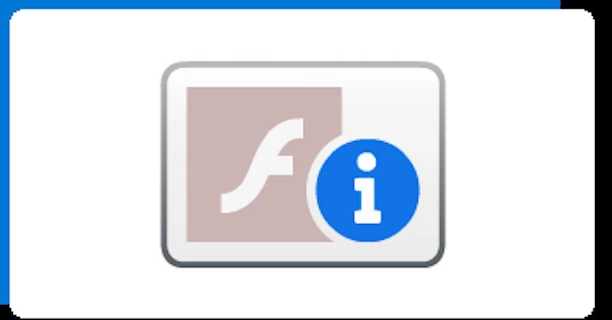
    If the logo you're referring to is the following:


    Some software program on your computer requires Flash Player.  Now that Flash Player has been removed the software can't find the plugin and displays this logo on the desktop.  You'll need to figure out which program you have installed requires Flash Player and is displaying this logo on the dekstop..  One such program we're aware of that requires Flash Player (and will no longer work) is SmileBox.

    1 reply

    _maria_
    Community Manager
    _maria_Community ManagerCorrect answer
    Community Manager
    March 24, 2021

    If the logo you're referring to is the following:


    Some software program on your computer requires Flash Player.  Now that Flash Player has been removed the software can't find the plugin and displays this logo on the desktop.  You'll need to figure out which program you have installed requires Flash Player and is displaying this logo on the dekstop..  One such program we're aware of that requires Flash Player (and will no longer work) is SmileBox.

    Participant
    March 25, 2021

    Thank you. Smilebox was the problem. It was in my startup group.
    Disabled that and ended the task with that name and poof, the logo was
    gone.

    thanks again,

    Steve McGinnis
    <moderator: deleted personal information as per forums privacy policy>

    _maria_
    Community Manager
    Community Manager
    March 25, 2021

    Great. Glad the issue has been resolved for you.