
Sharon6886
Participant
January 26, 2017
Question

Keep getting messages that I Flash Player is out of date...

  • January 26, 2017
  • 2 replies
  • 2210 views

I have Microsoft Edge, Window 10 and keep getting messages about updating Adobe flash but it is not from adobe--how can I stop this from happening?
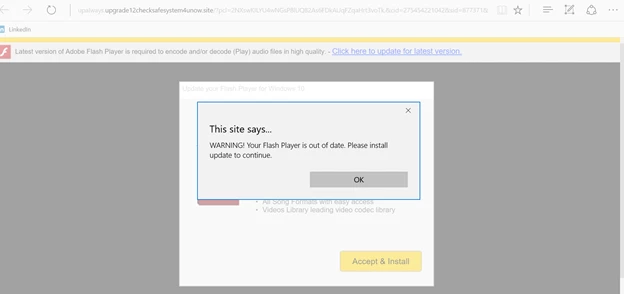
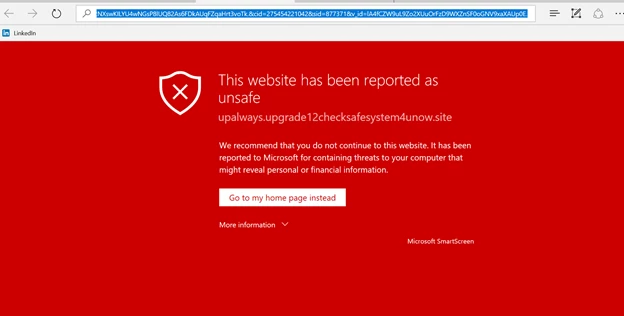
Warning! That link is dangerous and has been deleted. It downloads a bogus Flash Player not from Adobe.

The website itself redirects to other suspicious sites. -- Moderator
This topic has been closed for replies.

2 replies

jeromiec83223024
Community Manager
Community Manager
April 6, 2018

About a year ago, there was a widespread (and widely publicized) vulnerability in commodity wifi routers that allowed attackers to inject malicious code into the device's memory.  Since Flash Player is ubiquitous, it's the go-to product to impersonate if you're trying to get someone to install your malware.

If this is popping up all over the place (i.e. on legitimate sites) and you haven't update the firmware on your wifi router lately (or like most normal people, ever), there's a decent chance that it's infected.  The good news is that the infection is typically only resident in volatile memory.  Simply powering the router off and back on will resolve it (at least until something on the Internet re-infects it).

Once you've power-cycled your router, log in to it and install the latest available firmware.  That should prevent the problem from coming back.

If your router offers an auto-update option, definitely enable that (most older ones don't).  If not, it would be wise to set a calendar reminder for yourself to just check to make sure you're running the latest firmware every couple months.  If that sounds like a hassle, you might consider upgrading to one of the modern routers that *does* have automatic updates.

If the problem persists, you might consider whether the sites you're visiting truly are reputable, and/or running a scan from a reputable antivirus/antimalware vendor.

John T Smith
Community Expert
Community Expert
January 26, 2017

don't go to that site

Sharon6886
Participant
January 26, 2017

I KNOW NOT to go to the site and install anything but these just keep popping up and I want them to stop!  Why is someone else trying to install Adobe software?

This did not answer my question of how do I get these to stop popping up?

_maria_
Community Manager
Community Manager
January 26, 2017

"Why is someone else trying to install Adobe software?"  The holy grail question.  Why do people intentionally distribute viruses and malware, etc?  Because they're not very nice and they want to exploit your system, and you.

Most likely your system is infected with some malware/adware/etc. Run a complete system scan.  If it finds nothing (and it may very well will) contact a local trusted IT person, or one of a myriad of legitimate support sites on the internet to assist you in cleaning up your system.  Aside from forwarding the screenshots to our fraud department (which you can also do by emailing phishing@adobe.com) there's not much we can do as this isn't coming from Adobe, but something malicious on your system, local network, or websites you're visiting.

--

Maria