
No Option To Opt Out Of McAfee Plus Installation!
Hi!
If you read these forums you will see this issue quite a lot. The response from Adobe is that there will always be an option during installation to opt out of the installation of McAfee Plus. Adobe even provided screen shots to prove this fact. Well today I was finally given the option to update my Flash Plug In when I booted my computer. Since I was aware of this issue I decided to see for my self if I was given this opt out option during the installation of the latest Flash. So was I given the choice to opt out?
NO! And here is the screen shoots to prove that there was no option nor anything mentioned about McAfee anywere!
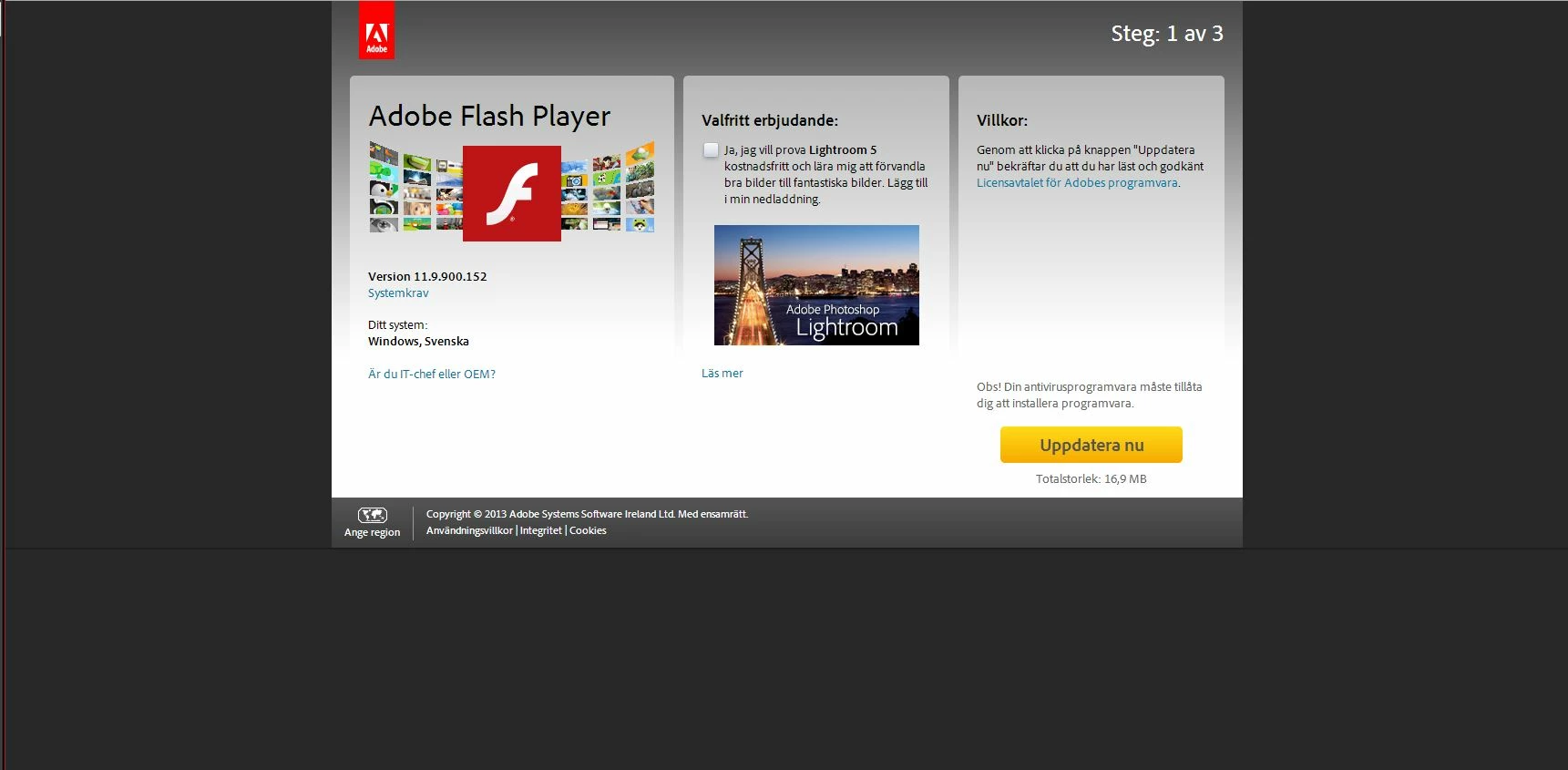
The only thing I see is the offer to try out Adobe PhotoShop Lightroom 5 for free, nothing mentioned nor checked about McAfee anywere. Next screen once I click the update button is this:
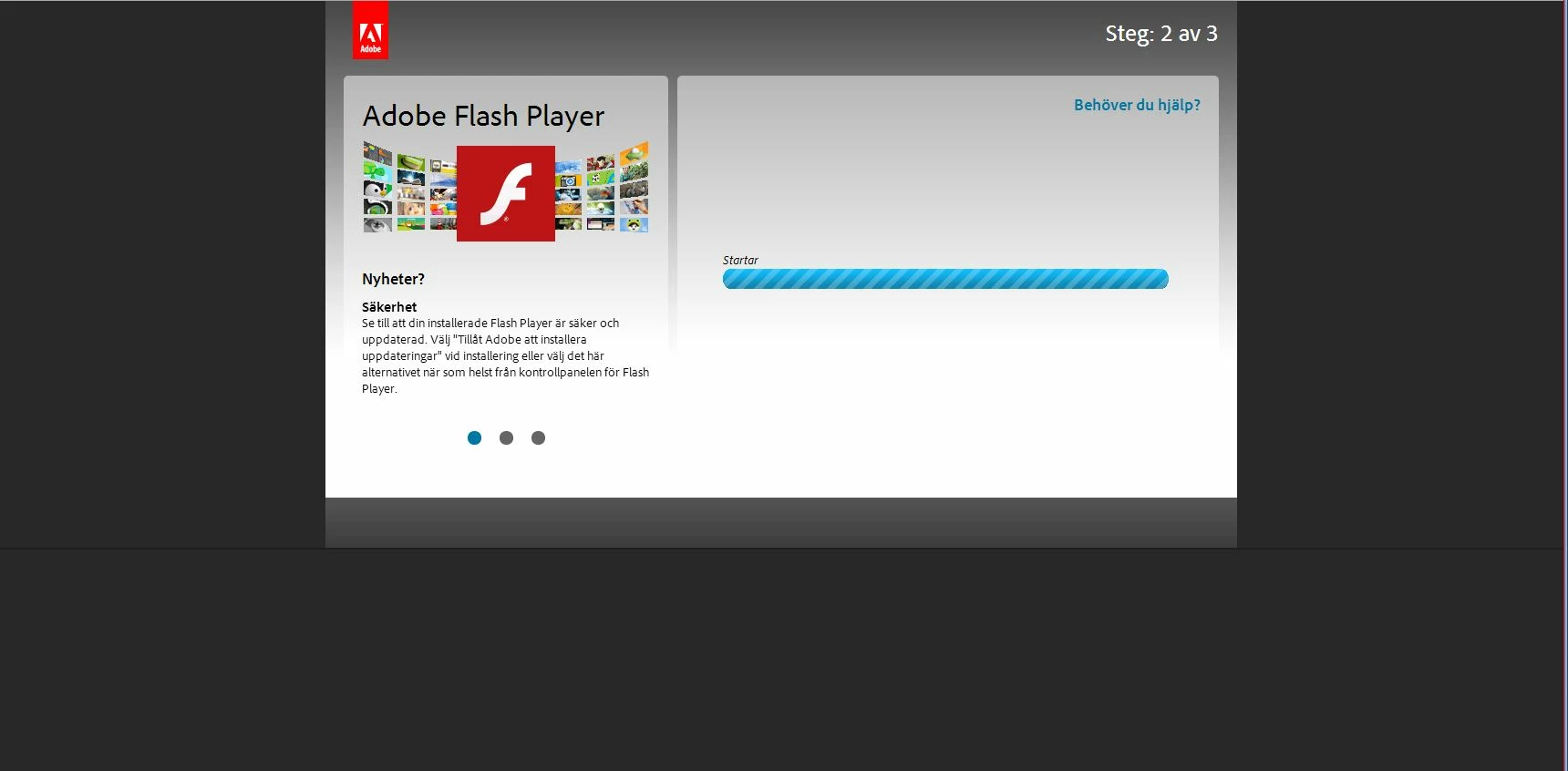
Still no option, what happens here is that the installation of the .exe file starts and the save dialog pops up to save the installer.
Once I downloaded the installer this page is showing:
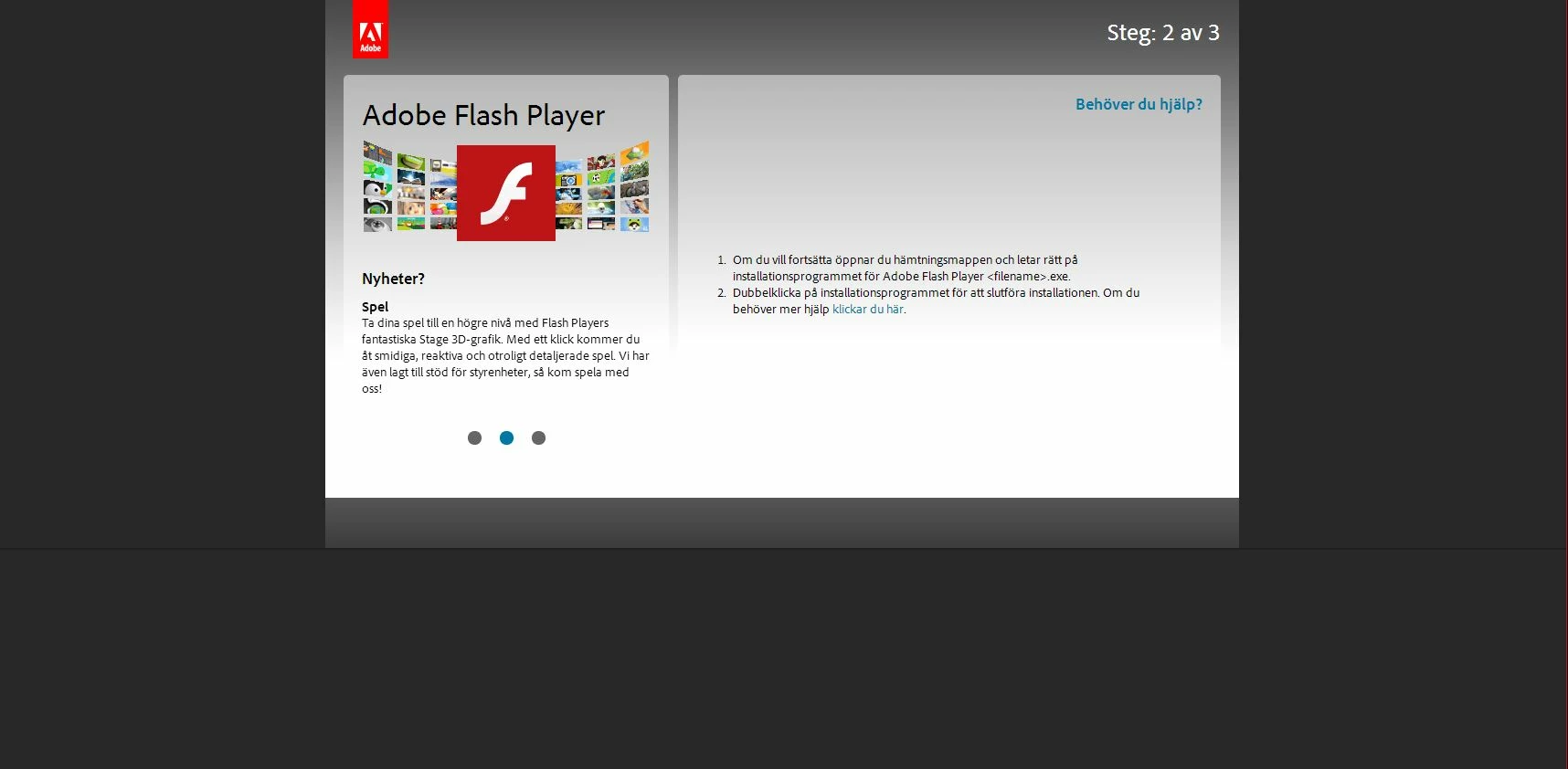
There I am only given instructions to locate and click the .exe file. Nothing mentioned about any McAfee.
I have no screeners for the actual install. But what happened when I clicked the .exe file was that a installation window opened where I saw 2 progress bars one for the installation of Flash and one for the installation of McAfee. I had no option to terminate the McAfee installation.
(The screeners above are in Swedish since I have a Swedish system but I hope you can still see there is nothing about McAfee in there).
So Adobe why are you claiming that we have an option to opt out when there is no such option? At least there was none for me!
I have since un installed the McAfee Plus from my machine!
I do not think this is acceptable behaviour for an installer coming form a supposedly serious and established company such as Adobe!
 AdChoices