Exit
  • Global community
    • Language:
      • Deutsch
      • English
      • Español
      • Français
      • Português
  • 日本語コミュニティ
  • 한국 커뮤니티
0

Shading a single column within a table

Explorer ,
Nov 14, 2016 Nov 14, 2016

columns.pngtable_designer.png

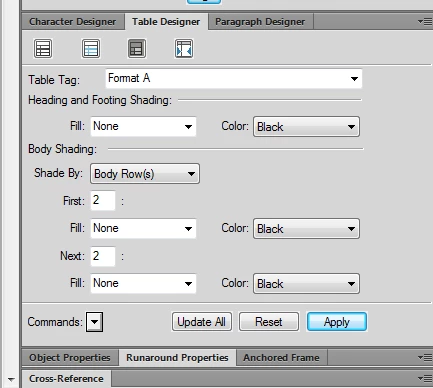
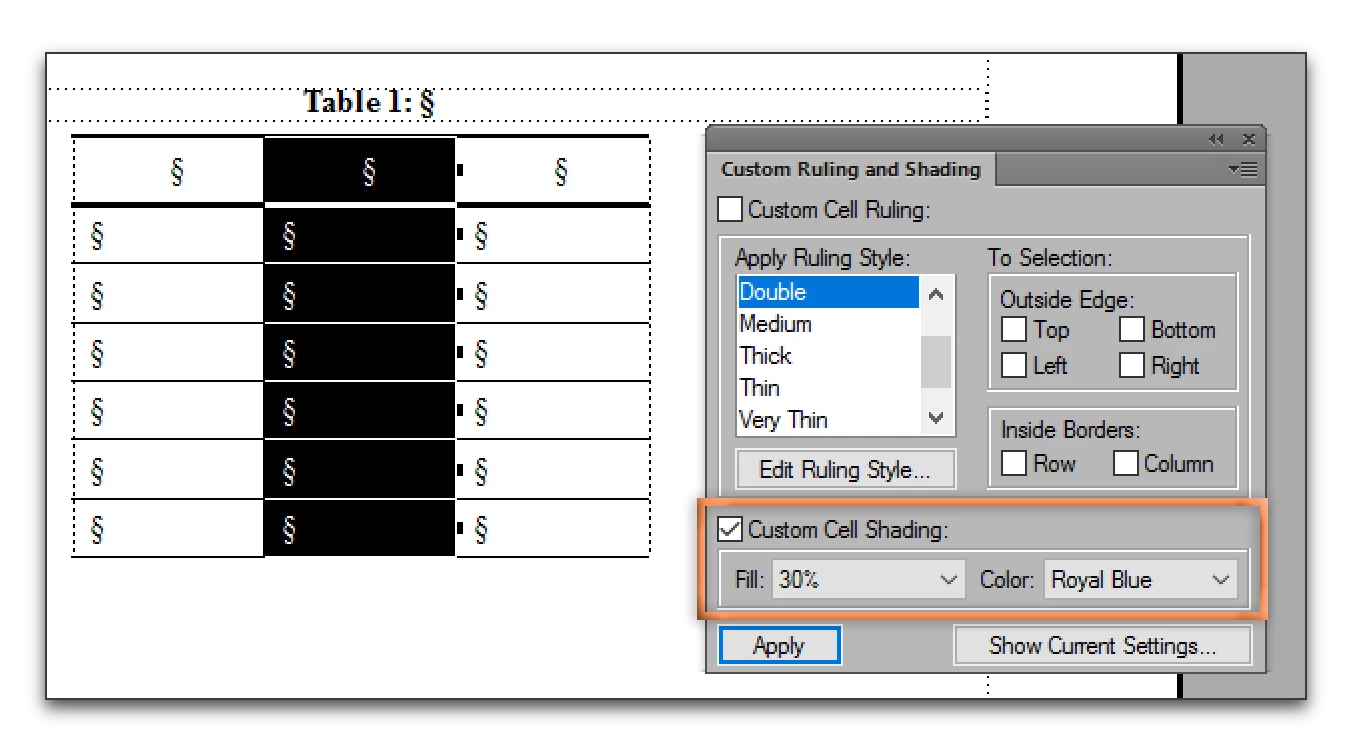
I am having trouble shading a single column within a three (3) column table.  I'd like to shade the middle column to provide a visual separator between the columns with entries. Can someone please advise on this seemingly simple task?

I've attached some screen shots as an aide.

Thanks,

MB
424
Translate
Report
Community guidelines
Be kind and respectful, give credit to the original source of content, and search for duplicates before posting. Learn more
community guidelines

correct answers 1 Correct answer

Community Expert , Nov 14, 2016 Nov 14, 2016

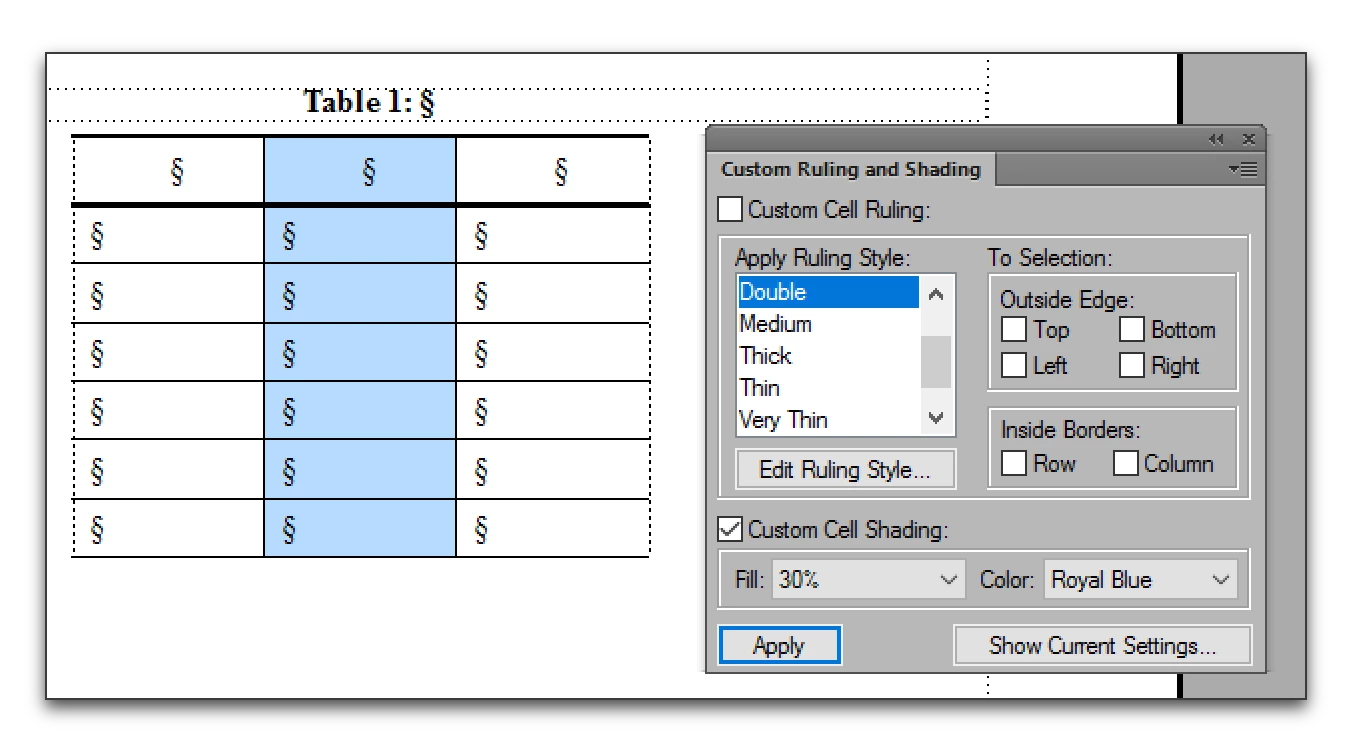
Table Designer shades using a repeating pattern. If all your tables look exactly like the one shown, you could shade by Body Columns and set the 1st 1 to None, Next 1 to the desired shading. The repeating pattern for a 3 column table would be none, shade, none. This would not work for four or more columns—in that case you would need to use Custom Ruling and Shading.

  1. Select the Column
  2. Table > Format > Custom Ruling and Shading
  3. Disable the checkmarks for all ruling properties
  4. Enable the checkmark for
...
Translate
Community Expert ,
Nov 14, 2016 Nov 14, 2016

Table Designer shades using a repeating pattern. If all your tables look exactly like the one shown, you could shade by Body Columns and set the 1st 1 to None, Next 1 to the desired shading. The repeating pattern for a 3 column table would be none, shade, none. This would not work for four or more columns—in that case you would need to use Custom Ruling and Shading.

  1. Select the Column
  2. Table > Format > Custom Ruling and Shading
  3. Disable the checkmarks for all ruling properties
  4. Enable the checkmark for shading and set the shading as desired.
  5. Click Apply

VMware Fusionss_004.png

VMware Fusionss_005.png

Translate
Report
Community guidelines
Be kind and respectful, give credit to the original source of content, and search for duplicates before posting. Learn more
community guidelines
Explorer ,
Nov 15, 2016 Nov 15, 2016

Thank you very much.  this forum has been very useful to me so far.

regards,

matt.bardelli

Translate
Report
Community guidelines
Be kind and respectful, give credit to the original source of content, and search for duplicates before posting. Learn more
community guidelines
Community Expert ,
Nov 15, 2016 Nov 15, 2016
LATEST

Glad we can help, Matt.

Translate
Report
Community guidelines
Be kind and respectful, give credit to the original source of content, and search for duplicates before posting. Learn more
community guidelines