Anshul_Saini
Community Manager
Community Manager
April 29, 2024

Fresco v5.6 | Spring Brush Pack for iOS and Faster Brush Browsing & Selection!

  • April 29, 2024
  • 14 replies
  • 3792 views


Hello everyone,


Exciting news! Fresco's latest release, version 5.6, is here. Dive into vibrant creativity with Kyle T. Webster's Spring 2024 brush collection and experience faster brush browsing and selection, streamlining your workflow for maximum efficiency. Try out these exciting new features today!


Kyle T. Webster's
Spring 2024 Brush Pack

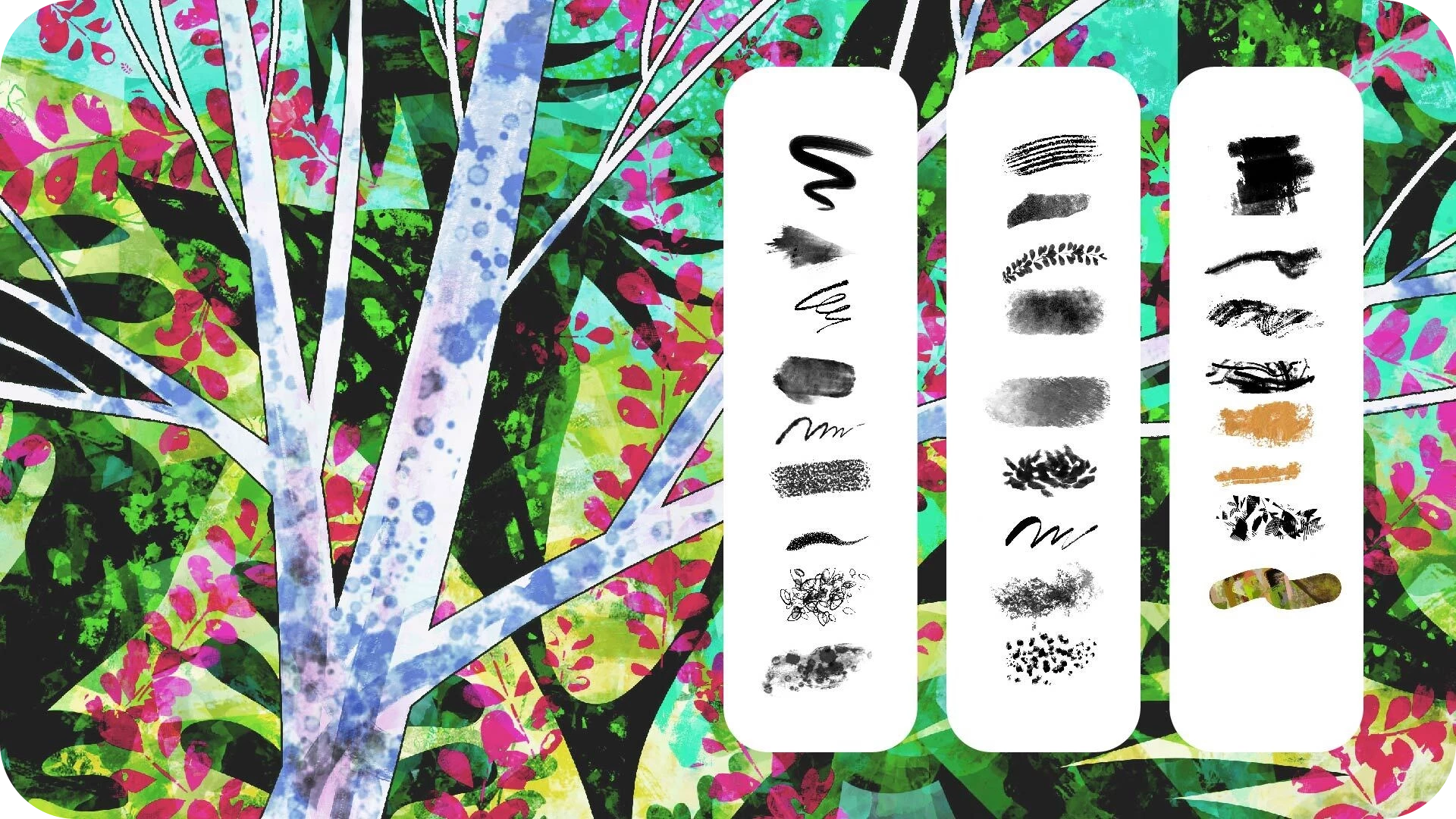
Experience a blossoming of creativity with Kyle T. Webster's Spring 2024 brush collection. This vibrant assortment features an array of bright multicolor brushes, fresh foliage brushes, innovative inking tools, a new drawing brush, and a plethora of textures.


Faster Brush Browsing
and Selection

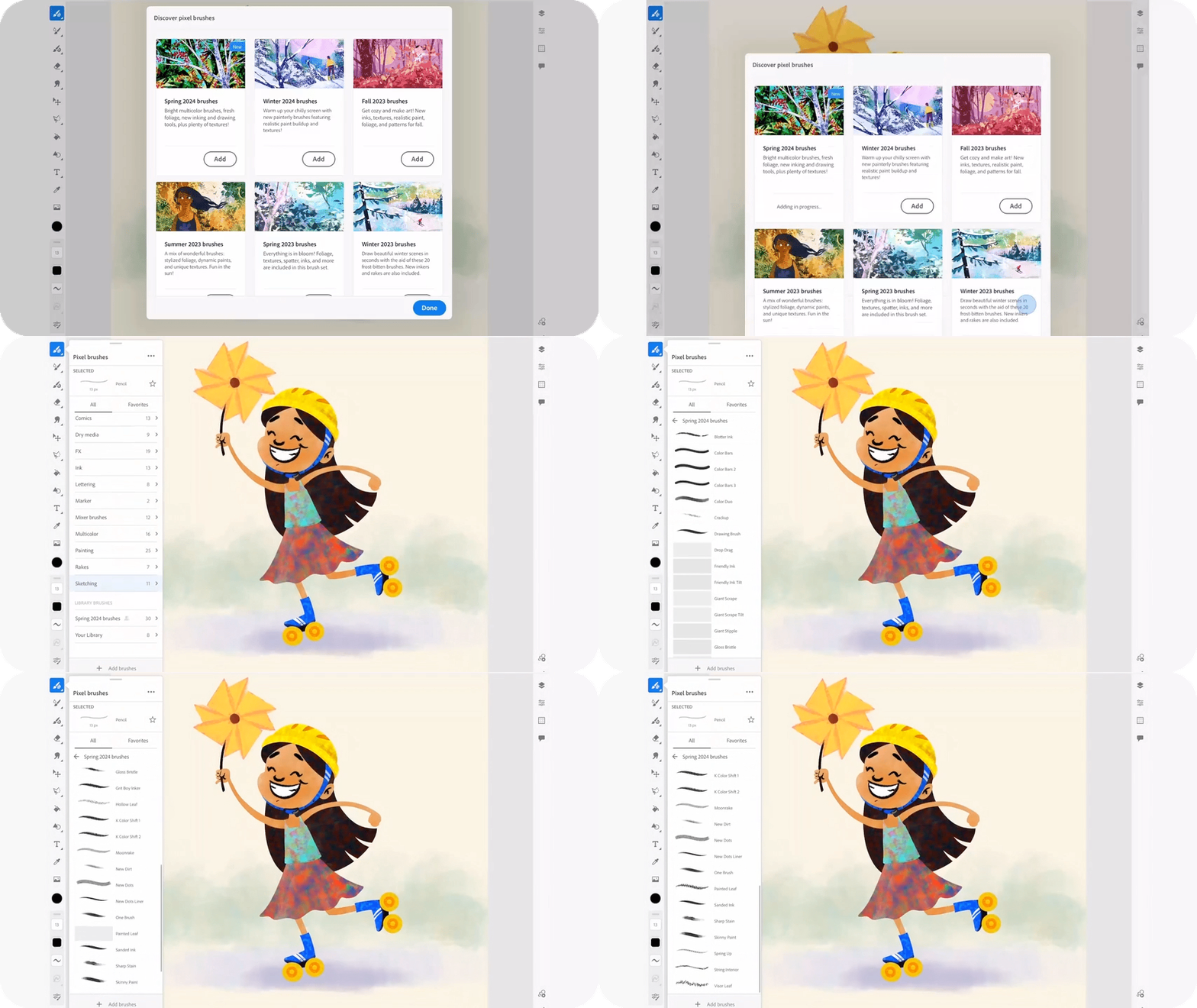
Discover an enhanced browsing and selection process for your brushes! Easily navigate through your extensive collections and swiftly choose the perfect brush for your project. Clear the cache for unused brushes to optimize storage space and keep your toolkit organized.


   Note: Adobe Fresco v5.6 is an iPad & iPhone only release.


For more information on the latest features, refer What's New. To help us have focused discussions, create separate posts for feedback on features related to this update.


Thanks,
Anshul Saini


A friendly upvote would be fantastic if you've found value in this post. Your thoughts are even more precious – share them with us in the discussion!

    14 replies

    iank92982000
    Participant
    May 4, 2024

    Hi there, thanks for the update.  However, as soon as the update happened I am no longer able to send my Fresco artwork from my iPad (the newest pro version) directly to my laptop (Macbook Pro, 2019), unless the file size is extremely small.  Nothing else changed on my system & I have plenty of hard drive space on both devices...but once the update happened, if I try to "open a copy" in Illustrator Desktop, it keeps saying "export failed".  I can send a very small file, strangely - like a few vector shapes - but any piece of substantially detailed art keeps failing.  Please take a look to see if the update has somehow caused this...it's very frustrating not being able to transfer my files easily to my laptop!  Thanks so much

    Anshul_Saini
    Community Manager
    Community Manager
    May 6, 2024

    Hi @iank92982000 and @eldbcn,


    Thank you for bringing this to our attention. To better assist you, could you please confirm the macOS and iPadOS versions you're currently using, as well as the versions of Fresco and Illustrator Desktop?


    Additionally, if possible, could you share the large files that are not getting transferred? You can export the files as PSD and then upload them to Dropbox or any other online service. This will help us investigate the issue further, as we haven't made any changes to this functionality from our side.


    Looking forward to your response so we can help resolve this frustration for you.


    Best,

    Anshul Saini

    Anshul_Saini
    Community Manager
    Community Manager
    May 7, 2024

    Thanks so much for your reply Anshul!  I have sent a WeTransfer to the following link, with an example of a file that I created in Fresco on my iPad, that won't "open a copy" on my Desktop Illustrator on my MacBook pro.  As per your request I have exported the Fresco file as a PSD:


    https://we.tl/t-4o7SScYOKP


    You can see it has very little content in it, just two layers containing artwork.  If I delete the raster layer, or trim the raster image down to a smaller size, then I can send it to my MacBook's Illustrator.  Until the update, I never had any difficulty sending multilayer Fresco files with lots of vector and raster layers.  At the moment my only option is to "open a copy" on my iPad's Illustrator, then send it to my MacBook...but obviously it isn't ideal to do it that way!  Here is some info about my devices & operating system:


    iPad hardware/software:

    iPad Pro 12.9" (6th generation)

    iPad OS 17.4.1

    Fresco Version 5.6.0


    Laptop hardware/software:

    Macbook Pro 16 inch 2019

    Mac OS Catalina 10.15.7

    Illustrator version 25.3.1


    Thanks so much for any help you can offer!

    --Ian


    Thank you for providing the details and sharing the file. Upon opening the document and attempting to send it to Illustrator, I encountered the issue you described. I received a message indicating, "Export failed." However, it worked fine when I deleted the placed image layer and tried again.

    It seems that the presence of the placed image layer is causing the export issue. If you delete all the image layers in your document, it should hopefully work fine. In the meantime, our team will work on finding a fix for this issue to ensure smoother compatibility between Fresco and Illustrator in the future.

    Thank you for your patience and cooperation. Please feel free to reach out if you have any further questions or encounter any other issues.

    Best regards,
    Anshul Saini

    Community Expert
    May 3, 2024

    Thanks

    Michael Ambroise
    Community Expert
    Community Expert
    May 2, 2024

    Thanks!

    _______Senior graphic designer | United Nations Population Fund
    Rollan Banez
    Community Expert
    Community Expert
    May 2, 2024

    Thank you for the new brushes

    Creative Community Leader / Educator - Empowering fellow educators with creativity and innovation