Participant
July 30, 2023
Question

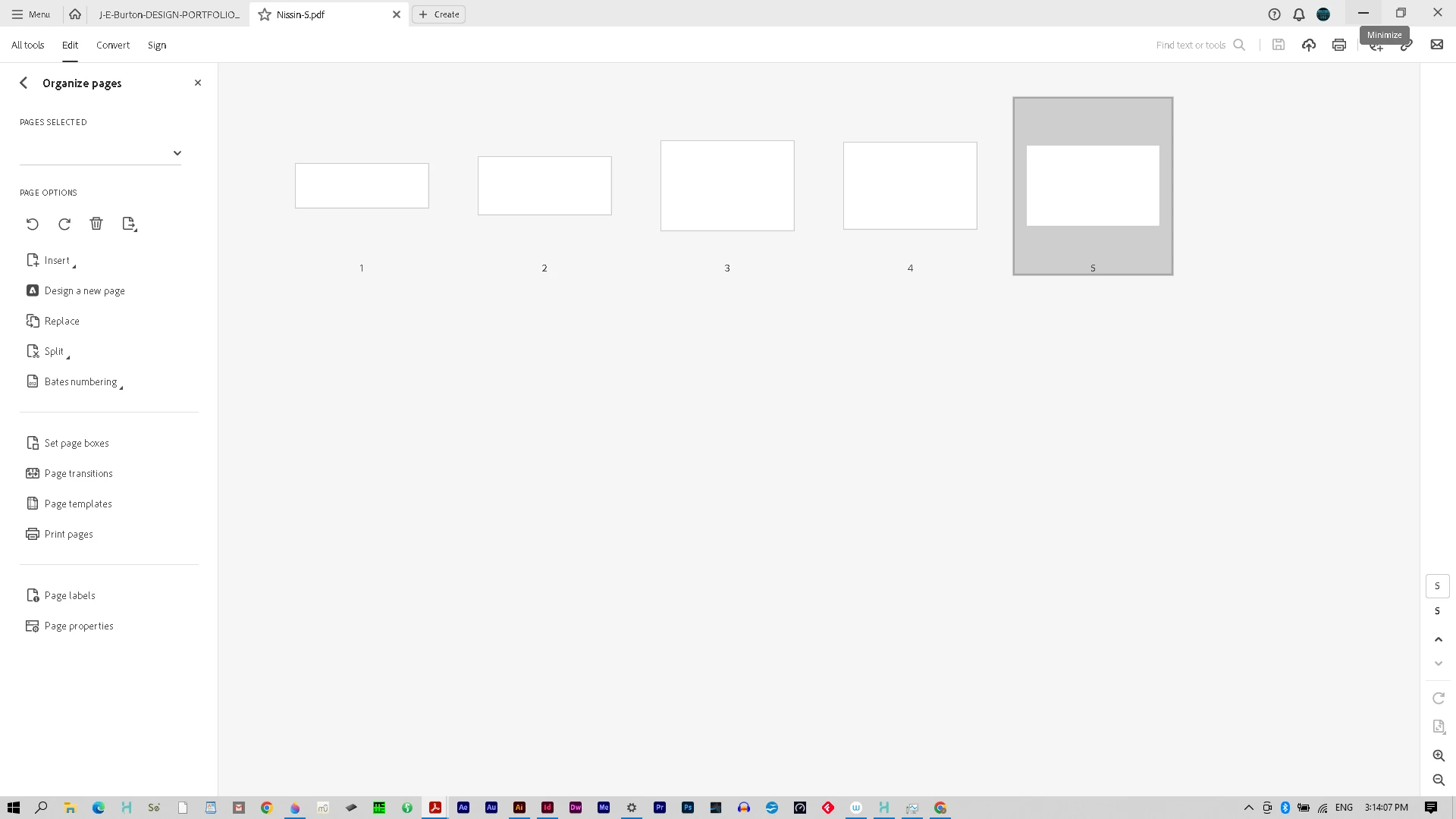
.AI PDF export not Displaying in Acrobat

  • July 30, 2023
  • 3 replies
  • 356 views

So the $5 question is, how can I remedy this in the output settings? Thanks in advance.
This topic has been closed for replies.

3 replies

Ton Frederiks
Community Expert
Community Expert
July 30, 2023

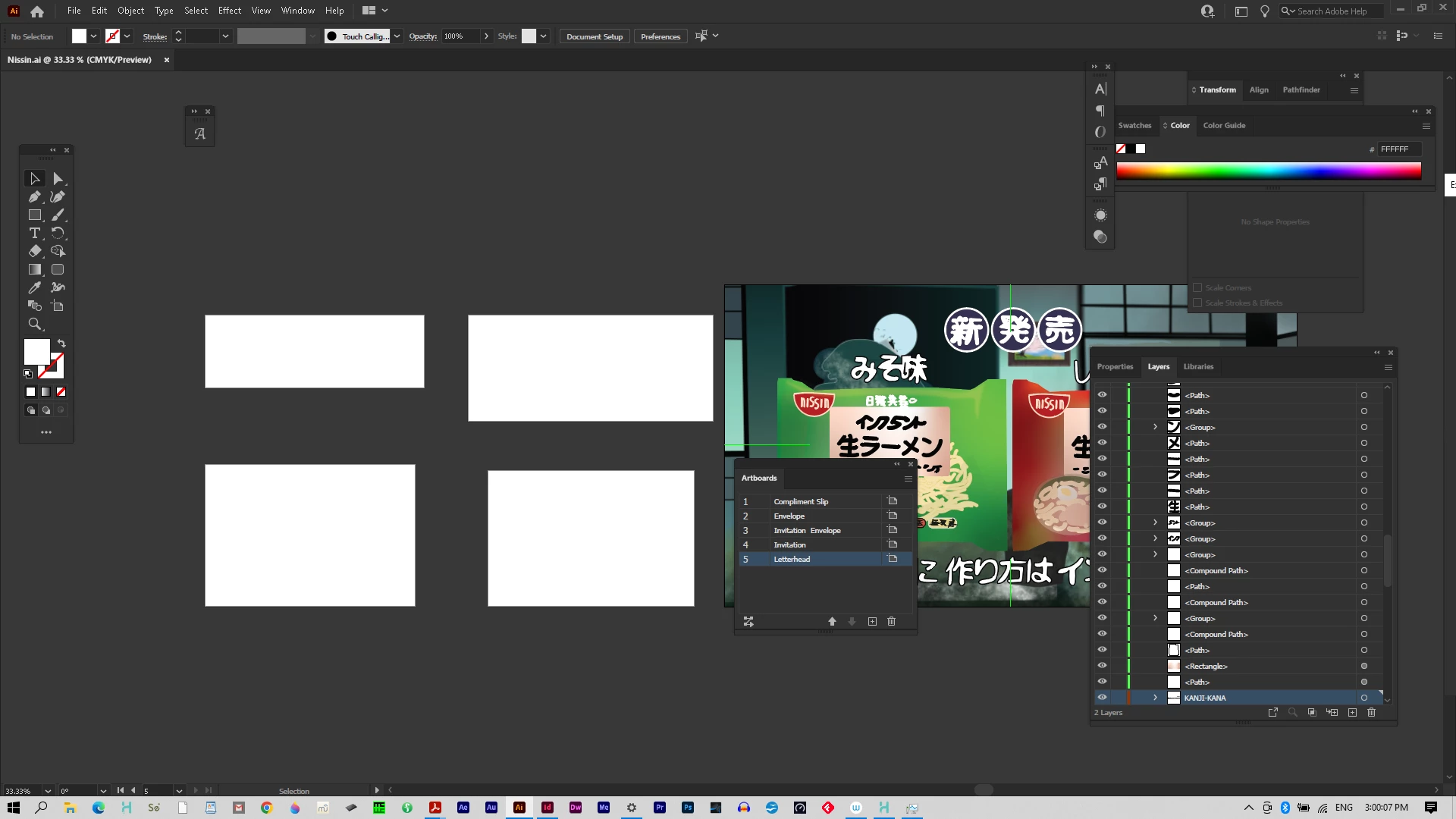
Did you check the Print option for the layer in the Layers panel?

wavstudioAuthor
Participant
July 30, 2023

Also, what most intact exportable editable files import or open from .ai into Indesign, which is my target application for creating layouts? 

Monika Gause
Community Expert
Community Expert
July 30, 2023

At least 4 of the artboards do not have artwork on them. You need to put the artwork on the artboard in order to have it present in your PDF.

wavstudioAuthor
Participant
July 30, 2023

This makes sense, Monika. That said, in March this year, I have removed artboards for a similar project in the past, leaving the sole artboard with work on it to export into pdfs that still failed, so even after removing the four blank ones, it'll still fail.

Monika Gause
Community Expert
Community Expert
July 30, 2023

So that artwork on the right side is positioned on an artboard? The layer is unlocked and set to print?

What kind of artwork is it? Which features did you use in it?


You can also try and copy that artwork to a new file and see if that works.


And one more thing: can you turn off "Save in background" in the preferences? This option is known to cause strange issues for some people.