
Known Participant
November 21, 2020
Question

Best way to create a line inside a shape with fill

  • November 21, 2020
  • 2 replies
  • 232 views

Hi there,


I am tryinf to create some shapes in Illustrator that act as "folds" or "creases".


What would be the best way to do this?


This is the shape I have created:
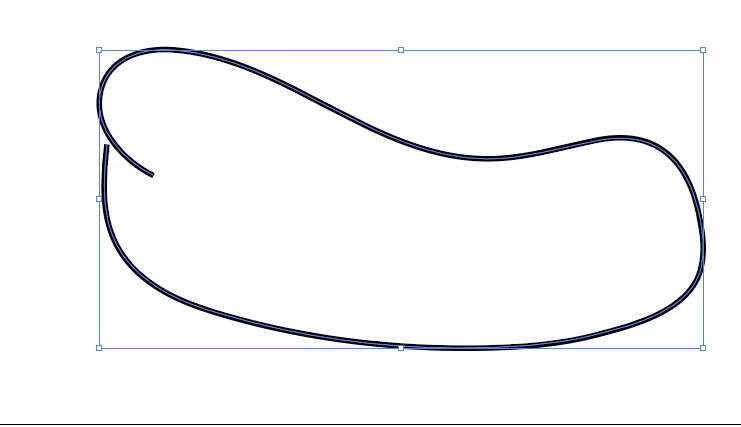
 

As you can see the line on the left going inward doesn't join anything. I drew the shape and then joined another part to it. I will be moving the upward line on the left upwards to it appears in the stroke of the other line but wanted to know the best way to do this.


Would it be best to create a complete shape then then add in a single line to create the effect or to do it similar to how I have done it?


Any advie would be great, thanks!

This topic has been closed for replies.

2 replies

barbara_a7746676
Community Expert
Community Expert
November 22, 2020

From the description, I'm not sure what the final shape should look like. However, I think it will be easier to work with if you keep to a single shape rathr than having a separate line. 

Mike_Gondek10189183
Community Expert
Community Expert
November 21, 2020

This depends on what you plad to do with this. If you want to add a fill so the middle is not tranparent you can

  1. shape as you drew
  2. extend the path
  3. outline stroke
  4. object >> compound shape >> release & fill with color


if this is going to be animated then the construction is more importnat otherwise you can just extend the shape. Shift Command D wil toggle to shwo you the transparency.