
mitch pope
Participant
May 28, 2021
Answered

Can't move or delete files without quitting illustrator.

  • May 28, 2021
  • 1 reply
  • 1902 views

Once a file has been opened in Illustrator, I can't move/modify/rename/delete them without quitting illustrator first. I get "The action can't be completed because the file is open in Adobe Illustrator 2021". I run a lot of batch actions and move the files after so having to close and reopen the app everytime is really inconvenient.
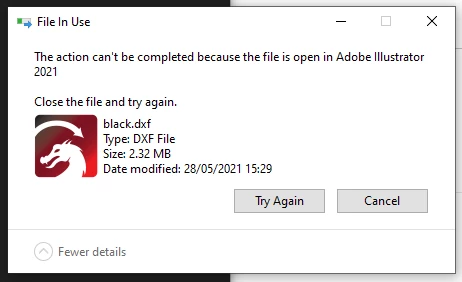


I've updated/reinstalled Illustrator, restarted the pc etc.

Only affects Illustrator, other applications like Photoshop don't do it.

Doesn't matter the file type or location and files are local, not being synced anywhere.

Windows 10, latest version of Illustrator.

'Save in background' and 'Export in background' are turned off.

I one by one ended each Adobe process in task manager I could find while trying to delete the file each time and I could only delete it once Illustrator itself was terminated.


I'm stuck and I can't think of anything else to try, any advice?


Correct answer Eugenio.NYC

Hi, sorry about that

I don’t have a solution, but maybe if you try to reset the preferences will work, here the instructions: https://helpx.adobe.com/illustrator/using/setting-preferences.html#setting_illustrator_preferences


2nd option: Install an older version of Illustrator from the CC app. Go to the creative cloud app and click on the 3 dots next to Illustrator app to see more options and select other versions

you can install a previous version of Illustrator and maybe that will work, sometimes there are bugs and you have to update the system

Let me know if that works

1 reply

Eugenio.NYC
Eugenio.NYCCorrect answer
Participating Frequently
May 30, 2021

Hi, sorry about that

I don’t have a solution, but maybe if you try to reset the preferences will work, here the instructions: https://helpx.adobe.com/illustrator/using/setting-preferences.html#setting_illustrator_preferences


2nd option: Install an older version of Illustrator from the CC app. Go to the creative cloud app and click on the 3 dots next to Illustrator app to see more options and select other versions

you can install a previous version of Illustrator and maybe that will work, sometimes there are bugs and you have to update the system

Let me know if that works

mitch pope
Participant
May 30, 2021

Thanks Eugenio, resetting the prefrences didn't work but downgrading to 2020 worked. I'll have to wait for it to be fixed before I update again. Illustrator 24 will work for me for now though.

Thanks!

Eugenio.NYC
Participating Frequently
May 30, 2021

so glad, thank for leting me know, now please if you can close this topic with the correct answer

Thanks