

Participant
April 20, 2022
質問

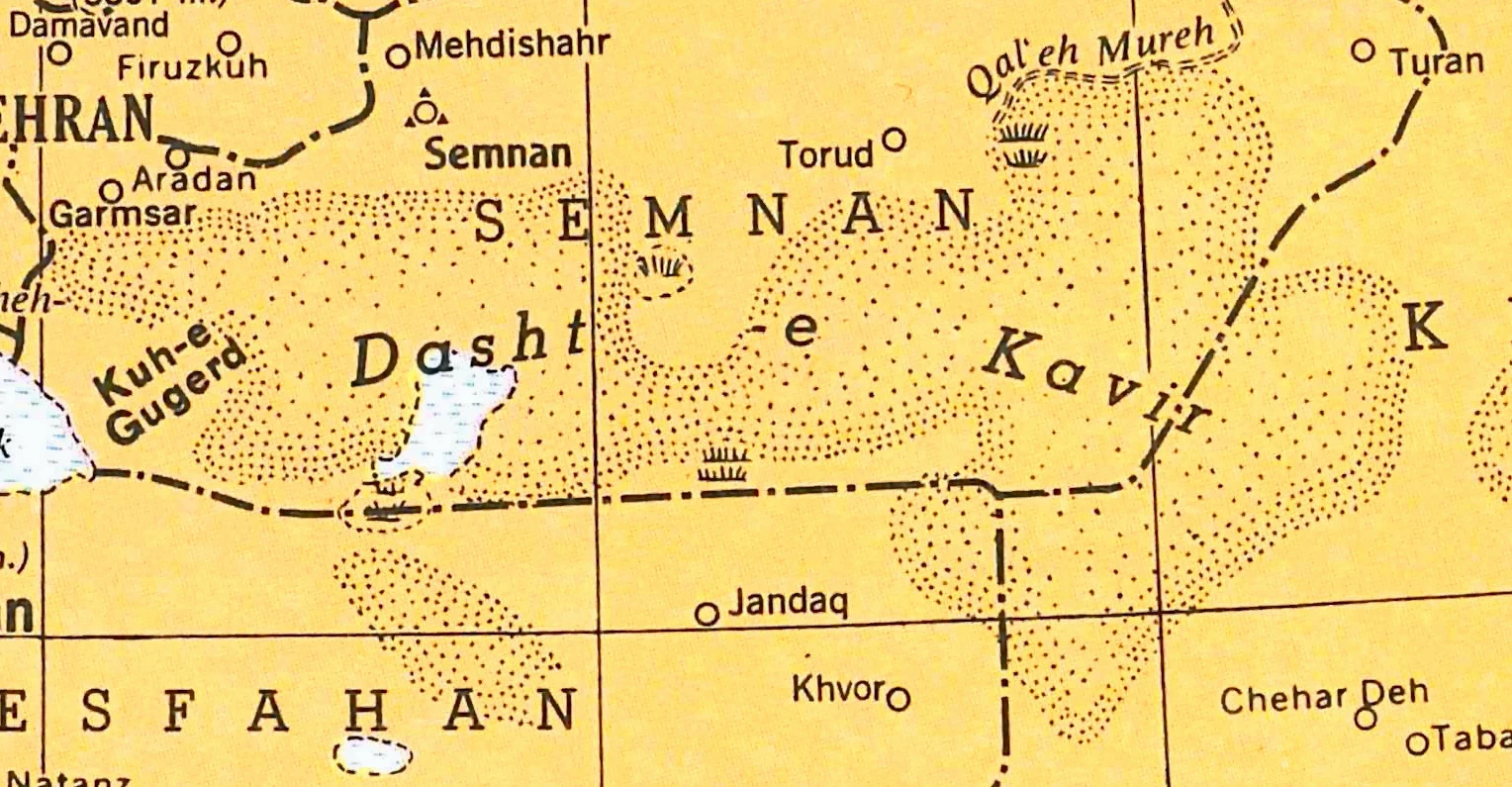
Need help simulating dotted-line effect (See picture)
  • April 20, 2022
  • 返信数 3.
  • 1086 ビュー


Hey folks, I recently stumbled upon this map and wanted to know if this dotted line pattern was replicable on Illustrator. If that is the case, how would I go about creating it?

このトピックへの返信は締め切られました。

返信数 3

Kurt Gold
Community Expert
Community Expert
April 21, 2022

You can download the graphic style version here: Stippling (Style)


Kurt Gold
Community Expert
Community Expert
April 20, 2022

In this example I created a couple of custom Scatter Brushes.


You can download the Illustrator file here: Stippling


Doug A Roberts
Community Expert
Community Expert
April 20, 2022

Very authentic!

tromboniator
Community Expert
Community Expert
April 20, 2022

If it's not open already, open the Stroke panel by going to the Window menu > Stroke. Activate Dashed Line and set dash and gap values, as well as stroke weight, to suit your needs.


Peter


Adrijordi作成者
Participant
April 20, 2022

Hello Peter


Thank you for the information about the stroke, it will surely help me. Perhaps I didn't state my problem clearly, but I was talking about this here region. My apologies again if my wording wasn't good enough.


barbara_a7746676
Community Expert
Community Expert
April 20, 2022

Here's one way you could do it.

Draw the shap and select it. Make sure that the fill is targeted, not the stroke. The Fill icon should overlapt the stroke icon in the Tools panel.

In the Swatches panel menu, choose Open Swatch Library > Patterns > Basic Graphics > Basic Graphics Dots.

Fill with the dot pattern of your choice.

If the dots are too large or too small, double click the Scale tool in the Tools panel. Remove the checkmark from Transform Object and type the scale percentage.

To have the dots fade towards the center, choose Effect > Stylize > Inner Glow. THe higher the blue amount the larger the center area will be.