Exit
  • Global community
    • Language:
      • Deutsch
      • English
      • Español
      • Français
      • Português
  • 日本語コミュニティ
  • 한국 커뮤니티
0

Paste text in illustrator changes the text layer content

New Here ,
Aug 13, 2021 Aug 13, 2021

Hello,


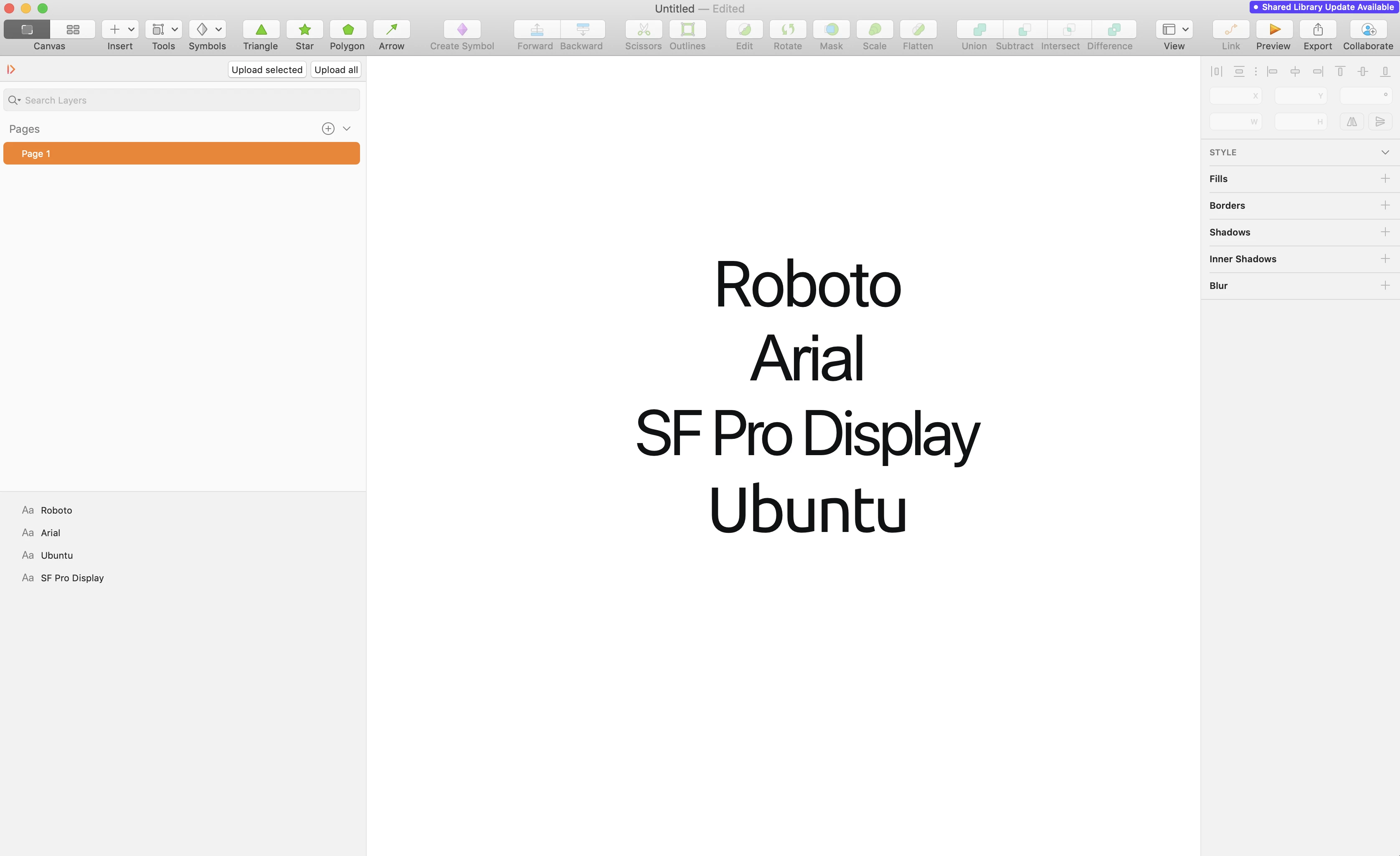
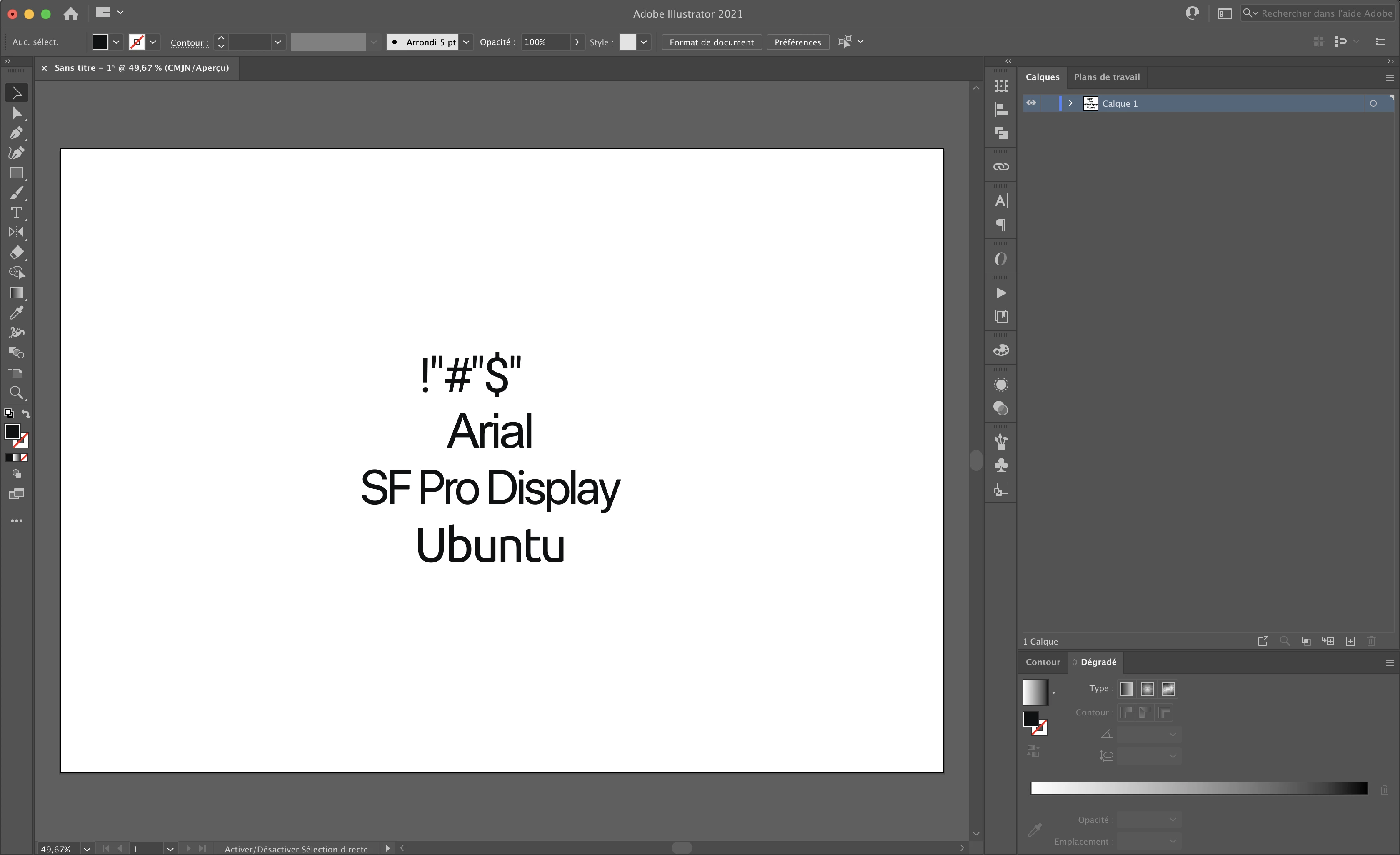
I have a bug and I don't know how to fix it, When I paste text from an other software to illustrator (25.2), the text content change to punctuation characters.


Example : when I copy these text layers in sketch...
default1fxyixkof7s0_0-1628849371705.png

...I have this if I paste the text layers in illustrator :
default1fxyixkof7s0_1-1628849415619.png

The text that use the roboto font changes, I don't understand why :'(


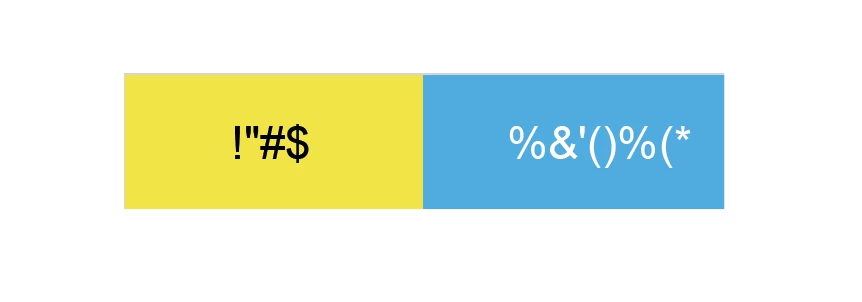
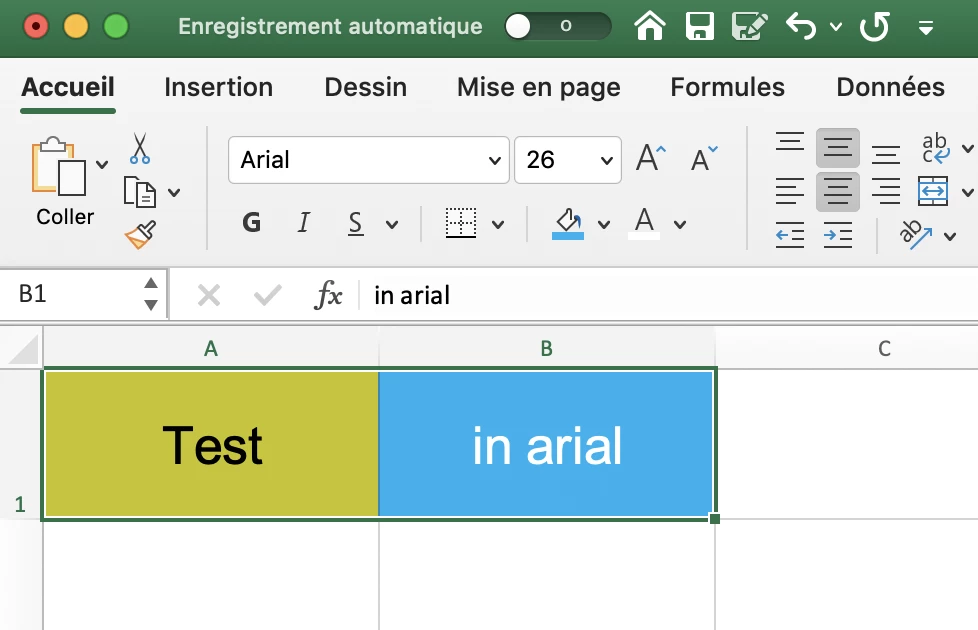
It's even worse when I copy/paste a group of cells from Excel to Illustrator because it does the same for all fonts (here I tried with Arial) :

In excel :
default1fxyixkof7s0_2-1628849617757.png

When I paste in Illustrator :

default1fxyixkof7s0_3-1628849649748.png


Is there a setting in Illustrator to prevent that or is it a bug ?


Thanks for your help,

Lucas

TOPICS
Bug , Type
637
Translate
Report
Community guidelines
Be kind and respectful, give credit to the original source of content, and search for duplicates before posting. Learn more
community guidelines
Adobe
Community Expert ,
Aug 13, 2021 Aug 13, 2021

In Excel is there an opportunity to copy "just text" without any formatting or whatnot? You cannot expect any application to know where you want to put it. So all applications copy stuff into the clipboard in a way that it suits their own needs.


And if you go to another app, then that app can only work with that stuff somehow. There is no general clipboard format. That's why some apps have specific menu commands for copying "text only" or for pasting "without formatting" or whatever it is the developers found useful.


Also: third party apps might interfere with the clipboard.

Translate
Report
Community guidelines
Be kind and respectful, give credit to the original source of content, and search for duplicates before posting. Learn more
community guidelines
New Here ,
Aug 13, 2021 Aug 13, 2021

Hello, thanks for your quick answer,


For the excel bug it's not really a problem for my daily work because I don't have to copy/paste very often from Excel, I just tried today and saw a bug that I already identified with Sketch. On Sketch I often need to copy/paste batches of screens to illustrator to export for other people and it's a real problem for me, everything works well except the Roboto texts, I need to write again all the texts in Illustrator.


I identified this issue on Sketch->Illustrator with the Roboto font a long time ago and I also asked the SketchApp Team if they know the problem. They told me that they tested on their side and that it worked well for them... So I don't know. I think that there is no easy solution for that, I will continue to rewrite the texts in Illustrator.


Thanks for your answer 😉

Lucas


Translate
Report
Community guidelines
Be kind and respectful, give credit to the original source of content, and search for duplicates before posting. Learn more
community guidelines
Community Expert ,
Aug 13, 2021 Aug 13, 2021
LATEST

In Illustrator you can paste text without formatting. Does that work better?

Translate
Report
Community guidelines
Be kind and respectful, give credit to the original source of content, and search for duplicates before posting. Learn more
community guidelines