Exit
  • Global community
    • Language:
      • Deutsch
      • English
      • Español
      • Français
      • Português
  • 日本語コミュニティ
  • 한국 커뮤니티
0

Replicating objects in Illustrator

New Here ,
Feb 23, 2018 Feb 23, 2018

Hey there,

I am new to this forum and i'm not sure if this is the correct place for this so moderators, do please move this if this is incorrect.

We are a store which specialise in Rubik's Cubes and Twisty Puzzles.

We are trying to replicate the stickers of a Rubik's Cube in Illustrator and are looking for guidance in doing this!

I am looking for a little help and a few questions about turning thisMoFang JiaoShi MF2C.jpg
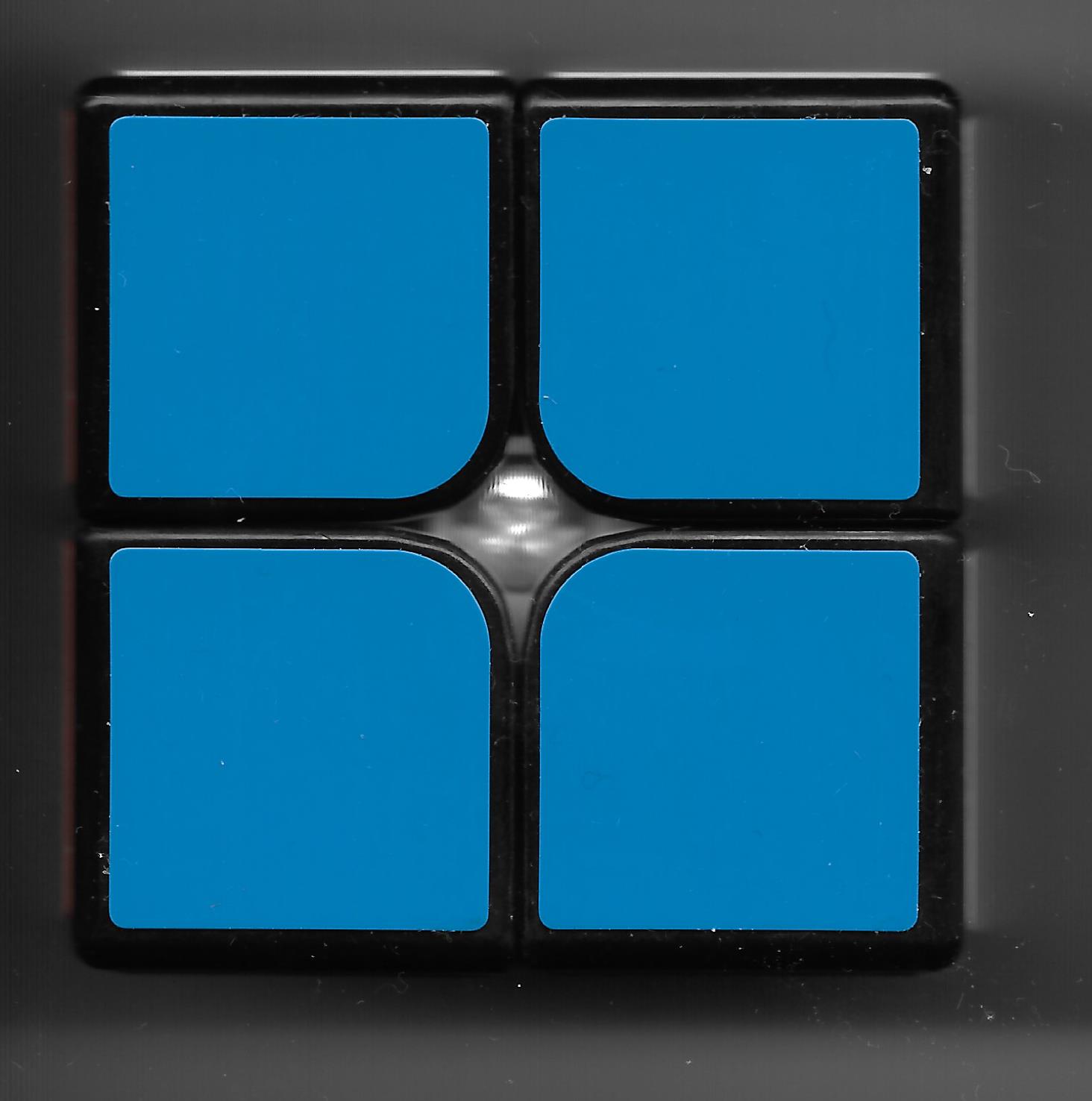
into this:

070 Black.png

The stickers on the original cube might be a little off center or incorrectly placed on so the templates need to be created from scratch and not just "Traced".

The stickers need to be perfectly and equally spaced and also perfectly rounded etc...

So far we are getting very good but for the bigger cubes (3x3+) we are struggling on the edge pieces (as they are not completely rounded).

See image below
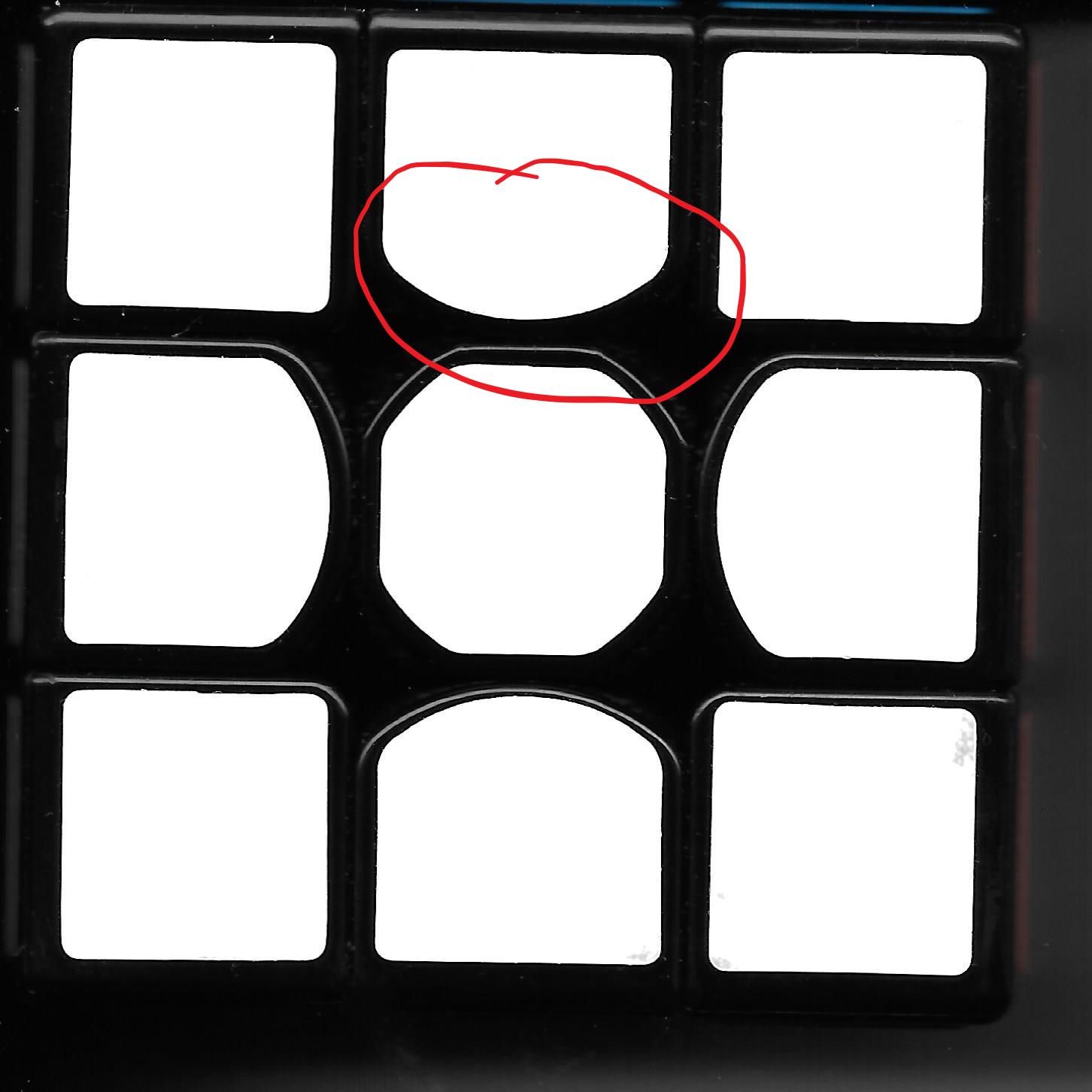
QiYi Thunder Clap V2.png

If anybody can offer guidance on this it would be great!

Best Regards,

Luke

574
Translate
Report
Community guidelines
Be kind and respectful, give credit to the original source of content, and search for duplicates before posting. Learn more
community guidelines
Adobe
Community Expert ,
Feb 23, 2018 Feb 23, 2018

You can use corner widget which you can show/hide from View menu How to work with Live Corners in Illustrator

Live Corners widget preferences

Hide Corner Widget

  • If you prefer not to see the Live Corners widget when you select the Direct Selection Tool, you can turn it off from View > Hide Corner Widget.
  • If you want to continue seeing the Live Corners widget when you select the Direct Selection Tool, click View > Show Corner Widget.

Maximum Angle Limit

Users have the option to hide the Live Corners widget for corner angles greater than a specified value. You can specify this value in the Preferences > Selection & Anchor Display > Hide Corner Widget for angles greater than field.

Translate
Report
Community guidelines
Be kind and respectful, give credit to the original source of content, and search for duplicates before posting. Learn more
community guidelines
New Here ,
Feb 23, 2018 Feb 23, 2018

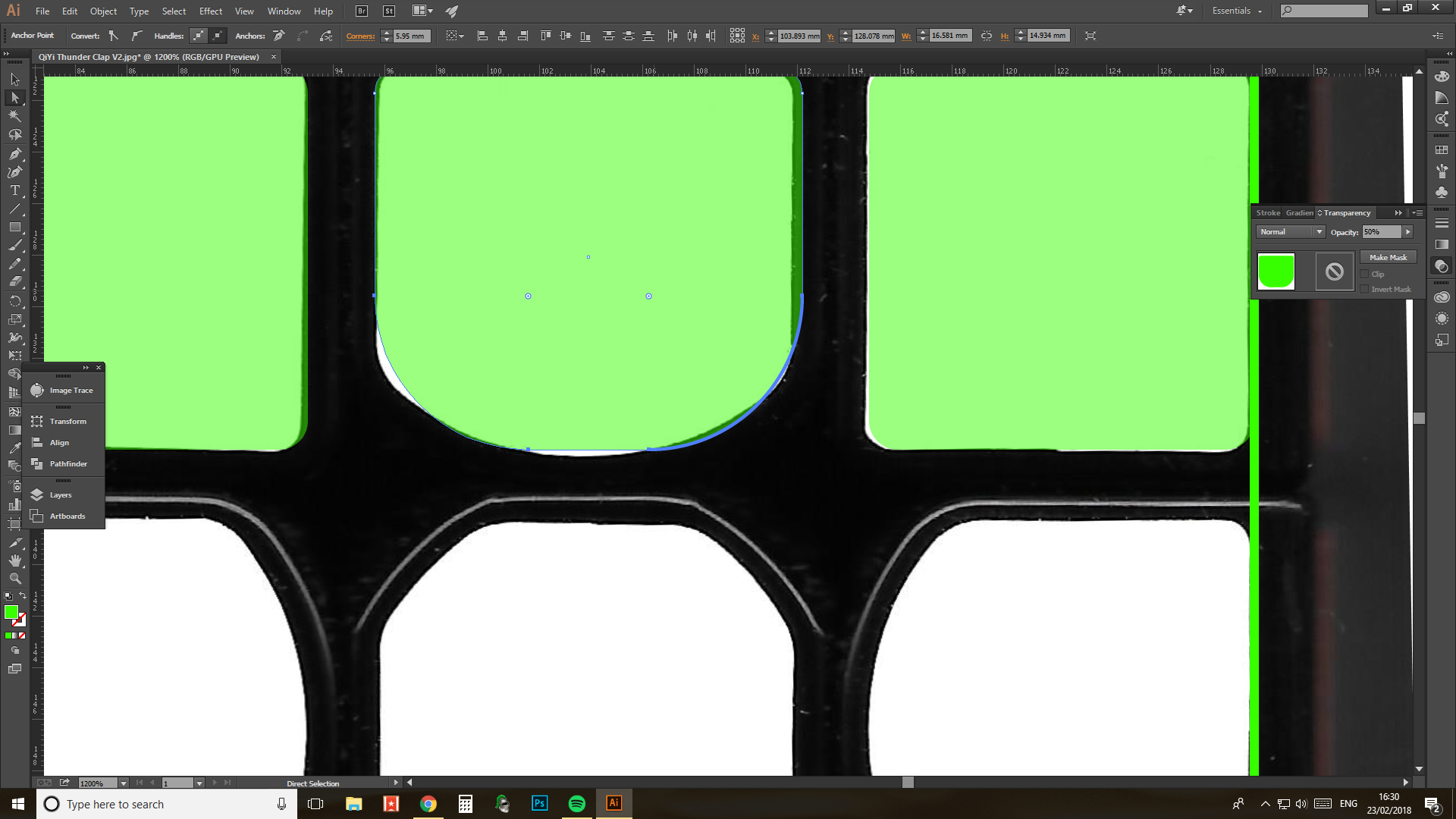
The issue with this is that is that the edge is not a perfect curve please see image below, the green is the vector which i will cut out, i have turned the opacity down so that you can see the image i need to replicate.Untitled.png

Translate
Report
Community guidelines
Be kind and respectful, give credit to the original source of content, and search for duplicates before posting. Learn more
community guidelines
Community Expert ,
Feb 23, 2018 Feb 23, 2018

You probably can't do this with rounded corners. Instead draw an oval shape that you then combine with the rectangle. Then round the edges where you put the two together.

For the combination you might want to take a look at the shapebuilder tool.

Translate
Report
Community guidelines
Be kind and respectful, give credit to the original source of content, and search for duplicates before posting. Learn more
community guidelines
New Here ,
Feb 23, 2018 Feb 23, 2018

Thank You, Im a slight novice at Illustrator, How do i combine the oval with the rectangle (simple im sure) haha!

Translate
Report
Community guidelines
Be kind and respectful, give credit to the original source of content, and search for duplicates before posting. Learn more
community guidelines
Community Expert ,
Feb 23, 2018 Feb 23, 2018
LATEST
Translate
Report
Community guidelines
Be kind and respectful, give credit to the original source of content, and search for duplicates before posting. Learn more
community guidelines