Hello, I need help. How do you fix a plot on a triangle? My plot must touch the 3 sides of the triangle and there is no collider Do you have a solution for me?
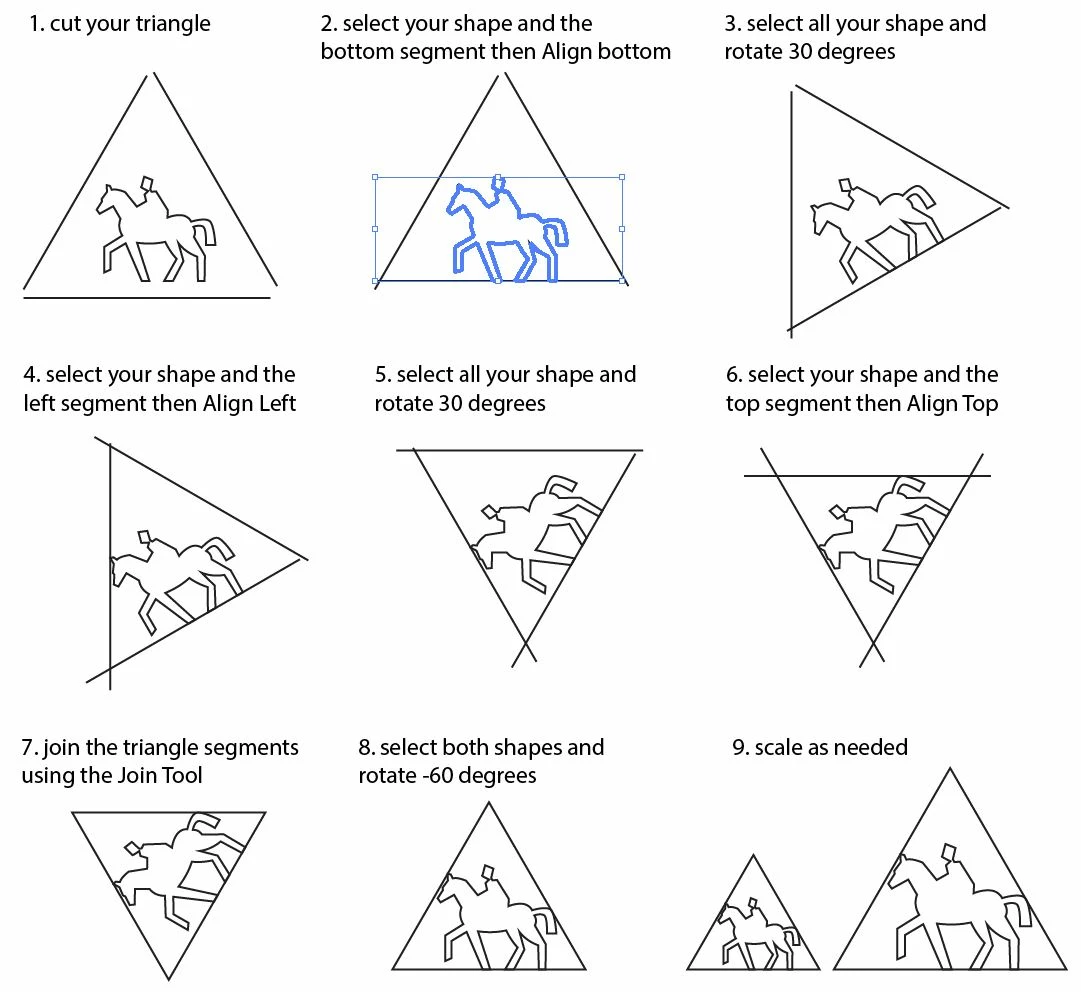
Just as a point of clarification, I would like to point out that Carlos (Hi, Carlos!) appears, quite correctly, to be selecting the horse and rider shape as the key object prior to each alignment, which prevents its moving: only the line segment moves. And while we’re at it, Hi, Jacob!
Until/unless you get a clever answer, you can do it as follows, with Scale Strokes & Effects unticked:
1) Rotate the whole thing by 30 degrees, then click (one of) the left Reference Point(s) in the Transform palette, then select the triangle and note the X value and do the same for the horse/rider, then calculate and note the difference;
2) Rotate the whole thing by -60 degrees, then click (one of) the right Reference Point(s) in the Transform palette, then select the triangle and note the X value and do the same for the horse/rider, then calculate and note the difference;
3) Rotate the whole thing by 30 degrees to have the triangle flat on its bottom side again, reposition if desired;
4) Calculate the sum of the differences from 1) and 2) and move the horse/rider vertically up by that sum;
5) Calculate the difference between the differences from 1) and 2), then divide it by the square root of 3 (~ 1.732051) and move the horse/rider horizontally to the right by that amount (the tail is further from the triangle than is the ear);
Now the horse/rider ought to just touch the upper two sides of the triangle;
6) Click (one of) the bottom Reference Point(s) in the Transform palette, then select the triangle and note the Y value and do the same for the horse/rider, then calculate and note the difference;
7) Click (one of) the top Reference Point(s) in the Transform palette, then select the triangle and subtract the difference from 6) from the H value, then hold Ctrl/Cmd and press Enter;
Now the horse/rider ought to just touch all the three sides of the shrunk triangle;
😎 Select the whole thing and reset the H value to the original value for the triangle, or add the value subtracted in 7), then hold Ctrl/Cmd and press Enter.
Now the enlarged horse/rider ought to just touch all the three sides of the full size triangle;


 AdChoices