
Exit
  • Global community
    • Language:
      • Deutsch
      • English
      • Español
      • Français
      • Português
  • 日本語コミュニティ
  • 한국 커뮤니티
0

Transforming Image Into Custom Shape

New Here ,
Jan 24, 2020 Jan 24, 2020

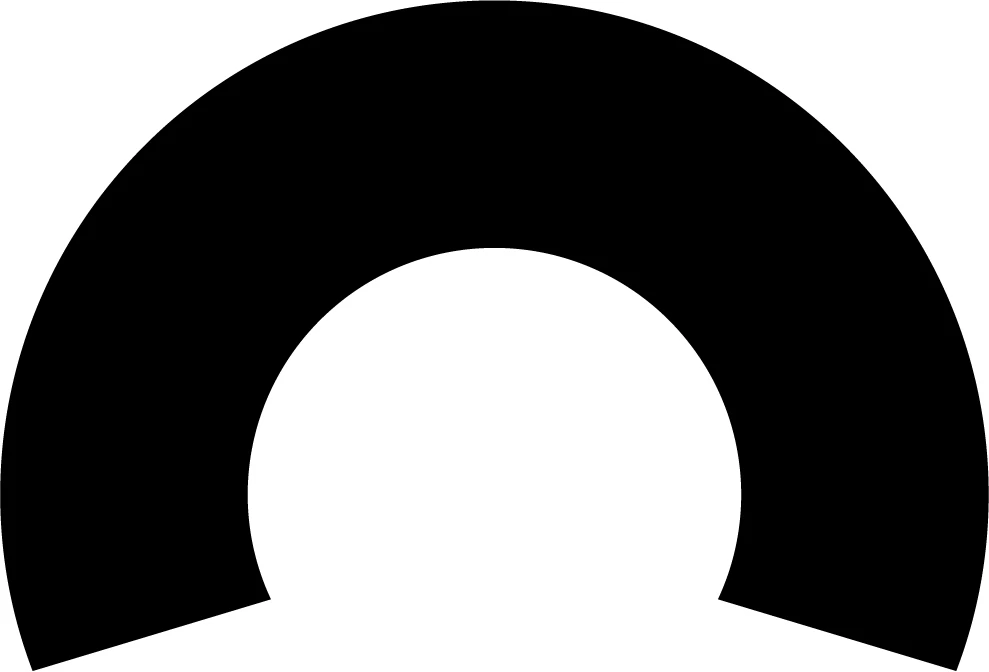
I'm trying to fit the landscape image (top image) into the semi-circle looking template (black shape below). I want it to be "skewed" along the path of the template shape, but I can't find an effective method. I tried Envelop Distort, but wasn't getting the desired result. I appreciate if anyone has any methods they can recommend. Thank you!
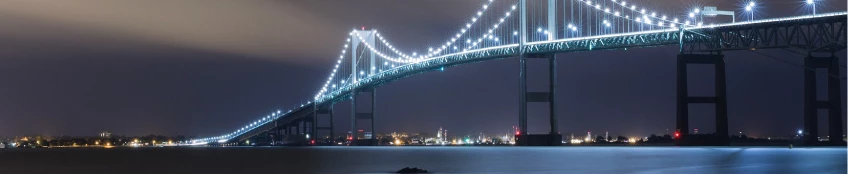
 

landscape.jpg


template.jpg

TOPICS
Draw and design , Tools
557
Translate
Report
Community guidelines
Be kind and respectful, give credit to the original source of content, and search for duplicates before posting. Learn more
community guidelines
Adobe
Community Expert ,
Jan 24, 2020 Jan 24, 2020

Make sure that circle thing has more than 4 anchor points.

Select the anchor points marked in this picture using the direct selection tool:

Bildschirmfoto 2020-01-25 um 00.11.00.png

Use Object > Make gradient mesh

Create a mesh

Then select the picture and the mesh (mesh on top)

and Object > Envelope > Make with top object

Translate
Report
Community guidelines
Be kind and respectful, give credit to the original source of content, and search for duplicates before posting. Learn more
community guidelines
New Here ,
Jan 25, 2020 Jan 25, 2020

Wow, thank you so much! It worked perfectly.

Also, thanks for the tip Frank. I will play around with that, too and see how I can utilize it.

Translate
Report
Community guidelines
Be kind and respectful, give credit to the original source of content, and search for duplicates before posting. Learn more
community guidelines
Mentor ,
Jan 24, 2020 Jan 24, 2020

Hi, everything monica said +

You can start with a shape and keep on distorting point

Capture d’écran 2020-01-25 à 07.13.33.png

Or you can start with a mesh, where you'll be able to ajust both fidelity and rows/columns :

Capture d’écran 2020-01-25 à 07.14.00.png

While choosing the mesh version, don't hesitate to try "mesh tormentor", a free plugin that will help straighten and balance your handles: http://www.meshtormentor.com/

Translate
Report
Community guidelines
Be kind and respectful, give credit to the original source of content, and search for duplicates before posting. Learn more
community guidelines
Community Expert ,
Jan 25, 2020 Jan 25, 2020
LATEST

In recent versions of Illustrator you may also create an Art Brush out of the raster image and apply it to any path.


With the Art Brush options dialog you then get some more options to experiment and adjust the final appearance.

Translate
Report
Community guidelines
Be kind and respectful, give credit to the original source of content, and search for duplicates before posting. Learn more
community guidelines