Answered
Can't edit in InCopy. Seeing an "no" symbol.
I am seeing a prohibit symbol (circle with a slash through it) when trying to make an edit in the layout view of InCopy. Anybody know what that means?

I am seeing a prohibit symbol (circle with a slash through it) when trying to make an edit in the layout view of InCopy. Anybody know what that means?
I like a challenge. 🙂
BTW, for right now, I don't need to see the mouse icon change. Let me see the assignments panel, fully expanded and one of the stories with the adornments visible.
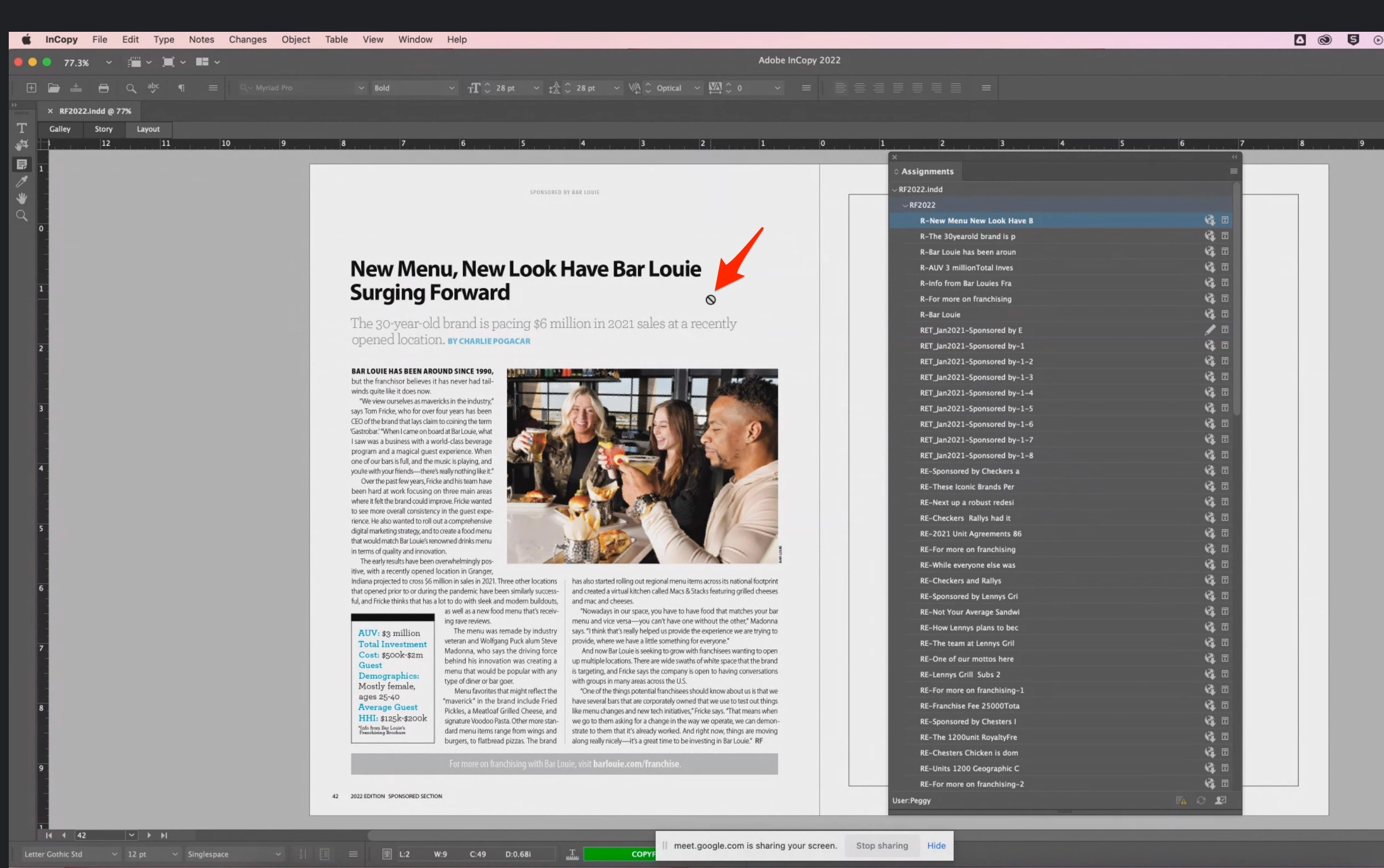
You should see here the "prohibit" icon that my editor is seeing in every InDesign file. After looking at this screenshot more carefully, I can see she has the "note" tool selected! After asking her to switch to the "text" tool, everything is as it should be.
This turned out to be a very easy fix. I'm tempted to delete this post altogether because it's an embarrassment, but perhaps it will help someone else.
Again, thanks for your time, Bob.
Already have an account? Login
Enter your E-mail address. We'll send you an e-mail with instructions to reset your password.
 AdChoices