Participating Frequently
May 30, 2012
Answered

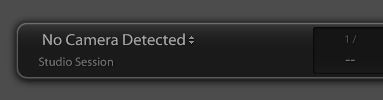
[Consolidation-Locked] Tethered Capture for Nikon D800
  • May 30, 2012
  • 6 replies
  • 40209 views

http://2.bp.blogspot.com/-WqXcQDNJTtg/T8Y59PJzk3I/AAAAAAAAEE4/veu01Lnd1xY/s1600/NoCameraDetected.JPG

Still not working with LR4.1 released today.  Are there plans to support tethered capture for the Nikon D800? 

Message title was edited by: Brett N

    This topic has been closed for replies.
    Correct answer Brett N

    Tethered shooting with the Nikon D800 is now supported with Lightroom 4.2.

    Please see http://forums.adobe.com/message/4431233

    6 replies

    Brett N
    Adobe Employee
    Brett NCorrect answer
    Adobe Employee
    October 18, 2012

    Tethered shooting with the Nikon D800 is now supported with Lightroom 4.2.

    Please see http://forums.adobe.com/message/4431233

    Participant
    September 21, 2012

    Ok this is not good Adobe there are a lot people NOW who own a Nikon D800 (i own a D800E) and this tethered problem needs attention ASAP please address this so I can use my 36 meg camera insead of my D7000. I want and need the big files get it together people. Get that update 4.2 done.

    Frustrated Rich.

    Participating Frequently
    September 21, 2012

    Well Ive been shooting for a few days with 4.2 CR and its fine. I've had problems with file naming, everytime you unplug and then restart it insists on going back to 1 but I think I'm going to abandon file naming at the shooting stage and then rename after the shoot. I've had a problem with the active USB booster cable which failed on day 2 but I was able to continue with the Nikon cable even though it was too short. The booster cable hasn't failed as such, it still powers a mouse but I can't get it to see the camera for more than one shot. I've just bought a Lindy USB3 booster, the Nikon cable is USB3 and I'm lead to beleive it might have something to do with mixing 2 and 3, I'm testing on Monday as the sensor is being cleaned today.

    I'm not entirely happy being that I'm used to firewire shooting which is ten times faster than USB2 and a lot more reliable.

    I'm looking into wireless shooting, eyefi is a no go and there are some cheap system windows compatible which are a no go. Theres only the Nikon T4 (?) at great expense, possibly about to be discontinued and I dont have anyones recommendation yet, can anyone advise?

    Kind regards

    Monty

    Participating Frequently
    September 21, 2012

    Hi Monty,

    Transfer rate with Nikon D800 size files is quite slow, but I've been using on occasion an Eye-Fi Pro X2 card to transfer JPEGs to an iPad using WiFi.  A new pro tethering solution from Nikon is the UT-1 (http://www.nikon.com/news/2012/0913_unit_03.htm), which essentially turns the camera into a web server.  According to the article, there is a version that is bundled with the WT-5 (replaces the WT-4) transmitter.

    Participating Frequently
    September 3, 2012

    I'm delighted to find the LR 4.2 CR shoots tethered Nikon D800E

    I'm wanting to name my files eg. 120903-1243.nef but I cant find a way of doing this. I've modified the stup but then it gives me 120903-capture-1234.nef.

    Can ayone advise what I'm doing wrong.

    Monty Rakusen

    www.rakusen.co.uk

    Rikk Flohr: Inactive
    Participating Frequently
    September 3, 2012

    In your File Rename Dialog, create a template that uses this code:

    Then in your Tether Dialog select the template  you created above.

    Inspiring
    September 3, 2012

    You are right in that a file naming template is in order ... though your example using today's date would offer 03092012-1234.nef .... placing the day as the first portion of the file name.

    In order for Mony to achieve he desired naming structure ... placing the year first ... he needs to enter the two digit reference followed by the remainder of your example ...

    So more accurately it would be: {Date (YY)}{Date (MM){Date (DD)}-{Filename number suffix} which would offer up the desired 120903-1234.nef ...

    Participant
    August 13, 2012

    Having just tried tethering my D800 to LR4 for the first time (then google leading me here) I'm rather disappointed.

    I'm thinking the cheaper tethering solution would actually be to just buy Aperture if it's already supported as it's around half the price of Camera Control with far more additional functionality.

    Adobe really need to get themselves sorted...

    Paul

    Participant
    August 14, 2012

    Has anyone tried "ControlMyNikon" software? It just released a new Beta that supports the D800. If it works like they say, it would be pretty cool against Camera Control 2 and it is only $30!

    http://www.controlmynikon.com/index.html

    Michael

    Geoff the kiwi
    Community Expert
    Community Expert
    August 14, 2012

    tortuga roja wrote:

    Has anyone tried "ControlMyNikon" software? It just released a new Beta that supports the D800. If it works like they say, it would be pretty cool against Camera Control 2 and it is only $30!

    http://www.controlmynikon.com/index.html

    Michael

    BTW PC only at this point.

    Known Participant
    July 30, 2012

    SDK nonsense aside, it is now July 30, 2012 and Adobe still haven't gotten their collective a#$%@s into gear and fixed their software for Nikon D800 users. ACR still doesn't convert D800 NEF's properly, LR 4.1 still runs like a 3 legged dog and PS CS6 Lens Corrction STILL doen't list D800 as a Nikon camera.  Thethered capture is STILL not supported by LR 4.x, no wonder Adobe dropped the price, there are other applications priced beter, perform better do more and do better and priced in the same region that LR used to be.  PhaseOne here I come.

    Participating Frequently
    July 30, 2012

    I've settled into a workflow using Nikon Camera Control 2 + ViewNX 2 for tethered capture.  The Nikon D800 NEF files transfer and display in about 3 seconds over USB 3.0.  For RAW processing, I use DxO Labs Optics Pro Elite, which does a great job with the lens correction and is much crisper than ACR.  I stil use LR4 for the catalog and printing, but it is slow and I have to reboot frequently because it appears to have memory leaks and other stability problems, so I'm considering PhaseOne. 

    Participant
    August 3, 2012

    Preston, how are you using Camera Control 2 + ViewNX 2 for tethered capture? My (latest version) of C C 2 doesn't recognized the D800. Any help would really be appreciated.

    Ian Lyons
    Community Expert
    Community Expert
    May 30, 2012

    Tethered capture in Lightroom is dependent upon the camera vendor SDK. Since the D800 is not currently supported you can take it that the SDK is either unavailable or came too late for inclusion in Lr4.1, which it will be 4.2 at the earliest.

    A full listing of supported cameras is provided here

    Participating Frequently
    May 30, 2012

    Hi Ian.  Thank you!  It is a pity, but based on your reply, I've started immediate plans to abandon Lightroom for competing products.  The lack of lens correction profiles is also a disappointment and I'm still having issue with some D800 RAW files with the LR4.1 and ACR 7.1 releases.  I know the Nikon D800 Camera SDK released December 2010 at the same time as the D4 and D800 NEF/RAW SDK.  Given that lead time, I don't believe that SDK availability presented a barrier for D800 tethered capture support, even for the LR 4.0 delivery. It looks like support for the new Nikon flagship cameras are just a very low priority on the Lightroom product roadmap.

    Ian Lyons
    Community Expert
    Community Expert
    May 30, 2012

    PrestonPage wrote:

    I know the Nikon D800 Camera SDK released December 2010 at the same time as the D4 and D800 NEF/RAW SDK.

    Not sure how the SDK supporting tethering for D4 and D800 was released two years before the cameras where even released to the market.