


Import Button Missing!

Copy link to clipboard
Copied
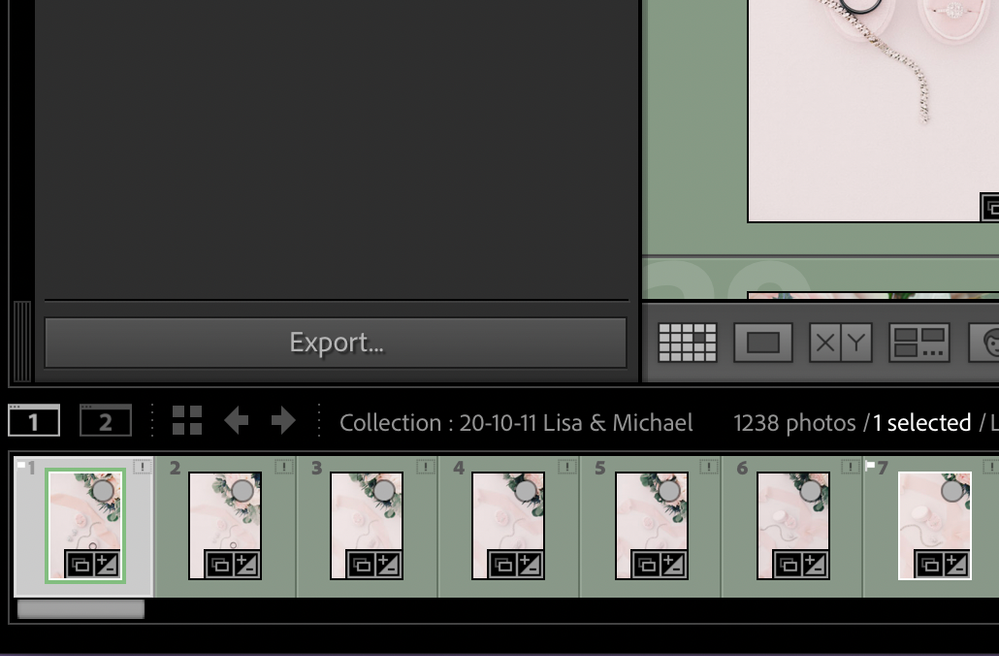
I checked the box to use smart previews while editing but then the import button disappeared! I've unchecked the box and quit and restarted but I can't get the button back. It just gives the option to export. And now, every time that I quit LrC I get an error message that LR quit unexpectedly and asks to send a report.


 10
Replies
10
10
Replies
10


Copy link to clipboard
Copied
"I checked the box to use smart previews while editing but then the import button disappeared!"
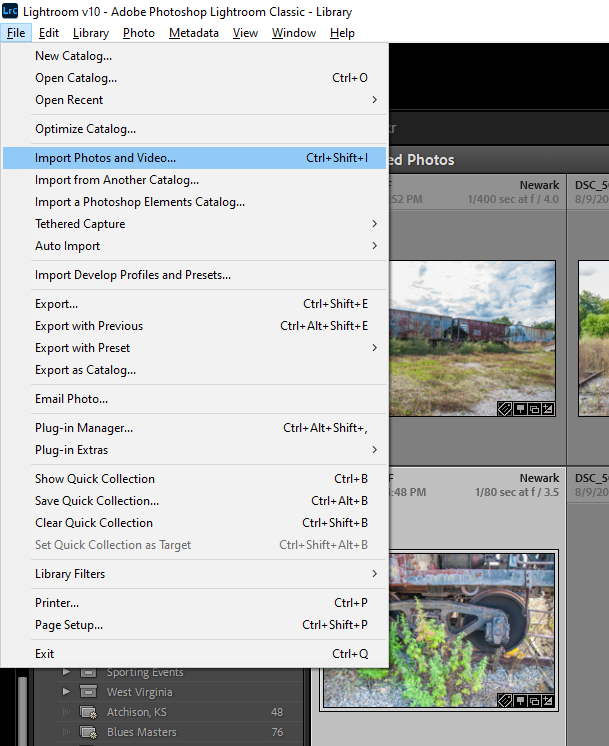
Do you mean the Import button in the Library Module at the bottom left? I do not have this problem when I check the box to use Smart Previews. Can you use the menu command File->Import Photos and Videos?
Before we can provide additional help, please provide the following basic information:
Copy link to clipboard
Copied
My LR version is 10.0 and I'm running it on Mac OS Catalina 10.15.7. The import button is missing in all collections including an empty collection. I also tried to open raw files outside of Lr using "open in application" and it wouldn't open those either. It just opened to an existing collection.

Copy link to clipboard
Copied
You might consider resetting your preferences. Doing so can help resolve a lot of strange issues.
https://helpx.adobe.com/lightroom-classic/help/setting-preferences-lightroom.html
Copy link to clipboard
Copied
Thanks Jim, I'm resetting now.
Copy link to clipboard
Copied
Resetting preferences didn't work. I'm going to restart my computer just in case.
Copy link to clipboard
Copied
Did you try the menu item I suggested?
Anyway, I think @JP Hess 's suggestion will solve the problem.
Copy link to clipboard
Copied
I don't have the option in the menu to import images. I'm resetting my preferences now. I couldn't find a button so Jim's link was very helpful.
Copy link to clipboard
Copied
I have the menu command to import images

Copy link to clipboard
Copied
Did you end up finding a solution to this?


Copy link to clipboard
Copied
The import button should be at bottom left just above the filmstrip in Library module. If you can't see it, then try resetting the LrC preference file as described in Method 1 in below linked Adobe Help document.
https://helpx.adobe.com/lightroom-classic/help/setting-preferences-lightroom.html


Get ready! An upgraded Adobe Community experience is coming in January.
Learn more
 AdChoices